

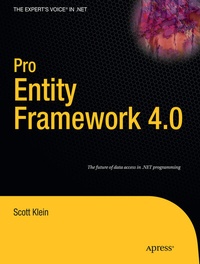
Pro Entity Framework 4.0
Description

Previously, SQL developers have been able to almost entirely ignore the SQLCLR and treat it as a peripheral technology-almost an extension to the main product. With the advent of LINQ and the Entity Framework, this is no longer the case, and the SQLCLR is moving to the center stage. It's a powerful product but, for many, it is an entirely new way of working with data. Pro Entity Framework 4.0 will help readers understand the implications of the Entity Framework and how it can be used to change their development practices and make their databases more powerful and flexible. Since many readers will be encountering this subject for the first time, the book will create an inclusive environment in which the concepts of .NET development are approached from the perspective of the Relational T-SQL developer to foster a sense of shared-ownership in keeping with Microsoft's latest best practices.
- Comprehensive coverage of the new greater and more challenging integration with .NET 3.5
- Written from a real-world perspective and examines the features offered by LINQ and the Entity Framework that will help solve problems experienced by professional developers
- Contains insight, interpretation, analysis, and evangelism instead of just plain fact
More details
Other editions
Additional editions
Person
Content
In the last chapter we focused on how to use text templates to customize the generation of the EDM. T4 has been incorporated in many facets in EF 4.0, and this chapter will build on that. One of the things requested by EF developers was the ability to generate a database based on the EDM. In the previous version of EF you could build an EDM starting with an empty model, but you couldn’t do anything with it after that. More specifically, you could not build or create your database based on your EDM.
EF 4.0 fixes that problem, and not only lets you build your database based on your EDM, but also lets you customize the DDL that is generated. This chapter will focus on two aspects of model-first design, the first being the ability to build an EDM and to then create the database based on your EDM. The second part of the chapter will utilize the information you gained in the previous chapter by using T4 templates and Windows Workflow to customize the output of the DDL.
Model-First Design
One of the most glaring and almost agonizing exclusions from the first release of the Entity Framework was a complete model-first solution. With EF V1, you could create a model from scratch, but you could not really do much with mapping and database creation. Anyone who spent any time on the MSDN Entity Framework forums knows that creating the model first was one of the most requested pieces of functionality. Microsoft listened, and, with Version 4.0 of the Entity Framework, they delivered. With version 4.0 of the Entity Framework, you now have a true “model-first” solution.
Once you have your conceptual model created, you can now derive the storage model, mappings, and database from your conceptual model, all from a single menu item on the Designer context menu. From this menu you can generate a database schema directly from your model as well as the appropriate mappings. Microsoft also provides the ability to customize the database creation process through T4 templates, giving developers much-needed flexibility and control over how the mappings and the schema are generated. I’m getting goose bumps.
This section will walk you through the entire process, from creating the conceptual model to the creation of the database and mappings. Creating a Conceptual Model Let’s begin our model-first design by creating a somewhat simple model. Create a new Class Library project and name the project ModelFirst. We are not going to add any user interface components, so we don’t need to create a Windows Forms application for this example.
Our model, and subsequent database, is going to track motocross teams, their riders, and the class in which each rider races. In the sport of motocross, a rider can actually race in multiple classes, but we don’t want anything that complicated for this example. For the sake of this example, a rider will race a single class. Unlike other sports, in the sport of motocross a rider rarely changes, or “gets traded” to, another team during the year. So we won’t worry about a rider changing teams either. In this example we will create an EDM and then use a new feature to generate a database based on our model. Figure 9-1 shows the New Project creation screen—nothing new here. Pick the project type, enter the project name and click OK."
