

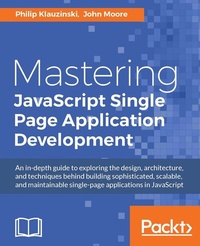
Mastering JavaScript Single Page Application Development
Description

Key Features
[*]Build large-scale, feature-complete SPAs by leveraging widely used tools and techniques.
[*]Gain a solid understanding of architecture and SPA design to build applications using the library or framework of your choice.
[*]Explore the various facets of SPA development to build web apps that are fast, scalable, and easy to test.
Book DescriptionSingle-page web applications-or SPAs, as they are commonly referred to-are quickly becoming the de facto standard for web app development. The fact that a major part of the app runs inside a single web page makes it very interesting and appealing. Also, the accelerated growth of browser capabilities is pushing us closer to the day when all apps will run entirely in the browser. This book will take your JavaScript development skills to the next level by teaching you to create a single-page application within a full-stack JavaScript environment. Using only JavaScript, you can go from being a front-end developer to a full-stack application developer with relative ease. You will learn to cross the boundary from front-end development to server-side development through the use of JavaScript on both ends. Use your existing knowledge of JavaScript by learning to manage a JSON document data store with MongoDB, writing a JavaScript powered REST API with Node.js and Express, and designing a front-end powered by AngularJS. This book will teach you to leverage the MEAN stack to do everything from document database design, routing REST web API requests, data-binding within views, and adding authentication and security to building a full-fledged, complex, single-page web application. In addition to building a full-stack JavaScript app, you will learn to test it with JavaScript-powered testing tools such as Mocha, Karma, and Jasmine. Finally, you will learn about deployment and scaling so that you can launch your own apps into the real world.What you will learn
[*]Organize your development environment using the command line with NPM, Bower, and Grunt.
[*]Choose an accurate design pattern for your app
[*]Understand modular JavaScript programming and Node.js
[*]Interact with a REST API using JavaScript and AJAX with practical examples
[*]Build a single page application using the MEAN stack
[*]Connect your app across popular social media platforms such as Facebook, Twitter, and LinkedIn
[*]Test your app, both on the server side and in views
[*]Prepare your app for the real world and deploy it to Heroku
Who this book is forThis book is ideal for JavaScript developers who want to build complex single-page applications in JavaScript. Some basic understanding of SPA concepts will be helpful but not essential.
All prices
More details
Other editions
Additional editions
Persons
Content
Getting Organized
Model-View-Whatever
SPA Essentials
REST is Best
It
Data Binding, and Why You Should Embrace It
Leveraging the MEAN stack
Manage Data Using MongoDB
Routing Web Requests in Express
Displaying Views
Adding security and authentication
Connecting the app to Social media
Testing With Mocha, Karma, and More
Deploy and Scale the SPA
Chapter 1. Getting Organized with NPM, Bower, and Grunt
JavaScript was the bane of the web development industry during the early days of the browser-rendered Internet. It now powers hugely impactful libraries such as jQuery, and JavaScript-rendered (as opposed to server-side-rendered) content is even indexed by many search engines. What was once largely considered an annoying language used primarily to generate pop-up windows and alert boxes, has now become arguably the most popular programming language in the world.
Not only is JavaScript now more prevalent than ever in frontend architecture, but it has become a server-side language as well, thanks to the Node.js runtime. We have also seen the proliferation of document-oriented databases, such as MongoDB, which store and return JSON data. With JavaScript present throughout the development stack, the door is now open for JavaScript developers to become full-stack developers without the need to learn a traditional server-side language. Given the right tools and know-how, any JavaScript developer can create single page applications comprised entirely of the language they know best, and they can do so using an architecture like MEAN (MongoDB, Express, AngularJS, and Node.js).
Organization is key to the development of any complex Single Page Application (SPA). If you don't get organized from the beginning, you are sure to introduce an inordinate number of regressions to your app. The Node.js ecosystem will help you to do this with a full suite of indispensable and open-source tools, three of which we will discuss here.
In this chapter, you will learn about:
- Node Package Manager (NPM)
- Bower frontend package manager
- Grunt JavaScript task runner
- How these three tools can be used together to create an organized development environment that is ideal for creating an SPA and is essential to the MEAN stack architecture.
What is Node Package Manager?
Within any full-stack JavaScript environment, Node Package Manager will be your go-to tool for setting up your development environment and for managing server-side libraries. NPM can be used within both global and isolated environment contexts. We will first explore the use of NPM globally.
Installing Node.js and NPM
NPM is a component of Node.js, so before you can use it you must first install Node.js. You can find installers for both Mac and Windows at nodejs.org. Once you have Node.js installed, using NPM is incredibly easy and is done from the Command Line Interface (CLI). Start by ensuring you have the latest version of NPM installed, as it is updated more often than Node.js itself:
$ npm install -g npmWhen using NPM, the -g option will apply your changes to your global environment. In this case, you want your version of NPM to apply globally. As stated previously, NPM can be used to manage packages both globally and within isolated environments. In the following, we want essential development tools to be applied globally so that you can use them in multiple projects on the same system.
Tip
With Mac and some Unix-based systems, you may have to run the npm command as the superuser (prefix the command with sudo) in order to install packages globally, depending on how NPM was installed. If you run into this issue and wish to remove the need to prefix npm with sudo, see docs.npmjs.com/getting-started/fixing-npm-permissions.
Configuring your package.json file
For any project you develop, you will keep a local package.json file to manage your Node.js dependencies. This file should be stored at the root of your project directory and it will only pertain to that isolated environment. This allows you to have multiple Node.js projects with different dependency chains on the same system.
When beginning a new project, you can automate the creation of the package.json file from the command line:
Running npm init will take you through a series of JSON property names to define through command line prompts, including your app's name, version number, description, and more. The name and version properties are required, and your Node.js package will not install without them defined. Several of the properties will have a default value given within parentheses in the prompt so that you may simply hit Enter to continue. Other properties will simply allow you to hit Enter with a blank entry and will not be saved to the package.json file, or will be saved with a blank value:
The entry point prompt will be defined as the main property in package.json and is not necessary unless you are developing a Node.js application. In our case, we can forgo this field. The npm init command may in fact force you to save the main property, so you will have to edit package.json afterward to remove it; however, that field will have no effect on your web app.
You may also choose to create the package.json file manually using a text editor, if you know the appropriate structure to employ. Whichever method you choose, your initial version of the package.json file should look similar to the following example:
If you want your project to be private and want to ensure that it does not accidently get published to the NPM registry, you may want to add the private property to your package.json file, and set it to true. Additionally, you may remove some properties that only apply to a registered package:
Once you have your package.json file set up the way you like it, you can begin installing Node.js packages locally for your app. This is where the importance of dependencies begins to surface.
NPM dependencies
There are three types of dependencies that can be defined for any Node.js project in your package.json file: dependencies, devDependencies, and peerDependencies. For the purpose of building a web-based SPA, you will only need to use the devDependencies declaration.
devDependencies are those which are required for developing your application, but not required for its production environment or for simply running it. If other developers want to contribute to your Node.js application, they will need to run npm install from the command line to set up the proper development environment. For information on the other types of dependencies, see docs.npmjs.com.
When adding devDependencies to your package.json file, the command line again comes to the rescue. Let's use the installation of Browserify as an example:
This will install Browserify locally and save it along with its version range to the devDependencies object in your package.json file. Once installed, your package.json file should look similar to the following example:
The devDependencies object will store each package as a key-value pair in which the key is the package name and the value is the version number or version range. Node.js uses semantic versioning, where the three digits of the version number represent MAJOR.MINOR.PATCH. For more information on semantic version formatting, see semver.org.
Updating your development dependencies
You will notice that the version number of the installed package is preceded by a caret (^) symbol by default. This means that package updates will only allow patch and minor updates for versions above 1.0.0. This is meant to prevent major version changes from breaking your dependency chain when updating your packages to the latest versions.
To update your devDependencies and save the new version numbers, you can enter the following from the command line:
Alternatively, you can use the -D option as a shortcut...

