

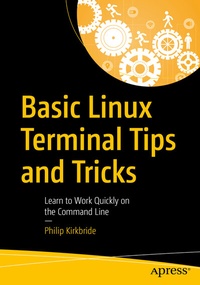
Basic Linux Terminal Tips and Tricks
Description

Many users know "top" is installed on almost all Linux machines, but did you know with a few keystrokes you can customize it specifically for your needs? Stuck using `cd` and `ls` commands for navigating file systems? This book looks at how you can use Ranger to quickly navigate through multiple levels of folders, and quickly run bash commands without ever leaving the terminal. We also suggest programs that can be used for common tasks such as finding which programs are using the most processing, data download/upload, and file space.
You'll know how to quickly connect to remote machines and run your commonly needed jobs in a keystroke or even on auto-pilot. With
Basic Linux Terminal Tips and Tricks
you'll be equipped with a wide range of tools that can be used for daily work and maintenance on all sorts of Linux systems including servers, desktops, and even embedded devices.
What You Will Learn
- Work with common tools on your local network.
- Techniques for efficient use of command line.
- Easily manipulate text files for processing.
- Monitor the state of a system with a handful of popular programs.
- Combine programs to create useful processes.
Anyone who is interested in Linux and Unix based operating systems as a hobby or for work.
More details
Other editions
Additional editions
Person
Content
1. Linux Primer.- 2. Filer/Folder Navigation.- 3. History and Shortcuts.- 4. Pipes and Scripts.- 5. Using SSH.- 6. File Transfer.- 7. Network Scanning.- 8. System Monitoring.- 9. Getting Hardware Details.- 10. Parsing Text.- 11.systemd.- 12. Vim.- 13. Emacs.- 14. Configure Bash.- 15. Tmux Workflow.- 16. Work with Images and Video.- 17. Extras.
