

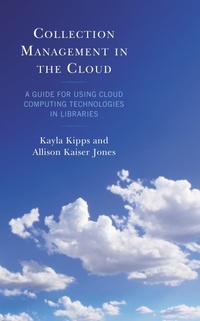
Collection Management in the Cloud
A Guide for Using Cloud Computing Technologies in Libraries
1st Edition
Published on 11. March 2022
180 pages
979-8-8818-7532-9 (ISBN)
Description

As remote work has become routine, cloud-based technology tools have become increasingly necessary to communicate with other library staff and with faculty and staff to continue providing seamless and uninterrupted access to library resources and collections for our campus community.
Cloud-based technology tools such as Google Forms and Google Sheets are used to gather faculty requests for collection development, tools such as Tableau are used to illustrate material budget balances, and platforms such as Trello have been adopted to track subscription renewal cycles and manage other projects.
This guide discusses the benefits of using these powerful cloud-based and little to no additional cost technology tools through the lens of a particular area in librarianship such as documentation, data and project management, communication, data storage, and data visualization. While the real-world examples provided throughout focus on technical services staff operations, specifically acquisitions and electronic collection management, each tool's features and use cases are transferable among all areas of librarianship.
This guide provides insights into how collaborative, dynamic, and accessible these cloud-based solutions are for a technologically shifting workplace as well as considers the challenges to adopting cloud-based solutions such as administrative buy-in, aversion to change, and steeper learning curves as well.
Readers will gain practical experiential examples that have been instrumental in creating efficiencies in collection management workflows for technical services staff. The use cases illustrated exemplify enhancements that librarians can incorporate into their own collection management practices to further engage with their colleagues, their patrons, and their larger communities more effectively and efficiently.
Cloud-based technology tools such as Google Forms and Google Sheets are used to gather faculty requests for collection development, tools such as Tableau are used to illustrate material budget balances, and platforms such as Trello have been adopted to track subscription renewal cycles and manage other projects.
This guide discusses the benefits of using these powerful cloud-based and little to no additional cost technology tools through the lens of a particular area in librarianship such as documentation, data and project management, communication, data storage, and data visualization. While the real-world examples provided throughout focus on technical services staff operations, specifically acquisitions and electronic collection management, each tool's features and use cases are transferable among all areas of librarianship.
This guide provides insights into how collaborative, dynamic, and accessible these cloud-based solutions are for a technologically shifting workplace as well as considers the challenges to adopting cloud-based solutions such as administrative buy-in, aversion to change, and steeper learning curves as well.
Readers will gain practical experiential examples that have been instrumental in creating efficiencies in collection management workflows for technical services staff. The use cases illustrated exemplify enhancements that librarians can incorporate into their own collection management practices to further engage with their colleagues, their patrons, and their larger communities more effectively and efficiently.
More details
Other editions
Additional editions
Kayla Kipps | Allison Kaiser Jones
Collection Management in the Cloud
A Guide for Using Cloud Computing Technologies in Libraries
Book
03/2022
Rowman & Littlefield Publishers
€52.30
Shipment within 3-4 weeks
Persons
Kayla Kipps is the collection development librarian at the College of Charleston Libraries. Kipps earned an MLIS from San Jose State University and an BA in English from Virginia Tech. She has been working in technical services roles for over eight years in areas such as collections processing, collection assessment, collection development, and electronic resource management.
Allison Kaiser Jones is the electronic resources & serials librarian at the College of Charleston Libraries. In this role, she oversees all aspects of the Libraries' subscription-based resources in both print and electronic formats. Her presentations and publications primarily focus on serial life-cycle workflows and integrating cloud-based technologies into collection management. Jones earned a MLIS from the University of South Carolina and a MA in British and American Literature from the University of Charleston. She has worked with library collections and in technical services roles for over fifteen years.
Allison Kaiser Jones is the electronic resources & serials librarian at the College of Charleston Libraries. In this role, she oversees all aspects of the Libraries' subscription-based resources in both print and electronic formats. Her presentations and publications primarily focus on serial life-cycle workflows and integrating cloud-based technologies into collection management. Jones earned a MLIS from the University of South Carolina and a MA in British and American Literature from the University of Charleston. She has worked with library collections and in technical services roles for over fifteen years.
Content
Acknowledgements
Preface
Introduction
1: Data Storage in the Cloud
Cloud StorageCloud Storage in LibrariesMicrosoft OneDriveGoogle DriveDropbox: An Alternative to OneDrive and Google DriveSummary2: Documentation in the Cloud
Cloud DocumentationDocumentation in LibrariesGoogle DocsMicrosoft 365Dropbox Paper: An Alternative to Google Docs, Word, and OneNoteSummary3: Data Management in the Cloud
Data Management in LibrariesCloud Data ManagementAirtableGoogle Sheets for Data ManagementGoogle Forms: An Alternative to Airtable and Google SheetsSummary4: Data Visualization in the Cloud
Data Visualization in LibrariesCloud Data VisualizationTableauGoogle Sheets for Data VisualizationLibInsight: An Alternative to Tableau and Google SheetsSummary5: Project Management in the Cloud
Project Management in LibrariesCloud Tools for Project ManagementTrello Microsoft TeamsAsana® Collaboration Work Management Platform: An Alternative to Trello and Microsoft TeamsSummary6: Communication in the Cloud
Cloud CommunicationSlack® Collaboration Software for Informal CommunicationZoom for Formal CommunicationMicrosoft Teams: An Alternative to Slack Collaboration Software and ZoomSummary7: Library Management Systems in the Cloud
Cloud-Based Library Management SystemsEx Libris AlmaKoha Library SoftwareFOLIO: An Alternative to Ex Libris Alma and Koha Library SoftwareFrom Millennium to Alma: One Library's Migration ExperienceSummary8: Looking Ahead at Using Cloud-Based Tools in Libraries
Glossary of Terms
Bibliography
About the Authors
Preface
Introduction
1: Data Storage in the Cloud
Cloud StorageCloud Storage in LibrariesMicrosoft OneDriveGoogle DriveDropbox: An Alternative to OneDrive and Google DriveSummary2: Documentation in the Cloud
Cloud DocumentationDocumentation in LibrariesGoogle DocsMicrosoft 365Dropbox Paper: An Alternative to Google Docs, Word, and OneNoteSummary3: Data Management in the Cloud
Data Management in LibrariesCloud Data ManagementAirtableGoogle Sheets for Data ManagementGoogle Forms: An Alternative to Airtable and Google SheetsSummary4: Data Visualization in the Cloud
Data Visualization in LibrariesCloud Data VisualizationTableauGoogle Sheets for Data VisualizationLibInsight: An Alternative to Tableau and Google SheetsSummary5: Project Management in the Cloud
Project Management in LibrariesCloud Tools for Project ManagementTrello Microsoft TeamsAsana® Collaboration Work Management Platform: An Alternative to Trello and Microsoft TeamsSummary6: Communication in the Cloud
Cloud CommunicationSlack® Collaboration Software for Informal CommunicationZoom for Formal CommunicationMicrosoft Teams: An Alternative to Slack Collaboration Software and ZoomSummary7: Library Management Systems in the Cloud
Cloud-Based Library Management SystemsEx Libris AlmaKoha Library SoftwareFOLIO: An Alternative to Ex Libris Alma and Koha Library SoftwareFrom Millennium to Alma: One Library's Migration ExperienceSummary8: Looking Ahead at Using Cloud-Based Tools in Libraries
Glossary of Terms
Bibliography
About the Authors
