

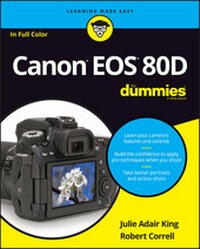
Canon EOS 80D For Dummies
Published on 13. July 2016
352 pages
978-1-119-29137-4 (ISBN)
Description

Take professional-quality photos with your Canon EOS 80D
Your Canon EOS 80D gives you pro-level photo power. All you need is some know-how about your camera's capabilities and a little experience to start capturing brag-worthy photos--and the expert tips and tricks inside get you there in a flash. Essentially a photography class in a book, Canon EOS 80D For Dummies offers plain-English explanations of your camera's settings, how to shoot in auto mode, ways to get creative with exposure settings, ideas for getting artistic, and so much more.
Complemented with inspiring full-color examples and simple photo 'recipes' for getting better portraits and close-up images, this hands-on guide covers the gamut of how to use your Canon EOS 80D like the pros. In no time, you'll get up to speed on making sense of your camera's menus and functions, capturing first shots in auto mode, adjusting exposure settings, taking control of focus and color, shooting action shots, sharing your photos, and everything else in between.
* Gain photography skills while learning your camera's controls
* Build the confidence to apply pro techniques when you shoot
* Follow simple steps for better portraits and action shots
* Customize your Canon EOS 80D
Written with hobbyists and inexperienced photographers in mind, this no-nonsense guide shows you how to capture must-have images you'll be proud to add to your personal or professional portfolio.
More details
Other editions
Additional editions
Julie Adair King | Robert Correll
Canon EOS 80D For Dummies
Book
09/2016
1st Edition
Wiley
€32.50
Shipment within 15-20 days
Persons
Julie Adair King is a veteran digital photography educator. Her best selling books include Digital Photography For Dummies and thirty titles on Canon and Nikon cameras. Robert Correll is a digital media expert who authored Digital SLR Photography All-in-One For Dummies.
Content
- Intro
- Title Page
- Copyright Page
- Table of Contents
- Introduction
- A Quick Look at What's Ahead
- Icons and Other Stuff to Note
- eCheat Sheet
- Practice, Be Patient, and Have Fun!
- Part 1 Fast Track to Super Snaps
- Chapter 1 Getting the Lay of the Land
- Looking at Lenses
- Choosing a lens
- Attaching and removing a lens
- Zooming in and out
- Using an IS (image stabilizer) lens
- Getting acquainted with focusing
- Adjusting the Viewfinder
- Adjusting the Monitor Position
- Using the Touchscreen
- Working with Memory Cards
- Exploring External Camera Features
- Topside controls
- Back-of-the-body controls
- Front odds and ends
- Connection ports
- Ordering from Camera Menus
- Navigating the Custom Functions Menu
- Monitoring Critical Camera Settings
- The Info button: Choosing what the screen shows
- Checking the Camera Settings display
- Viewing the Shooting Settings display
- Decoding viewfinder data
- Reading the LCD panel
- Changing Settings via the Quick Control Screen
- Getting Help from Your Camera
- Reviewing Basic Setup Options
- Cruising the Setup menus
- Setting up the Lock switch
- Taking two final setup steps
- Chapter 2 Choosing Basic Picture Settings
- Choosing an Exposure Mode
- Changing the Drive Mode
- Getting Familiar with the Built-in Flash
- Using flash in the fully automatic modes
- Enabling flash in advanced exposure modes
- Using Red-Eye Reduction flash
- Controlling Picture Quality
- Diagnosing quality problems
- Decoding the Image Quality options
- Considering Resolution: Large, Medium, or Small?
- Understanding File Type (JPEG or Raw)
- JPEG: The imaging (and web) standard
- Raw (CR2): The purist's choice
- Our take: Choose Fine or Raw
- Setting the Photo Aspect Ratio
- Chapter 3 Taking Great Pictures, Automatically
- As Easy As It Gets: Auto and Flash Off
- Taking Advantage of Scene (SCN) Modes
- Modifying scene mode results
- Gaining More Control with Creative Auto
- Chapter 4 Exploring Live View Shooting and Movie Making
- Getting Started
- Reviewing Live View and Movie mode cautions
- Customizing the display
- Focusing in Live View and Movie Modes
- Continuous autofocusing in Movie mode
- Choosing an AF (autofocus) mode
- Manual focusing
- Zooming in for a focus check
- Exploring Other Live View Options
- Adjusting other Live View picture settings
- Using the touch shutter
- Recording Your First Movie
- Customizing Movie Recording Settings
- Shooting Menu 4 (Movie)
- Shooting Menu 5 (Movie)
- Using Movie Digital Zoom
- Playing Movies
- Part 2 Working with Picture Files
- Chapter 5 Picture Playback
- Disabling and Adjusting Image Review
- Exploring Playback Mode
- Switching to Index (thumbnails) view
- Using the Quick Control screen during playback
- Jumping through images
- Rotating pictures
- Zooming in for a closer view
- Viewing Picture Data
- Basic Information display data
- Shooting Information display mode
- Understanding histograms
- Enabling a few display extras
- Deleting Photos
- Erasing single images
- Erasing all images on the memory card
- Erasing selected images
- Protecting Photos
- Protecting (or unprotecting) a single photo
- Protecting multiple photos
- Rating Photos
- Viewing Your Photos on a Television
- Chapter 6 Downloading, Printing, and Sharing Your Photos
- Installing the Canon Software
- Sending Pictures to the Computer
- Connecting camera and computer via USB
- Connecting to the computer via Wi-Fi
- Downloading from the camera
- Downloading from a card reader
- Processing Raw (CR2) Files
- Processing Raw images in the camera
- Converting Raw images in Digital Photo Professional
- Planning for Perfect Prints
- Preparing Pictures for Online Sharing
- Part 3 Taking Creative Control
- Chapter 7 Getting Creative with Exposure
- Kicking Your Camera into High Gear
- Introducing Exposure Basics: Aperture, Shutter Speed, and ISO
- Understanding exposure-setting side effects
- Doing the exposure balancing act
- Monitoring Exposure Settings
- Choosing an Exposure Metering Mode
- Setting ISO, f-stop, and Shutter Speed
- Controlling ISO
- Adjusting aperture and shutter speed
- Sorting through Your Camera's Exposure-Correction Tools
- Overriding autoexposure results with Exposure Compensation
- Improving high-contrast shots
- Experimenting with Auto Lighting Optimizer
- Correcting vignetting with Peripheral Illumination Correction
- Dampening noise
- Locking Autoexposure Settings
- Bracketing Exposures Automatically
- Setting up for automatic bracketing
- Shooting a bracketed series
- Using Flash in Advanced Exposure Modes
- Understanding your camera's approach to flash
- Using flash outdoors
- Adjusting flash power with Flash Exposure Compensation
- Locking the flash exposure
- Exploring more flash options
- Chapter 8 Manipulating Focus and Color
- Reviewing Focus Basics
- Introducing the AF-ON button
- Adjusting Autofocus Performance
- AF Area mode: One focus point or many?
- Changing the AF (autofocus) operation mode
- Choosing the right autofocus combo
- Manipulating Depth of Field
- Controlling Color
- Correcting colors with white balance
- Changing the White Balance setting
- Creating a custom White Balance setting
- Fine-tuning White Balance settings
- Bracketing shots with white balance
- Taking a Quick Look at Picture Styles
- Chapter 9 Putting It All Together
- Recapping Basic Picture Settings
- Setting Up for Specific Scenes
- Shooting still portraits
- Capturing action
- Capturing scenic vistas
- Capturing dynamic close-ups
- Part 4 The Part of Tens
- Chapter 10 Ten Features to Explore on a Rainy Day
- Enabling Mirror Lockup Shooting
- Adding Cleaning Instructions to Images
- Tagging Files with Your Copyright Claim
- Exploring Wi-Fi Functions
- Experimenting with Creative Filters
- Shooting in Multiple Exposure Mode
- Investigating Two More Printing Options
- Presenting a Slide Show
- Editing Movies
- Creating Video Snapshots and Time Lapse Movies
- Chapter 11 Ten More Ways to Customize Your Camera
- Creating Your Own Exposure Modes
- Creating Your Very Own Camera Menu
- Creating Custom Folders
- Changing the Color Space from sRGB to Adobe RGB
- Changing the Direction of the Dials
- Changing All the Furniture Around
- Disabling the AF-Assist Beam
- Controlling the Lens Focus Drive
- Making the Flashing Red AF Points Go Away
- Considering a Few Other Autofocusing Tweaks
- Index
- EULA
