

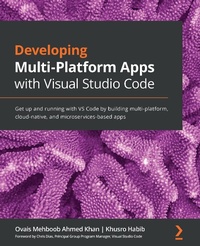
Developing Multi-Platform Apps with Visual Studio Code
Get up and running with VS Code by building multi-platform, cloud-native, and microservices-based apps
Published on 23. September 2024
334 pages
978-1-83882-664-2 (ISBN)
Description

Redefine your software development experience by understanding the extensive features and rich functionalities offered by Visual Studio Code
Key Features
Leverage the power of the free, cross-platform, and highly customizable code editor to build modern web and cloud applications
Edit, debug and deploy on Microsoft Azure with Visual Studio Code
Learn how to customize features and install a wide variety of third-party extensions
Book DescriptionMicrosoft Visual Studio Code is a powerful, lightweight code editor for modern web and cloud development. It is a source code editor that can be used with a variety of programming languages, which works on multiple platforms such as Linux, Windows, and macOS. This book provides extensive coverage of the tools, functionalities, and extensions available within the VS Code environment that will help you build multi-platform apps with ease. You'll start with the installation of VS Code and learn about various tools and features that are essential for development. Progressing through the chapters, you'll explore the user interface while understanding tips and tricks for increasing productivity. Next, you'll delve into VS Code extensions and discover how they can make life easier for developers. Later, the book shows you how to develop a sample application with different programming languages, tools, and runtimes to display how VS code can be used effectively for development, before helping you get to grips with source code version management and deployment on Azure with VS Code. Finally, you'll build on your skills by focusing on remote development with VS Code. By the end of this book, you'll have the knowledge you need to use Visual Studio Code as your primary tool for software development.What you will learn
Explore various editing, formatting, and navigational features of VS Code
Understand how to add, delete, and configure extensions in VS Code
Develop web APIs using Node.js, Java, and Python in VS Code
Develop background service in .NET Core and explore Dapr
Delve into debugging techniques such as breakpoints, log points, and data inspection
Use Git with Azure DevOps to share and synchronize code with VS Code
Create custom extensions in VS Code to increase developer productivity
Understand the concepts of remote development using VS Code
Who this book is forThis book is for software developers, web developers and polyglot programmers, who are working with any language or framework such as Python, Java, Node.js, or .NET and are looking to learn how they can create multi-platform, microservices based, cloud-native applications while effectively using Visual Studio Code for editing, debugging, version management and deployment. Basic software development skills are a must to grasp the concepts covered in this book.
Key Features
Leverage the power of the free, cross-platform, and highly customizable code editor to build modern web and cloud applications
Edit, debug and deploy on Microsoft Azure with Visual Studio Code
Learn how to customize features and install a wide variety of third-party extensions
Book DescriptionMicrosoft Visual Studio Code is a powerful, lightweight code editor for modern web and cloud development. It is a source code editor that can be used with a variety of programming languages, which works on multiple platforms such as Linux, Windows, and macOS. This book provides extensive coverage of the tools, functionalities, and extensions available within the VS Code environment that will help you build multi-platform apps with ease. You'll start with the installation of VS Code and learn about various tools and features that are essential for development. Progressing through the chapters, you'll explore the user interface while understanding tips and tricks for increasing productivity. Next, you'll delve into VS Code extensions and discover how they can make life easier for developers. Later, the book shows you how to develop a sample application with different programming languages, tools, and runtimes to display how VS code can be used effectively for development, before helping you get to grips with source code version management and deployment on Azure with VS Code. Finally, you'll build on your skills by focusing on remote development with VS Code. By the end of this book, you'll have the knowledge you need to use Visual Studio Code as your primary tool for software development.What you will learn
Explore various editing, formatting, and navigational features of VS Code
Understand how to add, delete, and configure extensions in VS Code
Develop web APIs using Node.js, Java, and Python in VS Code
Develop background service in .NET Core and explore Dapr
Delve into debugging techniques such as breakpoints, log points, and data inspection
Use Git with Azure DevOps to share and synchronize code with VS Code
Create custom extensions in VS Code to increase developer productivity
Understand the concepts of remote development using VS Code
Who this book is forThis book is for software developers, web developers and polyglot programmers, who are working with any language or framework such as Python, Java, Node.js, or .NET and are looking to learn how they can create multi-platform, microservices based, cloud-native applications while effectively using Visual Studio Code for editing, debugging, version management and deployment. Basic software development skills are a must to grasp the concepts covered in this book.
More details
Edition
Digital original
Language
English
Place of publication
Birmingham
United Kingdom
Target group
Professional and scholarly
US School Grade: College Graduate Student
Edition type
Digital original
File size
15,04 MB
ISBN-13
978-1-83882-664-2 (9781838826642)
Copyright in bibliographic data and cover images is held by Nielsen Book Services Limited or by the publishers or by their respective licensors: all rights reserved.
Schweitzer Classification
Other editions
Additional editions
Ovais Mehboob Ahmed Khan | Khusro Habib
Developing Multi-Platform Apps with Visual Studio Code
Get up and running with VS Code by building multi-platform, cloud-native, and microservices-based apps
Book
09/2020
Packt Publishing
€56.40
Shipment within 3-4 weeks
Persons
Mehboob Ahmed Khan Ovais :
Ovais Mehboob Ahmed Khan is a seasoned programmer and solution architect with nearly 20 years of experience in software development, consultancy, and solution architecture. He has worked with various clients across the world and is currently working as a senior customer engineer at Microsoft. He specializes mainly in application development using .NET and OSS technologies, Microsoft Azure, and DevOps. He is a prolific writer who has written several books and articles on various technologies. He really enjoys talking about technology and has given a number of technical sessions around the world.Habib Khusro :
Khusro Habib has been working in the IT industry for almost 20 years. He is a veteran programmer and delivered several enterprise grade solutions in the capacity of a consultant and solution architect. H
Ovais Mehboob Ahmed Khan is a seasoned programmer and solution architect with nearly 20 years of experience in software development, consultancy, and solution architecture. He has worked with various clients across the world and is currently working as a senior customer engineer at Microsoft. He specializes mainly in application development using .NET and OSS technologies, Microsoft Azure, and DevOps. He is a prolific writer who has written several books and articles on various technologies. He really enjoys talking about technology and has given a number of technical sessions around the world.Habib Khusro :
Khusro Habib has been working in the IT industry for almost 20 years. He is a veteran programmer and delivered several enterprise grade solutions in the capacity of a consultant and solution architect. H
Content
Table of Contents
Getting Started with Visual Studio Code
Extensions in Visual Studio Code
Building a Multi-Platform Backend Using Visual Studio Code
Building a Service in .NET Core and Exploring Dapr
Building a Web-Based Frontend Application with Angular
Debugging Techniques
Deploying Applications on Azure
Git and Azure DevOps
Creating Custom Extensions in Visual Studio Code
Remote Development in Visual Studio Code
Getting Started with Visual Studio Code
Extensions in Visual Studio Code
Building a Multi-Platform Backend Using Visual Studio Code
Building a Service in .NET Core and Exploring Dapr
Building a Web-Based Frontend Application with Angular
Debugging Techniques
Deploying Applications on Azure
Git and Azure DevOps
Creating Custom Extensions in Visual Studio Code
Remote Development in Visual Studio Code
