

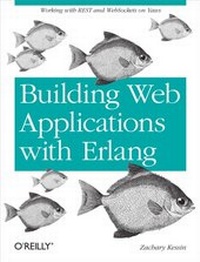
Building Web Applications with Erlang
Working with REST and Web Sockets on Yaws
1st Edition
Published on 5. June 2012
100 pages
978-1-4493-2066-9 (ISBN)
Description

Why choose Erlang for web applications? Discover the answer hands-on by building a simple web service with this book. If youre an experienced web developer who knows basic Erlang, youll learn how to work with REST, dynamic content, web sockets, and concurrency through several examples. In the process, youll see first-hand that Erlang is ideal for building business-critical services.Erlang was designed for fault-tolerant, non-stop telecom systems, and building applications with it requires a large set of skills. By the end of the book, youll have the information you need to build a basic web service and get it running.Explore the power of Erlang and REST for building web servicesServe static and dynamic content with the Yaws web serverUse different methods for outputting data to user, such as encoding Erlang data structures into JSON or XMLBuild an application to listen for HTTP requests, process them, store data, and return useful dataGo beyond the request-response modelpush data to clients with web socketsUse Erlang and Yaws to stream data from the server to a client"e;A book which is truly needed and will help get Erlang to the next level."e;Francesco Cesarini, CEO of Erlang Solutions, author of Erlang Programming.
More details
Other editions
Additional editions
Book
07/2012
1st Edition
O'Reilly
€19.00
Shipment within 10-20 days
Content
- Intro
- Table of Contents
- Preface
- Who This Book Is For
- Learning Erlang
- Before You Start
- What You Will Learn
- The Limits of This Book
- Help! It Doesn't Compile or Run!
- Diagnosing the Error
- What Version of Erlang and Yaws Are You Running?
- Is Everything Loaded Correctly?
- Are You Calling Everything Correctly?
- Is Mnesia Running with Correct Tables?
- Is the Example Just Plain Wrong?
- Conventions Used in This Book
- Using Code Examples
- Safari® Books Online
- How to Contact Us
- Acknowledgments
- Chapter 1. Building Scalable Systems with Erlang and REST
- Why Erlang?
- Erlang's Advantages
- Lack of Types
- OTP-For More Than Just Telecom!
- Why Web Services? Why REST?
- New Opportunities for Scaling and Resilience
- Cloud Computing
- System Architecture and Erlang Scaling
- Scaling up versus scaling out
- Amdahl's law
- Data Storage Options
- Mnesia
- CouchDB
- MongoDB
- Redis
- Riak
- Chapter 2. Getting Started with Yaws
- Working with Yaws
- Starting Yaws
- Serving Static Files
- Compiling, Loading, and Running Code
- Clustering Yaws
- Dynamic Content in Yaws
- EHTML
- Headers and Redirects
- Templates
- ErlyDTL
- Logging
- Erlang OTP error_logger
- Chapter 3. Appmods: Dynamic Content in Yaws
- Appmod Configuration
- When the URI Does Not Correspond to a File
- Cookies
- Session Handling
- Access Control
- Interacting with Erlang Services and Business Logic Layers
- Chapter 4. Implementing REST
- Decoding a Request
- Extracting the User's Request
- Response and Headers
- Building the Response
- JSON
- XML
- Responding to the REST Request
- A Full Example
- Chapter 5. File Upload
- The File Upload Request
- Saving to Disk
- Putting It All Together
- Storage in a Distributed System
- Saving to Amazon S3
- Chapter 6. WebSockets
- The WebSocket Request
- Basic WebSocket Handler
- Advanced WebSocket Handler
- Chapter 7. Streaming
- Simple Streaming
- Chapter 8. Using the HTTP Client
- Making a Request
- Using OAuth
- Facebook Canvas
- Chapter 9. Building an Application with OTP
- Directory Structure
- Building an Application Server
- The Generic Server
- The Multicast Server
- Interfacing the Server with the Web
- Some Client-Side Code
- Let's Have Some Adult Supervision Around Here!
- A Little Optimization
- Bundling as an Application
- The App File
- Wrapping Up OTP
- Appendix A. Installing Erlang and Yaws
- Appendix B. Beyond Yaws
- Web Servers
- Cowboy
- MochiWeb
- Misultin
- Web Frameworks
- Chicago Boss
- Nitrogen
- Zotonic
- Appendix C. Interfacing with Ruby and Python
- Ruby
- Python
- Appendix D. Using Erlang with Emacs
- Distel
- Flymake Mode
- Gen Server Template
