

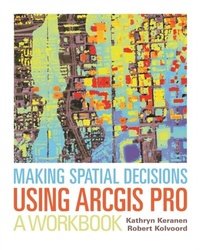
Making Spatial Decisions Using ArcGIS Pro
Description

"How can we protect...?" "Where do we allocate...?" "What's the extent and pattern of...?" You have questions in a spatial context; Making Spatial Decisions Using ArcGIS Pro has answers based in The Science of Where(TM).
Making Spatial Decisions Using ArcGIS Pro is a textbook that provides the user with a broad overview of the capabilities of using ArcGIS Pro to use geospatial tools to solve real-world problems. This book takes full advantage of the integrative nature of ArcGIS Pro and its advanced capabilities to seamlessly unite cloud-based and desktop GIS. The lessons included in this book have been adapted and updated from lessons from Keranen and Kolvoord's popular first three Esri Press books: Making Spatial Decisions Using GIS, Making Spatial Decisions Using GIS and Remote Sensing, and Making Spatial Decisions Using GIS and Lidar.
Note: This e-book requires ArcGIS software. You can download the ArcGIS Trial at http://www.esri.com/arcgis/trial, contact your school or business Esri Site License Administrator, or purchase a student or individual license through the Esri Store.
All prices
More details
Other editions
Additional editions
Persons
Content
About the Authors
Acknowledgements
Introduction
Module 1: Hazardous emergency decisions
Project 1: An explosive situation in Springfield, Virginia
Project 2: Skirting the spill in Mecklenburg County, North Carolina
Module 2: Hurricane damage decisions
Project 1: Coastal flooding from Hurricane Katrina
Project 2: Hurricane Wilma storm surge
Module 3: Law enforcement decisions
Project 1: Crime in the nation's capital
Project 2: Analyzing crime in San Diego, CA
Module 4: Composite Images
Project 1: Creating multispectral imagery of the Chesapeake Bay
Project 2: Multispectral Composite Bands of the Las Vegas Area
Module 5: Unsupervised Classification
Project 1: Unsupervised classification of the Chesapeake Bay
Project 2: Calculating unsupervised classification of Las Vegas, Nevada
Module 6: Supervised Classification
Project 1: Calculating supervised classification of the Chesapeake Bay
Project 2: Calculating supervised classification of Las Vegas, Nevada
Module 7: Basic Lidar Skills
Project 1: Basic lidar skills using Baltimore, MD data
Project 2: San Francisco, CA
Module 8: Location of Solar Panels
Project 1: James Madison University, Harrisonburg, Virginia
Project 2: San Francisco University, San Francisco, California
Module 9: Forest Vegetation Height
Project 1: George Washington National Forest, Virginia
Project 2: Michaux State Forest, PA
Appendix A: Image and Data Credits
Book Resources
