

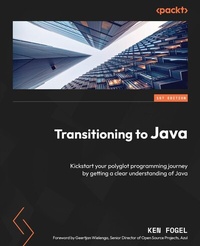
Transitioning to Java
Description

This comprehensive guide will help non-Java developers already using different languages transition from their current language to all things Java. The chapters are designed in a way that re-enforces a developer's existing knowledge of object-oriented methodologies as they apply to Java.
This book has been divided into four sections, with each section touching upon different aspects that'll enable your effective transition. The first section helps you get to grips with the Java development environment and the Maven build tool for modern Java applications. In the second section, you'll learn about Java language fundamentals, along with exploring object-oriented programming (OOP) methodologies and functional programming and discovering how to implement software design patterns in Java. The third section shows you how to code in Java on different platforms and helps you get familiar with the challenges faced on these platforms. In the fourth section, you'll find out how you can manage and package your Java code.
By the end of this Java programming book, you'll have learned the core concepts of Java that'll help you successfully transition from a different language to Java.
All prices
More details
Other editions
Additional editions
Content
- Cover
- Title Page
- Copyright and Credits
- Dedication
- Foreword
- Contributors
- Table of Contents
- Preface
- Part 1: The Java Development Environment
- Chapter 1: Understanding Java Distributions
- Technical requirements
- A little history
- What makes Java special?
- Why are there many distributions of Java?
- Which Java should you get?
- How is Java licensed?
- Why are there so many versions of Java?
- Installing Java
- As an admin
- As a non-admin
- What is in the box?
- Compiling and executing a Java program
- Assembling and packaging a Java application
- Documenting Java classes
- REPL
- Summary
- Further reading
- Chapter 2: Code, Compile, and Execute
- Technical requirements
- The first program
- JShell - REPL in Java
- The two-step compile and execute process - javac and java/javaw
- Launch Single-File Source-Code Programs
- For Windows, macOS, and Linux
- For macOS and Linux - Shebang files
- Integrated development environments
- Eclipse Foundation - Eclipse
- Apache NetBeans
- Microsoft Visual Studio Code
- JetBrains IntelliJ IDEA
- Which IDE should you use?
- Summary
- Further reading
- Chapter 3: The Maven Build Tool
- Technical requirements
- Installing Maven
- Windows
- Linux
- macOS
- Overview of Maven functionality
- Dependency management
- Maven plugins
- Maven project layout
- Java source code packages
- The pom.xml configuration file
- jar - Java archive
- war - web archive
- ear - enterprise archive
- pom - POM
- The build section
- Running Maven
- Command-line Maven
- Running Maven in an IDE
- Summary
- Further reading
- Part 2: Language Fundamentals
- Chapter 4: Language Fundamentals - Data Types and Variables
- Technical requirements
- Primitive data types
- Type safety
- Literal values
- Integers
- Floating point
- Boolean
- char
- A special case - String
- Naming identifiers
- Constants
- Operators
- Casting
- Overflow and underflow
- Wrapper classes
- The math library
- Summary
- Further reading
- Chapter 5: Language Fundamentals - Classes
- Technical requirements
- Class fields
- Understanding access control
- Packages
- The public specifier
- The private specifier
- The protected specifier
- The package specifier
- Understanding classes
- constructor and finalize methods
- Revising the compound interest program
- Class organization based on functionality
- Summary
- Further reading
- Chapter 6: Methods, Interfaces, Records, and Their Relationships
- Technical requirements
- Understanding methods
- Access control designation
- Static or non-static designation and the this reference
- Override permission - final
- Override required - abstract
- Return type
- Method name
- Parameter variables
- Annotations
- Exception handling - throws
- Thread setting
- Generic parameters
- Understanding inheritance
- The superclass of all objects, the Object class
- Understanding the class interface
- Abstract class versus interface
- Sealed classes and interfaces
- Understanding the record class
- Understanding polymorphism
- Understanding composition in classes
- Association
- Aggregation
- Summary
- Chapter 7: Java Syntax and Exceptions
- Technical requirements
- Understanding coding structures
- Code blocks
- Statements
- Expressions
- Operators
- Iteration
- Decision-making
- Handling exceptions
- The stack trace
- Ending the program
- The throw and throws statements
- The finally block
- Creating your own exception classes
- Summary
- Further reading
- Chapter 8: Arrays, Collections, Generics, Functions, and Streams
- Technical requirements
- Understanding the array data structure
- Understanding the Collections Framework
- Using sequential implementations and interfaces
- ArrayList
- LinkedList
- ArrayDeque
- The Collection interface
- How to declare a collection
- Understanding Generics in the Collections Framework
- Using sequential implementations and interfaces with Generics
- Understanding Collections Framework map structures
- HashMap
- LinkedHashMap
- TreeMap
- Understanding functions in Java
- Using streams in collections
- Summary
- Further reading
- Chapter 9: Using Threads in Java
- Technical requirements
- Creating Java native OS threads
- Extending the Thread class
- Implementing the Runnable interface
- Creating a thread pool with ExecutorService
- Implementing the Callable interface
- Managing threads
- Daemon and non-daemon threads
- Thread priority
- Preventing race and deadlock conditions in threads
- Race condition
- Deadlock condition
- Creating new virtual threads
- Summary
- Further reading
- Chapter 10: Implementing Software Design Principles and Patterns in Java
- Technical requirements
- SOLID software design principles
- S - Separation of concerns/single responsibility
- O - Open/closed
- L - Liskov substitution
- I - Interface segregation
- D - Dependency inversion
- Software design patterns
- Singleton
- Factory
- Adapter
- Observer
- Summary
- Further reading
- Chapter 11: Documentation and Logging
- Technical requirements
- Creating documentation
- Comments
- Javadocs
- Using logging
- java.util.logging
- Log4j2
- Summary
- Further reading
- Chapter 12: BigDecimal and Unit Testing
- Technical requirements
- Using BigDecimal
- What is JUnit 5?
- Testing with JUnit 5
- Performing parameterized testing
- Summary
- Further reading
- Part 3: GUI and Web Coding in Java
- Chapter 13: Desktop Graphical User Interface Coding with Swing and JavaFX
- Technical requirements
- A brief history of Java GUIs
- Financial calculator program design
- Internationalization - i18n
- Using the Swing GUI framework
- JFrame
- JPanel
- Event handlers
- Document filter
- Pattern matching with regular expressions
- Controls and panels
- Using the JavaFX GUI framework
- Application
- PrimaryStage
- Pane
- Scene
- CSS style sheets
- JavaFX bean
- BigDecimalTextField
- Controls
- Binding
- Summary
- Further reading
- Chapter 14: Server-Side Coding with Jakarta
- Technical requirements
- Understanding the role of the Java application server
- GlassFish 7.0
- Configuring a web project with Maven
- Changes to the pom.xml file
- Understanding what a servlet does and how it is coded
- What happens when a servlet is requested?
- How does a servlet access the query string in a request?
- How does a servlet remember my data?
- Configuring deployment with the web.xml file
- Summary
- Further reading
- Chapter 15: Jakarta Faces Application
- Technical requirements
- Configuring a Faces application
- Creating an object managed by Context Dependency Injection and validated with Bean Validation
- FinanceBean
- Scopes
- Calculations
- Using XHTML, Facelets, and Expression Language for rendering pages
- Deploying a Faces web application
- Understanding the life cycle of a Faces page
- Summary
- Further reading
- Part 4: Packaging Java Code
- Chapter 16: Deploying Java in Standalone Packages and Containers
- Technical requirements
- Exploring what modular Java is
- Creating a custom JRE with jlink
- Packaging with an installer using jpackage
- Using the Docker container system
- Working with Docker images
- Creating a Docker image
- Publishing an image
- Summary
- Further reading
- Index
- About Packt
- Other Books You May Enjoy
