

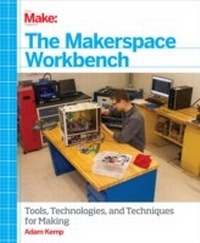
Makerspace Workbench
Tools, Technologies, and Techniques for Making
1st Edition
Published on 10. September 2013
300 pages
978-1-4493-5563-0 (ISBN)
Description

Create a dynamic space for designing and building DIY electronic hardware, programming, and manufacturing projects. With this illustrated guide, youll learn the benefits of having a Makerspacea shared space with a set of shared toolsthat attracts fellow makers and gives you more resources to work with. Youll find clear explanations of the tools, software, materials, and layout you need to get startedeverything from basic electronics to rapid prototyping technology and inexpensive 3D printers.A Makerspace is the perfect solution for many makers today. While you can get a lot done in a fully-decked out shop, youll always have trouble making space for the next great tool you need. And the one thing you really miss out on in a personal shop is the collaboration with other makers. A Makerspace provides you with the best of both worlds.Perfect for any maker, educator, or community, this book shows you how to organize your environment to provide a safe and fun workflow, and demonstrates how you can use that space to educate others.
More details
Other editions
Additional editions
Book
10/2013
1st Edition
O'Reilly
€28.50
Shipment within 10-20 days
Content
- Intro
- Copyright
- Table of Contents
- Why Make?
- The Makerspace Manifesto
- Preface
- Moving Through This Book
- What Makes Up Your Makerspace?
- Parts and Material Sources
- Electronics
- Tools and Materials
- Conventions Used in This Book
- Using Examples
- Safari® Books Online
- How to Contact Us
- Chapter 1. Making the Space
- Choosing the Location
- Understanding the Constraints
- The Library Makerspace
- The School Makerspace
- The Garage Makerspace
- Project: Equipment Donations and Discounts
- Designing the Space
- Work Areas
- Project: Makerspace Layout Tool
- Safety
- Safety Tests
- Hazardous Materials
- Ventilating Your Equipment
- Project: Directed Smoke Absorber
- Chapter 2. Tools
- Tool Safety
- Hand Tools Safety Test
- Power Tools Safety Test
- Safety Test Answer Keys
- Hand Tools
- Screwdrivers
- Pliers
- Wrenches
- Hammers
- Thread Cutting
- Saws
- Sanding and Filing
- Punches
- Power Tools
- Drills
- Portable
- Standing
- Heat Sources
- Chapter 3. Clamping, Joining, and Measurement
- Clamps and Vises
- Clamps
- Vises
- Adhesives and Fasteners
- Adhesives
- Fasteners
- Measurement
- Dimensional
- Inspection
- Chapter 4. The Electronics Workbench
- Soldering Irons and Tip Types
- Soldering Iron Types
- Soldering Iron Tips
- Project: Solder Holder and Iron Stand
- Solder and Flux
- Solder
- Flux
- Project: Two-Ingredient Soldering Flux
- Through-Hole Soldering
- Identifying Poor Through-Hole Solder Joints
- Soldering Technique
- Project: Simple Constant-Current LED Tester
- Surface-Mount Soldering
- Identifying Poor SMD Solder Joints
- Hand-Soldering SMDs
- Reflow Soldering SMD Components
- Project: Skillet Reflow
- Desoldering and Rework
- Desoldering Tools
- Project: Inexpensive Hot-Air Desoldering/Rework Tool
- Chapter 5. Playing with Electronics
- Facilitating Design
- Finding Parts and Understanding Datasheets
- Computer-Based Circuit Design
- Working with EAGLE Libraries
- Project: Creating a Custom Library in EAGLE
- Schematic Layout with EAGLE
- Project: Creating a Schematic in EAGLE
- Board Design with EAGLE
- Project: Creating a Board Layout in EAGLE
- Soft Circuits
- Prepairing Your Components
- Sewing and Knots
- Project: The Static Sticky
- Making Circuit Boards
- Generating CAM Files Within EAGLE
- Professional Manufacturing
- Project: Toner-Transfer Circuit Board
- Working with Microcontrollers
- Microcontroller Fundamentals
- Analog and Digital Input
- Communications
- Interfacing with Hardware
- The Arduino Development Platform
- Project: Arduino RFID Power Control
- Chapter 6. 2D Design and the Laser Engraver
- Facilitating Design by Using 2D CAD
- The 2D Design Environment
- Joints
- Project: Creating a Default Template
- Laser Fundamentals
- About the Laser
- Lens Types and Focusing
- The Print Driver
- Project: Creating Presets for Your Machine
- Machine Mechanics and Operation
- The Axis Mechanics
- The Exhaust System
- Air Assist
- Engraving
- Cutting
- Machine Operation
- Project: Project Box
- Chapter 7. 3D Design and the 3D Printer
- Facilitating Design Using 3D Computer-Assisted Design Software
- The 3D Environment
- Project: 123D Design for 3D Design
- CNC Fundamentals
- CNC Hardware
- Computer-Aided Manufacturing and G-Code Generation
- The Controller
- Project: Mechanical Centering, Alignment, and Calibration
- 3D Printing
- Extruder Mechanics
- Material Types
- The Build Platform
- Project: Bolt Hobbing
- Chapter 8. Learning in a Makerspace
- Makerspace Education
- Achieving "STEM" Focus
- What About Art?
- Makerspace Science
- Lab #1: Making a Lemon Battery
- Lab #2: Making a Solar Cell
- Lab #3: Making a Microscope
- Makerspace Technology
- Lab #4: Making a Water Rocket and Launcher
- Lab #5: Making a 3D Printed Robot
- Lab #6: Making a Brushless DC Motor
- Makerspace Engineering
- Lab #7: Making a Sail Car
- Lab #8: Making a Wind Turbine
- Lab #9: Making a Hot-Air Balloon
- Makerspace Art
- Lab #10: Making a Silhouette
- Lab #11: Making a Mold and Casting a Part
- Lab #12: Making a Printing Press
- Makerspace Math
- Lab #13: Making Plane Shapes
- Lab #14: Making a Pythagorean Calculator
- Lab #15: Making a Parabolic Focuser
- Index
