

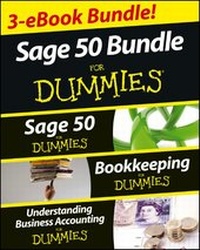
Sage 50 For Dummies Three e-book Bundle
Sage 50 For Dummies; Bookkeeping For Dummies and Understanding Business Accounting For Dummies
1st Edition
Published on 9. January 2013
320 pages
978-1-118-62139-4 (ISBN)
Description

Learn everything about Sage 50, bookkeeping and businessaccounting with this fantastic e-book bundle!
Sage 50 Accounts For Dummies walks you through everyaspect of setting up and using Sage 50 Accounts, from installingthe software to running VAT returns and producing monthly andyearly accounts. Packed with step-by-step instructions and fullyillustrated with screenshots, this is the easiest way to get themost from Sage 50 Accounts and take control of your businessfinances.
Bookkeeping For Dummies provides you with the easy andpainless way to master this crucial art. You'll be able tomanage your own finances to save money and grow your business.Expert advice shows you the basics of bookkeeping - from recordingtransactions to producing balance sheets and year-end reports.
Understanding Business Accounting For Dummies takes youthrough all the key elements of UK business accounting, coveringeverything from evaluating profit margins and establishing budgetsto controlling cash flow and writing financial reports.
Sage 50 Accounts For Dummies walks you through everyaspect of setting up and using Sage 50 Accounts, from installingthe software to running VAT returns and producing monthly andyearly accounts. Packed with step-by-step instructions and fullyillustrated with screenshots, this is the easiest way to get themost from Sage 50 Accounts and take control of your businessfinances.
Bookkeeping For Dummies provides you with the easy andpainless way to master this crucial art. You'll be able tomanage your own finances to save money and grow your business.Expert advice shows you the basics of bookkeeping - from recordingtransactions to producing balance sheets and year-end reports.
Understanding Business Accounting For Dummies takes youthrough all the key elements of UK business accounting, coveringeverything from evaluating profit margins and establishing budgetsto controlling cash flow and writing financial reports.
More details
Other editions
Additional editions
Jane Kelly | Lita Epstein | John A. Tracy
Sage 50 For Dummies Three e-book Bundle: Sage 50 For Dummies; Bookkeeping For Dummies and Understanding Business Accounting For Dummies
Book
01/2013
Wiley
€65.79
Article exhausted; check different version
Persons
Jane Kelly is a chartered management accountant, bookkeeping teacher and business author.
John A. Tracy is Professor of Accounting at the University of Colorado.
Lita Epstein, MBA, helps people develop business and personal financial and investing skills. She designs and teaches online courses on bookkeeping, accounting, starting a business, and finance and investing for women. She is the author of more than 40 books.
Content
- Understanding Business Accounting For Dummies
- Table of Contents
- Title Page
- Introduction
- Part I: Setting Up and Installing Sage 50 Accounts
- Chapter 1: Introducing Sage 50 Accounts
- Chapter 2: Creating Your Chart of Accounts and Assigning Nominal Codes
- Chapter 3: Setting Up Records
- Chapter 4: Recording Your Opening Balances
- Part II: Looking into Day-to-Day Functions
- Chapter 5: Processing Your Customer Paperwork
- Chapter 6: Invoicing Your Customers
- Chapter 7: Dealing with Paperwork from Your Suppliers
- Chapter 8: Recording Your Bank Entries
- Chapter 9: Maintaining and Correcting Entries
- Part III: Functions for Plus and Professional Users
- Chapter 10: Processing Sales Orders
- Chapter 11: Processing Purchase Orders
- Chapter 12: Keeping Track of Your Products
- Chapter 13: Managing Projects
- Chapter 14: Using Foreign Currencies
- Part IV: Running Monthly, Quarterly and Annual Routines
- Chapter 15 : Reconciling Your Bank Accounts
- Chapter 16: Running Your Monthly and Yearly Routines
- Chapter 17: Running Your VAT Return
- Part V: Using Reports
- Chapter 18: Running Monthly Reports
- Chapter 19: Tackling the Complicated Stuff
- Chapter 20: Running Key Reports
- Chapter 21: Going Mobile
- Part VI: The Part of Tens
- Chapter 22: Ten (Okay, Eleven) Funky Functions
- Chapter 23: Ten (Or More) Wizards to Conjure
- Appendix: Glossary
- Cheat Sheet
- Title Page
- Introduction
- Part I: Basic Bookkeeping: Why You Need It
- Chapter 1: So You Want to Do the Books
- Chapter 2: Getting Down to Bookkeeping Basics
- Chapter 3: Outlining Your Financial Roadmap with a Chart of Accounts
- Chapter 4: Looking at Ledgers
- Chapter 5: Discovering Different Business Types
- Part II: Recording Day-to-Day Business Operations
- Chapter 6: Planning and Controlling Your Workload
- Chapter 7: Counting Your Sales
- Chapter 8: Buying and Tracking Your Purchases
- Chapter 9: Doing Your Banking
- Part III: Preparing the Books for Year- (Or Month-) End
- Chapter 10: Adjusting Your Books
- Chapter 11: Depreciating Your Assets
- Chapter 12: Adding the Cost of Value Added Tax (VAT)
- Part IV: Reporting Results and Starting Over
- Chapter 13: Producing a Profit and Loss Statement
- Chapter 14: Developing a Balance Sheet
- Chapter 15: Reporting for Not-For-Profit Organisations
- Chapter 16: Preparing Your Year End Accounts
- Part V: Payroll Preparation
- Chapter 17: Employee Payroll and Benefits
- Chapter 18: Completing Year-End Payroll and Reports
- Part VI: The Part of Tens
- Chapter 19: Top Ten Ways to Manage Your Business Cash with Your Books
- Chapter 20: Top Ten Most Important Accounts for Any Bookkeeper
- Appendix A: Glossary
- Appendix B: About the CD
- About the Authors
- Cheat Sheet
- Title Page
- Introduction
- Part I: Accounting Basics
- Chapter 1: Introducing Accounting to Non-Accountants
- Chapter 2: Bookkeeping 101: From Shoe Boxes to Computers
- Chapter 3: Taxes, Taxes and More Taxes
- Chapter 4: Accounting and Your Personal Finances
- Part II: Getting a Grip on Financial Statements
- Chapter 5: Profit Mechanics
- Chapter 6: The Balance Sheet from the Profit and Loss Account Viewpoint
- Chapter 7: Cash Flows and the Cash Flow Statement
- Chapter 8: Getting a Financial Report Ready for Prime Time
- Part III: Accounting in Managing a Business
- Chapter 9: Managing Profit Performance
- Chapter 10: Business Budgeting
- Chapter 11: Choosing the Right Ownership Structure
- Chapter 12: Cost Conundrums
- Chapter 13: Choosing Accounting Methods
- Part IV: Financial Reports in the Outside World
- Chapter 14: How Investors Read a Financial Report
- Chapter 15: Professional Auditors and Advisers
- Part V: The Part of Tens
- Chapter 16: Ten Ways Savvy Business Managers Use Accounting
- Chapter 17: Ten Places a Business Gets Money From
- Chapter 18: Ten (Plus One) Questions Investors Should Ask When Reading a Financial Report
- Chapter 19: Ten Ways to Get a Better Handle on the Financial Future
- Part VI: Appendixes
- Appendix A: Glossary: Slashing through the Accounting Jargon Jungle
- Appendix B: Accounting Software and Other Ways to Get the Books in Good Order
- Cheat Sheet
