

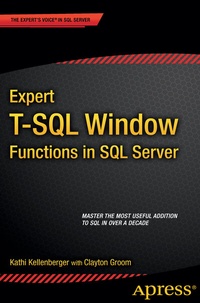
Expert T-SQL Window Functions in SQL Server
Description

Expert T-SQL Window Functions in SQL Server takes you from any level of knowledge of windowing functions and turns you into an expert who can use these powerful functions to solve many T-SQL queries. Replace slow cursors and self-joins with queries that are easy to write and fantastically better performing, all through the magic of window functions.
First introduced in SQL Server 2005, window functions came into full blossom with SQL Server 2012. They truly are one of the most notable developments in SQL in a decade, and every developer and DBA can benefit from their expressive power in solving day-to-day business problems. Begin using windowing functions like ROW_NUMBER and LAG, and you will discover more ways to use them every day. You will approach SQL Server queries in a different way, thinking about sets of data instead of individual rows. Your queries will run faster, they will be easier to write, and they will be easier to deconstruct and maintain and enhancein the future.
Just knowing and using these functions is not enough. You also need to understand how to tune the queries. Expert T-SQL Window Functions in SQL Server explains clearly how to get the best performance. The book also covers the rare cases when older techniques are the best bet. Stop using cursors and self-joins to solve complicated queries. Become a T-SQL expert by mastering windowing functions.
- Teaches you how to use all the window functions introduced in 2005 and 2012.
- Provides real-world examples that you can experiment with in your own database.
- Explains how to get the best performance when using windowing functions.
More details
Other editions
Additional editions
Persons
Content
1. Looking through the Window
2. Discovering Ranking Functions
3. Aggregating with Window Functions
4. Tuning for Better Performance
5. Calculating Rolling and Running Aggregates
6. Adding Frames to the Window
7. Peaking at Other Rows
8. Understanding Statistical Functions
9. The Future of Window Functions
