

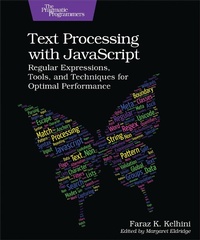
Text Processing with JavaScript
Published on 15. December 2023
240 pages
979-8-88865-082-0 (ISBN)
Description

You might think of regular expressions as the holy grail of text processing, but are you sure you aren't just shoehorning them in where standard built-in solutions already exist and would work better? JavaScript itself provides programmers with excellent methods for text manipulation, and knowing how and when to use them will help you write more efficient and performant code. From extracting data from APIs to calculating word counts and everything in between, discover how to pick the right tool for the job and make the absolute most of it every single time.Whether you're a beginner or an advanced programmer, this up-to-date guide will save you a ton of time when dealing with text. With Text Processing with JavaScript, you'll find a collection of tiny programs, each demonstrating a string manipulation approach in JavaScript. You'll also focus squarely on the practical aspects of text processing with JavaScript - that is, what each technique is designed to accomplish and how to use it in your program.Discover how to extract data from APIs and web pages, apply spelling corrections, convert and format currencies, and remove HTML tags from text. Learn to intersect tables, copy text to the clipboard, extract lists from text, and highlight sentences that contain a specific word. Find duplicate words and fix them automatically, modify a copy of an existing regex literal, match the beginning or end of a string, and remove all comments from JavaScript and HTML files with ease. Match non-ASCII words, calculate the word count of an article in any language, and more.Become a JavaScript expert and master chef of text processing with this collection of hands-on and production-ready recipes.
More details
Other editions
Additional editions
Faraz Kelhini
Text Processing with JavaScript
Regular Expressions, Tools, and Techniques for Optimal Performance
Book
03/2024
Pragmatic Bookshelf
€48.50
Article exhausted; check different version
Content
- Cover
- Table of Contents
- Acknowledgments
- Preface
- Who Is This Book For?
- What You Should Know
- What's in This Book?
- Online Resources
- 1. Part I: Text Processing with Built-in JavaScript Methods
- Recipe 1. Determining If a Value Is a String with the typeof Operator
- Recipe 2. Checking a String for Specific Words with includes()
- Recipe 3. Matching the Beginning or End of a String with startsWith() and endsWith()
- Recipe 4. Extracting Lists from Text with slice()
- Recipe 5. Converting Color Names to Hexadecimal Values with the Canvas Element
- Recipe 6. Adding Transparency to Hex Colors
- Recipe 7. Removing HTML Tags from Text with DOMParser()
- Recipe 8. Converting HTML Markup to HTML Entities with replaceAll()
- Recipe 9. Intersecting HTML Tables with filter()
- Recipe 10. Generating HTML Tables from an Array of Arrays
- Recipe 11. Generating HTML Tables from an Array of Objects
- Recipe 12. Displaying Tabular Data in Console with console.table()
- Recipe 13. Formatting Dates with Intl.DateTimeFormat()
- Recipe 14. Formatting Currencies with Intl.NumberFormat()
- Recipe 15. Adding Thousand Separators to Numbers with Intl.NumberFormat()
- Recipe 16. Creating Language-Sensitive Lists with Intl.ListFormat()
- Recipe 17. Determining Letter Case with charAt()
- Recipe 18. Counting Unicode Characters with Intl.Segmenter()
- Recipe 19. Counting Words in a String with Intl.Segmenter()
- Recipe 20. Counting the Number of a Specific Word with split()
- Recipe 21. Equalizing Incompatible Characters with normalize()
- Recipe 22. Copying Text to Clipboard with the Clipboard API
- 2. Part II: Text Processing with Regular Expressions
- Recipe 23. Creating Your First Regular Expression
- Recipe 24. Asserting the Start or End of a String with ^ and $
- Recipe 25. Looking For Whole Words Only with the Word Boundary (\b)
- Recipe 26. Matching One of Several Alternatives with the Vertical Bar (|)
- Recipe 27. Matching One of Several Characters with the Character Class
- Recipe 28. Matching a Range of Characters with Character Classes
- Recipe 29. Repeating Part of a Regex with Quantifiers
- Recipe 30. Treating Multiple Characters as a Single Unit with the Capturing Group
- Recipe 31. Extracting a Matched Value with the Capturing Group
- Recipe 32. Excluding Groups from Result with the Non-capturing Group
- Recipe 33. Reading Groups with Ease Using Named Capturing Groups
- Recipe 34. Using Special Replacement Patterns
- Recipe 35. Taking Away the Special Meaning of Replacement Patterns
- Recipe 36. Using a Function as the Replacement Pattern
- Recipe 37. Escaping Metacharacters with the Backslash
- Recipe 38. Creating Lazy Quantifiers with the Question Mark
- Recipe 39. Global and Case-Insensitive Matching with the g and i Flags
- Recipe 40. Generating Indices for Matches with the d Flag
- Recipe 41. Forcing ^ and $ to Match at the Start and End of a Line with the m Flag
- Recipe 42. Forcing . to Match Newline Characters with the s Flag
- Recipe 43. Enabling Unicode Features with the u Flag
- Recipe 44. Searching from a Specific Index with the y Flag
- Recipe 45. Modifying an Existing Regex Literal
- Recipe 46. Referencing a Matched String with the Backreference
- Recipe 47. Testing a Pattern with the Positive Lookahead
- Recipe 48. Testing a Pattern with the Negative Lookahead
- Recipe 49. Testing a Pattern with the Positive Lookbehind
- Recipe 50. Testing a Pattern with the Negative Lookbehind
- Recipe 51. Matching Non-ASCII Numerals with the Unicode Property Escape
- Recipe 52. Matching Non-ASCII Words with the Unicode Property Escape
- Recipe 53. Matching Unicode Word Boundaries with the Unicode Property Escape
- 3. Part III: Mastering Text Processing in JavaScript
- Recipe 54. Validating Email Addresses
- Recipe 55. Validating Password Strength
- Recipe 56. Validating Social Security Numbers
- Recipe 57. Validating ZIP Codes
- Recipe 58. Validating Canadian Postal Codes
- Recipe 59. Removing Duplicate Lines
- Recipe 60. Removing Duplicate Lines Separated by Other Lines
- Recipe 61. Removing Duplicate Spaces
- Recipe 62. Removing Duplicate Whitespaces
- Recipe 63. Replacing Duplicate Whitespaces with the Same Type
- Recipe 64. Extracting Text Enclosed in Double Quotes
- Recipe 65. Extracting Text Enclosed in Single Quotes
- Recipe 66. Escaping a String for Use in a Regex
- Recipe 67. Striping Invalid Characters from Filenames
- Recipe 68. Matching Floating-Point Numbers
- Recipe 69. Matching Formatted Numbers with Thousand Separators
- Recipe 70. Matching Nearby Words
- Recipe 71. Highlighting Sentences Containing a Specific Word
- Recipe 72. Highlighting Text in Real Time
- Recipe 73. Converting Plain Text into HTML-Ready Markup
- Wrapping Up
- May I Request a Favor from You?
- A1. What Is Unicode?
- A2. Implementing Regex in JavaScript
- test()
- exec()
- match()
- matchAll()
- search()
- replace()
- replaceAll()
- split()
- Conclusion
- A3. Testing Regex with Specialized Tools
- RegexPal
- RegExr
- Regex101
- RegexBuddy
- Regex Vis
- A4. Regular Expression Cheat Sheet
- Character Classes
- Quantifiers
- Boundary Assertions
- Lookaround Assertions
- Groups and Backreferences
- Flags
- Unicode Property Escapes
- Index
- - SYMBOLS -
- - DIGITS -
- - A -
- - B -
- - C -
- - D -
- - E -
- - F -
- - G -
- - H -
- - I -
- - J -
- - K -
- - L -
- - M -
- - N -
- - O -
- - P -
- - Q -
- - R -
- - S -
- - T -
- - U -
- - V -
- - W -
- - X -
- - Y -
- - Z -
