

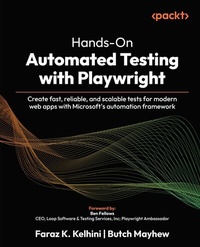
Hands-On Automated Testing with Playwright
Description

Hands-On Automated Testing with Playwright draws from Faraz and Butch's extensive experience to help you harness the full potential of Microsoft's Playwright framework. The book begins with a quick setup refresher, walking you through intermediate and advanced concepts such as dynamic content handling, accessibility testing, AI-generated test scripts, and parallel test execution. You'll explore real-world applications with end-to-end testing workflows for e-commerce and single-page applications. Alongside traditional topics such as accessibility, mobile, and visual regression testing, this book delves into modern trends such as CI/CD pipelines, DevOps integration, and AI-driven testing enhancements. Each chapter is packed with practical examples, expert techniques, and performance optimization tips, helping you gain a deep understanding of maintainable automation strategies. Whether you're transitioning from manual testing or expanding your automation toolbox, this Playwright book provides the skills and confidence to build future-proof testing systems in today's complex web development landscape. *Email sign-up and proof of purchase required
All prices
More details
Content
Preface
This book is your hands-on guide to mastering Playwright, Microsoft's modern automation framework for end-to-end testing. Throughout these chapters, we'll walk through everything from getting started with Playwright's core features, such as browser automation, selectors, and locators, to building robust test suites with fixtures, page objects, and test data management. You'll learn how to run tests in parallel, integrate them into CI/CD pipelines, use Playwright Test for reporting and debugging, and even scale your tests for complex web applications.
When I first started working with automated testing, I remember how it felt like juggling too many things at once: browser versions, test runners, CI pipelines, and that mysterious "timeout error" that always showed up right before a release. Automation promised speed and confidence, but too often it delivered frustration and endless debugging sessions. I wanted to change that.
Then I discovered Playwright, and it felt like someone finally read every tester's wish list and decided to build the tool we'd all been waiting for. Fast, reliable, cross-browser testing that actually works across modern web apps? But even with such a powerful tool, there's still a learning curve: how to use it effectively, how to structure tests, and how to keep them fast, readable, and maintainable.
While digging deeper into the Playwright ecosystem, I came across Butch Mayhew's blog, which was full of insightful, practical advice that immediately resonated with me. Butch, a Playwright Ambassador, has a real gift for making testing feel approachable and for breaking down complex concepts into clear explanations. One conversation led to another, and before long, we decided to join forces to write this book.
This book is the result of that collaboration: our shared experience, our lessons learned (sometimes the hard way), and our excitement about what Playwright makes possible. It's packed with hands-on examples, real-world scenarios, and actionable guidance to help you build fast, reliable, and scalable tests for modern web applications.
Whether you're a developer dipping your toes into test automation, a QA engineer looking to upgrade your toolkit, or a tech lead aiming to bring stability and confidence to your releases, we wrote this book with you in mind.
Who this book is for
This book is for anyone who believes that automated testing should make your life easier, not harder.
If you're a developer looking to integrate end-to-end testing into your development process, you'll find plenty of practical guidance on writing clean, maintainable test code, and building tests that run seamlessly alongside your applications.
If you're a software tester, QA engineer, or SDET who's tired of chasing flaky tests and fighting inconsistent results across browsers, this book will show you how Playwright can simplify your workflow.
If you're a team lead or engineering manager, this book will help you understand how to structure a Playwright test framework that scales with your team, so you can standardize test practices, reduce maintenance overhead, and speed up delivery cycles without sacrificing quality.
If you already have some experience with Selenium, Cypress, or Puppeteer, you'll quickly see how Playwright takes familiar concepts and pushes them further with powerful features such as auto-waiting, cross-browser execution, and robust parallelization. You'll also pick up techniques to make your existing testing practices more efficient and scalable.
What this book covers
Chapter 1, Quick Setup Refresher, serves as an entry point for you and offers a concise refresher on setting up Playwright and writing basic tests. It ensures you can quickly get a testing environment running and understand Playwright's core structure.
Chapter 2, Advanced Selectors and Handling Dynamic Content, explores techniques for interacting with complex web elements using Playwright's selector engine. It covers dynamic content, waits, and advanced DOM structures such as iframes and shadow DOM.
Chapter 3, Browser-Agnostic Testing Across Chromium, Firefox, and WebKit, introduces you to Playwright's browser-agnostic testing capabilities. We'll dive into all the ways you can tweak your browser contexts: adjusting viewport sizes and user agents, emulating various devices, and even setting permissions.
Chapter 4, AI-Powered Test Generation, explores how AI tools can improve Playwright test creation by generating scripts from natural language and refining tests for reliability.
Chapter 5, Crafting Scalable Tests with the Fixture System, shows you how to use Playwright's fixture system to its full potential. We'll start with the built-in fixtures, then move on to creating your own and understanding how fixture scope and lifecycle affect your tests.
Chapter 6, Test Parallelization and Performance Optimization, focuses on scaling tests efficiently by running them in parallel and optimizing performance. It includes using the Chrome DevTools Protocol to measure and improve web app metrics.
Chapter 7, Integrating Workflows with CI/CD Pipelines, details incorporating Playwright tests into CI/CD workflows using GitHub Actions. It covers environment setup and reporting for automated pipelines.
Chapter 8, Headless Testing and Debugging, explains running tests in headless mode for efficiency and debugging failed tests with Playwright's tools. It includes capturing media for diagnostics.
Chapter 9, Accessibility Testing with Playwright and Axe-core, covers testing for web accessibility using Playwright and libraries such as axe-core. It emphasizes best practices to ensure inclusive applications.
Chapter 10, Setting up Visual Regression Testing, involves setting up tests to compare screenshots, handling differences and ensuring visual consistency.
Chapter 11, Testing Mobile Web Experiences, focuses on testing mobile web experiences by simulating devices and handling. It addresses mobile-specific challenges.
Chapter 12, Testing Forms, explores testing form interactions, including inputs, validations, and specialized fields. It ensures robust handling of user inputs.
Chapter 13, Handling File Uploads and Downloads, addresses uploading files, downloading and verifying content, and managing different file types.
Chapter 14, Security and Authentication, focuses on login management, testing user roles, and securely storing credentials.
Chapter 15, Best Practices for Test Maintainability, explores how to structure your tests, leverage the Page Object Model (POM) to keep things tidy, and manage test data to avoid frustrating failures.
Chapter 16, Real-World Project - Testing an E-commerce Website, walks you through creating a solid and adaptable end-to-end testing framework for an e-commerce website.
Appendix A, Streamlining Playwright in Modern Development Workflows, dives into how Playwright can seamlessly fit into today's development practices, such as Agile, DevOps, and different CI/CD pipelines.
Appendix B, References & Resources, provides a curated list to guide your further exploration.
To get the most out of this book
- You don't need to be a testing guru or a JavaScript wizard to follow along, but having a little bit of programming experience will help. If you've written code in JavaScript, TypeScript, or even Python, you'll feel comfortable pretty quickly. The examples in this book primarily use TypeScript, since it's Playwright's native language and helps catch errors early, but you can easily adapt the concepts to any supported language. Everything else, we'll walk through together, step by step, with plenty of real-world examples and practical exercises.
- As you work through the chapters, you'll find plenty of hands-on exercises. Don't just read them: try them out! The best way to learn Playwright is by doing. Break things, tweak things, and experiment. You'll learn far more from watching your tests run (and sometimes fail) than from just reading code snippets.
- Each chapter builds on the previous one, but feel free to skip around if you're already familiar with certain topics. You can use this book as a guided tutorial from start to finish or as a reference when you're solving specific testing challenges.
Download the example code files
The code bundle for the book is hosted on GitHub at https://github.com/PacktPublishing/Hands-On-Automated-Testing-with-Playwright.
We also have other code bundles from our rich catalog of books and videos available at https://github.com/PacktPublishing. Check them out!
Conventions used
There are a number of text conventions used throughout this book.
CodeInText: Indicates code words in text, database table names, folder names, filenames, file...
