

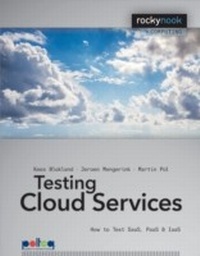
Testing Cloud Services
How to Test SaaS, PaaS & IaaS
1st Edition
Published on 28. September 2013
186 pages
978-1-4920-0004-4 (ISBN)
Description

Everybody is confronted with cloud computing. Whether you are a user, designer, programmer, project manager, or tester, sooner or later the cloud affects your work. If you are involved in selecting or implementing services from the cloud, or in keeping them up and running, this book will prove to be an invaluable resource. Testing Cloud Services covers an extensive list of risks that arise when implementing cloud computing, including some traditional risks and some completely new ones, and provides strategies for avoiding these risks and solving problems. Every risk is connected to existing, updated, and new test measures. It is necessary to start testing during the selection of cloud services, and continue end-to-end testing even after going live, as continuity risks arise all the time. With this book in hand, you will save a lot of time and discover an effective approach to testing that can be applied in practice immediately!
More details
Other editions
Additional editions
Book
09/2013
1st Edition
Rocky Nook
€38.00
Article not available at the moment
E-Book
09/2013
1st Edition
Rocky Nook
from
€51.99
Available for download
Content
- Intro
- Contents
- Introduction from the CEO
- Preface
- Acknowledgements
- 1 Introduction
- 2 What is Cloud Computing?
- 2.1 Essential characteristics
- On-demand self-service
- Broad network access
- Resource pooling
- Rapid elasticity
- Measured service
- 2.2 Service models
- IaaS
- IaaS examples
- PaaS
- PaaS examples
- SaaS
- SaaS examples
- 2.3 Implementation models
- Private cloud
- Community cloud
- Public cloud
- Hybrid cloud
- 3 Role of the Test Manager
- 3.1 In general
- 3.1.1 Risk analysis
- 3.1.2 Information from and agreement with the supplier
- Checklist for general supplier conditions and other sources
- Additional terms and conditions
- 3.1.3 End-to-end testing
- E2E testing is more than system integration
- The focus of the E2E test
- Creating E2E test cases
- Executing E2E test cases
- Automating the E2E test execution
- E2E regression testing
- 3.1.4 Advice
- 3.2 Tasks during selection, implementation, and production
- 3.2.1 Selection
- 3.2.2 Implementation
- 3.2.3 Production
- 3.3 Testing with the help of the cloud
- 3.3.1 Test outsourcing to the cloud with TOGA
- Initiation
- Setup
- Transition
- Operation
- 3.3.2 Crowdsourced testing
- 3.3.3 Test environments in the cloud
- Making a snapshot of the virtual environment
- Making a representative test environment
- Executing a portability test for mobile resources
- 3.3.4 Generating load
- Heavy load
- Worldwide load
- 4 From Risk to Test
- 4.1 Performance risks
- 4.2 Security risks
- 4.3 Availability and continuity risks
- 4.4 Functionality risks
- 4.5 Maintainability risks
- 4.6 Legislation and regulations risks
- 4.7 Suppliers and outsourcing risks
- 5 Test Measures
- 5.1 Testing during selection
- 5.1.1 Include cloud-related aspects
- 5.1.2 Determine completeness and controllability of selection criteria
- Selection criteria for a service
- Selection criteria for a supplier
- 5.1.3 Assess services and suppliers
- Inspect specifications and terms
- Ask for references and certificates
- Perform audits and inspections
- Proof of concept
- Simulate E2E business processes
- 5.1.4 Issue selection advice
- 5.1.5 Checklist selection criteria
- 5.2 Testing performance
- 5.2.1 Load test
- 5.2.2 Stress test
- 5.2.3 Endurance test or volume test
- 5.2.4 Testing elasticity and manual scalability
- 5.2.5 Setting up test cases
- Setting up operational profiles
- Step 1: Identify the initiators of operations
- Step 2: List operations
- Step 3: Review listed operations
- Step 4: Determine the frequency of operations
- Step 5: Determine the likelihood of each operation occurring
- 5.2.6 Test cases aimed at specific bottlenecks
- 5.2.7 Including cloud aspects in test cases
- The world
- Customer's resources
- 5.2.8 Test cases for the stress test
- 5.2.9 Test cases for endurance/volume test
- 5.2.10 Test cases for elasticity
- Elasticity (automatic scalability)
- Load profile
- Boundary values
- Process
- Manual scalability
- Load profile
- Boundary values
- Process
- 5.2.11 Test setup for a performance test
- 5.2.12 Representative test environment
- 5.3 Testing security
- 5.3.1 Assessing network security
- 5.3.2 Inventorying supplier security
- Authentication
- Authorization
- Log files and audit trails
- 5.3.3 Inventorying customer security
- 5.3.4 Testing encryption
- 5.3.5 Testing authentication
- 5.3.6 Testing authorization
- 5.3.7 Testing security robustness against Internet attacks
- 5.3.8 Testing log files and audit trails
- 5.3.9 Testing security patch routines
- 5.3.10 Performing audits
- 5.4 Testing for manageability
- 5.4.1 Specifications on the supplier side
- Interface specifications
- Specifications for customer resources
- Platform specifications
- Infrastructure specifications
- 5.4.2 Specifications on the customer side
- Infrastructure specifications (IaaS)
- System specifications
- Architecture documentation
- Business process documentation
- Business requirements
- 5.4.3 User documentation
- 5.4.4 Test environment availability
- Test environments in IaaS/PaaS
- Test environments of the SaaS user
- 5.4.5 Test documentation
- Customer test documentation
- Supplier test documentation
- 5.4.6 Incident management procedure
- Supplier resolves the incident
- Customer resolves the incident
- The incident will not be resolved
- 5.4.7 Change procedure and version control
- 5.4.8 Maintainability of software
- 5.5 Availability/continuity testing
- 5.5.1 Failure Mode and Effect Analysis
- 5.5.2 The role of architecture
- 5.5.3 Hardware reliability
- 5.5.4 Software reliability
- 5.5.5 Guarantees and SLAs
- Guarantees
- SLAs
- Points to note
- 5.5.6 Impact of availability mechanisms
- 5.5.7 Internet and Internet connection
- 5.5.8 Testing failover
- Failover test cases
- Specific checkpoints in failover tests
- Test management aspects for failover tests
- Process simulation
- 5.5.9 Testing working offline
- 5.6 Functionality testing
- 5.6.1 Compatibility of service with business processes
- 5.6.2 Testing service quality
- 5.6.3 Testing user-friendliness
- User documentation
- 5.6.4 Testing interfaces to other systems
- 5.6.5 Testing service configuration
- 5.6.6 Customization by the supplier
- 5.6.7 Customization by the customer
- 5.6.8 Testing web services
- WSDL
- Tools
- Test cases
- 5.6.9 Multi-platform testing
- Considerations for the supplier
- Considerations for the customer
- 5.6.10 Testing of and testing with apps
- Testing an app (on a mobile device)
- 5.6.11 Testing for working offline
- 5.6.12 Testing for regression
- 5.6.13 Creating a test basis
- Process flows
- Use cases
- Classification tree
- CRUD
- Authorization table
- Interface specifications (agreements)
- 5.7 Testing migration
- 5.7.1 Migration test strategy
- 5.7.2 Minimal interruption of business processes
- Trial migration
- 5.7.3 Correct data migration in IaaS and PaaS
- 5.7.4 Correct data conversion with SaaS
- Do conversion rules work correctly?
- Does the conversion work properly on the input data?
- Is there any data lost?
- Are any partially completed transactions lost?
- During and after conversion, does any sensitive data remain available?
- Is too much data being transferred to the service through migration?
- 5.7.5 Migration performance
- 5.7.6 Data cleanup
- 5.7.7 Test environment migration
- 5.7.8 Parallel runs and trial runs
- 5.8 Testing due to legislation and regulations
- 5.8.1 Inventory of legislation and regulations
- Privacy legislation
- Data location
- Additional agreements
- Other legislation
- Other obligations
- Conflicting laws and rules
- Impending laws and rules
- 5.8.2 Checking for legislation and regulations
- 5.9 Testing in production
- 5.9.1 Continuity in production in the case of changes
- Changes in the service
- Changes in other systems
- Changes at the supplier
- Changes in the business processes
- Growth
- Changes in connected resources
- Changes to the Internet
- Conclusion
- 5.9.2 Measuring guarantees
- Availability
- Performance
- Scalability
- Security
- 5.9.3 Original selection criteria evaluation
- 5.9.4 Practical points to note
- (E2E) Regression test
- Measurement methods for KPIs
- 6 Completion
- Glossary
- Index
