

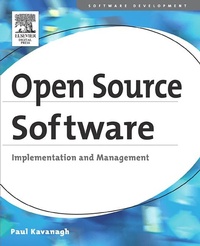
Open Source Software: Implementation and Management
Published on 19. August 2004
392 pages
978-0-08-049200-1 (ISBN)
Description

In 2004/5, over half of IT professionals will be looking at open source, most for the first time. This book provides key tools for System administrators, Network Administrators, IT project managers, and consultants who must evaluate and deploy open source software. This book details open source successes so far, explains which scenarios are the most realistic opportunities now, then gives the details needed to select these solutions, adopt the best tools and practices, introduce them to an organization, implement and manage them. The IT professional can use this book to review opportunities in their organization, evaluate components such as Apache, Linux, and OpenOffice against systems they know, and follow up in detail on their specific interests here and through referred resources.*Deployment scenarios categorized by function and industry*Rules of thumb on where and when open source software is or is not the right choice*Roadmaps for deployment in terms of the components of open source
More details
Other editions
Additional editions
Book
07/2004
Digital Press
€60.00
Shipment within 3-4 weeks
Person
Paul Kavanagh was educated in the UK and has twenty years experience in business IT consulting in the United States. He is currently President of KATS, a technology consulting practice based in Miami. From 1994 to 2002, Mr. Kavanagh managed teams of Microsoft consultants serving Royal Caribbean, American Express, Burger King, Patagon/BSCH, Yupi, Harris, State of Florida, United Airlines, Kraft Foods, McDonalds and others, built a Southeast evangelism team, and delivered MSDN events to thousands of developers. From 1981 to 1993, Mr. Kavanagh was a VP for AGS Computers, a Verizon company, ran a business unit which sold and delivered UNIX solutions and training primarily to IBM, and developed financial systems for Merrill Lynch, Chase Morgan, and NYMEX among others.He lectured on practical software development at De Paul University and on UNIX internationally and developed AIX administration manuals for SRA.
Content
- Front Cover
- Open Source Software: Implementation and Management
- Copyright Page
- Contents
- Preface
- Intended Audience for This Book
- How This Book Is Structured
- Acknowledgements
- Chapter 1. Open Source Software: Definitions and History
- 1.1 Definition of Terms
- 1.2 A Brief History of Software
- 1.3 Summary
- Chapter 2. Where Open Source Is Successful
- 2.1 Analytical Framework
- 2.2 Open Source Is in Widespread Successful Use
- 2.3 Examples of Open Source Systems
- 2.4 Summary
- Chapter 3. Open Source: The Good, the Bad, and the Ugly
- 3.1 What Is Good about Open Source
- 3.2 Open Source Is Not Enough by Itself
- 3.3 How Choosing Open Source Is More Difficult for You
- 3.4 What Others Say about Open Source
- 3.5 Summary
- Chapter 4. Five Immediate Open Source Opportunities
- 4.1 Create an Open Source Lab
- 4.2 Migrate Infrastructure to Samba and OpenLDAP
- 4.3 Build Some LAMP Applications
- 4.4 Bring New Desktop Systems to the Underserved
- 4.5 Migrate Applications and Databases to Open Source
- 4.6 Summary
- Chapter 5. Five More Open Source Opportunities
- 5.1 Introduction
- 5.2 Directory Services
- 5.3 Email
- 5.4 Groupware and Collaboration
- 5.5 Complex Web Publishing
- 5.6 Manage User Desktops
- 5.7 Other Possibilities
- 5.8 Summary
- Chapter 6. Operating Systems
- 6.1 Contents of the Operating System
- 6.2 Linux Distribution Vendors
- 6.3 Enterprise Distribution Vendors
- 6.4 Community-Supported Distribution Vendors
- 6.5 International Alternatives
- 6.6 Summary
- Chapter 7. Open Source Server Applications
- 7.1 Infrastructure Services
- 7.2 Web Servers
- 7.3 Database Servers
- 7.4 Mail Servers
- 7.5 Systems Management
- 7.6 Summary
- Chapter 8. Open Source Desktop Applications
- 8.1 Introduction
- 8.2 Graphical Desktops
- 8.3 Web Browsers
- 8.4 The Office Suite
- 8.5 Mail and Calendar Clients
- 8.6 Personal Software
- 8.7 Summary
- Chapter 9. How Open Source Software Is Developed
- 9.1 Methodology
- 9.2 Languages Used to Develop Open Source Products
- 9.3 Cross-Platform Code
- 9.4 Summary
- Chapter 10. Managing System Implementation
- 10.1 Implementation Roles
- 10.2 Open Source Impact on Team Issues
- 10.3 Implementation Process
- 10.4 Implementation Principles
- 10.5 Key Documents
- 10.6 Migration
- 10.7 Interacting with the Open Source Community
- 10.8 Support
- 10.9 Summary
- Chapter 11. Application Architecture
- 11.1 Types of Systems
- 11.2 Tiered Design
- 11.3 Managing Performance and Scalability
- 11.4 Interoperability
- 11.5 Development Platform Choices
- 11.6 Summary
- Chapter 12. The Cost of Open Source Systems
- 12.1 Total Cost of Ownership
- 12.2 Types of Costs
- 12.3 Scenarios
- 12.4 Summary
- Chapter 13. Licensing
- 13.1 Types of Licenses
- 13.2 Licenses in Use
- 13.3 Mixing Open and Closed Code
- 13.4 Dual Licensing
- 13.5 Other Intellectual Property Issues
- 13.6 Summary
- A Resources
- A.1 Managing an Open Source Lab
- A.2 Installing an Evaluation Linux System
- A.3 Next Steps
- A.4 Top Ten Reasons to Use Open Source Software
- A.5 Web Links
- B The Open Source Definition
- C Examples of Open Source Licenses
- C.1 GPL
- C.2 Mozilla Public License
- C.3 The BSD License
- Bibliography
- About the Author
- Writing Environment
- Index
