

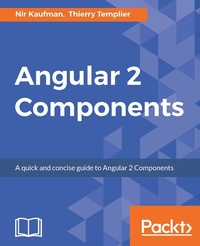
Angular 2 Components
Practical and easy-to-follow guide to Angular 2 Components
Published on 8. July 2025
124 pages
978-1-78588-940-0 (ISBN)
Description

A quick and concise guide to Angular 2 Components
Key Features
First look to the Angular 2 Components architecture
Creating your own Angular 2 Component
Integrating your components with third party components
Book DescriptionThis book is a concise guide to Angular 2 Components and is based on the stable version of Angular 2. You will start with learning about the Angular 2 Components architecture and how components differ from Angular directives in Angular 1. You will then move on to quickly set up an Angular 2 development environment and grasp the basics of TypeScript. With this strong foundation in place, you will start building components. The book will teach you, with an example, how to define component behavior, create component templates, and use the controller of your component. You will also learn how to make your components communicate with each other. Once you have built a component, you will learn how to extend it by integrating third-party components with it. By the end of the book, you will be confident with building and using components for your applications. What you will learn
Break your application into reusable dynamic components
Take advantage of TypeScript in Angular 2
Migrate your Angular 1 directive to an Angular 2 Component
Understand the Angular 2 component structure and APIs
Hook to component life cycle events
Bind dynamic data to your component properties
Communicate with other components using events
Compose complicated UIs from simple components
Who this book is forIf you are a front-end developer with some experience in Angular and want to understand Angular 2 Components, and easily put it to use to create powerful user interfaces and views, then this book is for you
Key Features
First look to the Angular 2 Components architecture
Creating your own Angular 2 Component
Integrating your components with third party components
Book DescriptionThis book is a concise guide to Angular 2 Components and is based on the stable version of Angular 2. You will start with learning about the Angular 2 Components architecture and how components differ from Angular directives in Angular 1. You will then move on to quickly set up an Angular 2 development environment and grasp the basics of TypeScript. With this strong foundation in place, you will start building components. The book will teach you, with an example, how to define component behavior, create component templates, and use the controller of your component. You will also learn how to make your components communicate with each other. Once you have built a component, you will learn how to extend it by integrating third-party components with it. By the end of the book, you will be confident with building and using components for your applications. What you will learn
Break your application into reusable dynamic components
Take advantage of TypeScript in Angular 2
Migrate your Angular 1 directive to an Angular 2 Component
Understand the Angular 2 component structure and APIs
Hook to component life cycle events
Bind dynamic data to your component properties
Communicate with other components using events
Compose complicated UIs from simple components
Who this book is forIf you are a front-end developer with some experience in Angular and want to understand Angular 2 Components, and easily put it to use to create powerful user interfaces and views, then this book is for you
All prices
More details
Edition
Digital original
Language
English
Place of publication
Birmingham
United Kingdom
Target group
US School Grade: College Graduate Student
Edition type
Digital original
File size
2,19 MB
ISBN-13
978-1-78588-940-0 (9781785889400)
Copyright in bibliographic data and cover images is held by Nielsen Book Services Limited or by the publishers or by their respective licensors: all rights reserved.
Schweitzer Classification
Other editions
Additional editions
Nir Kaufman | Thierry Templier
Angular 2 Components
Book
11/2016
Packt Publishing
€38.70
Shipment within 3-4 weeks
Persons
Templier Thierry Thierry :
Angular
Angular
Content
Table of Contents
Angular2 Components architecture
Setting up an Angular2 development environment
Using TypeScript for more cleaner code
Defining the Component Behavior
Declaring and Creating templates
Creating a Component Controller Class
Making the component dynamic
Developing your own custom component
Integrating third-party components
Angular2 Components architecture
Setting up an Angular2 development environment
Using TypeScript for more cleaner code
Defining the Component Behavior
Declaring and Creating templates
Creating a Component Controller Class
Making the component dynamic
Developing your own custom component
Integrating third-party components

