

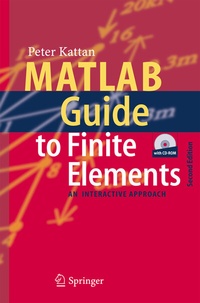
MATLAB Guide to Finite Elements
An Interactive Approach
2nd Edition
Published on 13. May 2010
XII, 429 pages
978-3-540-70698-4 (ISBN)
Description

later versions. In addition, the CD-ROM contains a complete solutions manual that includes detailed solutions to all the problems in the book. If the reader does not wish to consult these solutions, then a brief list of answers is provided in printed form at the end of the book. Iwouldliketothankmyfamilymembersfortheirhelpandcontinuedsupportwi- out which this book would not have been possible. I would also like to acknowledge the help of the editior at Springer-Verlag (Dr. Thomas Ditzinger) for his assistance in bringing this book out in its present form. Finally, I would like to thank my brother, Nicola, for preparing most of the line drawings in both editions. In this edition, I am providing two email addresses for my readers to contact me (pkattan@tedata. net. jo and pkattan@lsu. edu). The old email address that appeared in the ?rst edition was cancelled in 2004. December 2006 Peter I. Kattan PrefacetotheFirstEdition 3 This is a book for people who love ?nite elements and MATLAB . We will use the popular computer package MATLAB as a matrix calculator for doing ?nite element analysis. Problems will be solved mainly using MATLAB to carry out the tedious and lengthy matrix calculations in addition to some manual manipulations especially when applying the boundary conditions. In particular the steps of the ?nite element method are emphasized in this book. The reader will not ?nd ready-made MATLAB programsforuseasblackboxes. Insteadstep-by-stepsolutionsof?niteelementpr- lems are examined in detail using MATLAB.
Reviews / Votes
From the reviews:"This book is written for people studying finite element analysis . . Additionally, short answers to all problems are provided at the end of the book. On balance, this book written in interactive manner can be very useful to students and engineers dealing with applications of finite element method in structural mechanics." (Oleg Titow, Zentralblatt MATH, Vol. 1057 (8), 2005)"MATLAB is a popular programming platform in engineering education for its intuitive syntax, graphic visualization, facility with vector and matrix operations, and wide variety of add-on toolboxes available for specific applications. . is most appropriate as a course resource on practical implementation of finite elements for mechanical engineering undergraduate students who have either already taken or are concurrently taking an introductory course in solid mechanics. . The book's style is straightforward and easy to comprehend. . Summing Up: Recommended. Lower- and upper-division undergraduates; professionals." (M. R. King, CHOICE, Vol. v4 (3), November, 2007)From the reviews of the second edition:"This book constitutes the numerical implementation of finite element analysis using the computer program MATLAB. . Problems from linear elastic structure mechanics are used throughout the book. The book is very useful to both students and researchers in engineering." (V. Leontiev, Zentralblatt MATH, Vol. 1114 (16), 2007)"The book is intended as a guide to writing finite element programs in MATLAB and understanding the main steps in a finite element analysis. The book is well written and very easy to read by students . . The author succeeded in providing a valuable tool to help engineering students learn the main steps of finite element analysis using MATLAB." (Slimane Adjerid, Siam Review, Vol. 50 (3), 2008)More details
Other editions
Additional editions
Book
03/2007
2nd Edition
Springer
€160.49
Shipment within 10-15 days
Content
The Spring Element.- The Linear Bar Element.- The Quadratic Bar Element.- The Plane Truss Element.- The Space Truss Element.- The Beam Element.- The Plane Frame Element.- The Grid Element.- The Space Frame Element.- The Linear Triangular Element.- The Quadratic Triangular Element.- The Bilinear Quadrilateral Element.- The Quadratic Quadrilateral Element.- The Linear Tetrahedral (Solid) Element.- The Linear Brick (Solid) Element.- Other Elements.
"1 Introduction (p. 1-5)
This short introductory chapter is divided into two parts. In the ?rst part there is a summary of the steps of the ?nite element method. The second part includes a short tutorial on MATLAB.
1.1 Steps of the Finite Element Method
There are many excellent textbooks available on ?nite element analysis like those in [1–18]. Therefore this book will not present any theoretical formulations or derivations of ?nite element equations. Only the main equations are summarized for each chapter followed by examples. In addition only problems from linear elastic structural mechanics are used throughout the book. The ?nite element method is a numerical procedure for solving engineering problems. Linear elastic behavior is assumed throughout this book. The problems in this book are taken from structural engineering but the method can be applied to other ?elds of engineering as well. In this book six steps are used to solve each problem using ?nite elements. The six steps of ?nite element analysis are summarized as follows:
1. Discretizing the domain – this step involves subdividing the domain into elements and nodes. For discrete systems like trusses and frames the system is already discretized and this step is unnecessary. In this case the answers obtained are exact. However, for continuous systems like plates and shells this step becomes very important and the answers obtained are only approximate. In this case, the accuracy of the solution depends on the discretization used. In this book this step will be performed manually (for continuous systems).
2. Writing the element stiffness matrices – the element stiffness equations need to be written for each element in the domain. In this book this step will be performed using MATLAB.
3. Assembling the global stiffness matrix – this will be done using the direct stiffness approach. In this book this step will be performed using MATLAB.
4. Applying the boundary conditions – like supports and applied loads and displacements. In this book this step will be performed manually.
5. Solving the equations – this will be done by partitioning the global stiffness matrix and then solving the resulting equations using Gaussian elimination. In this book the partitioning process will be performed manually while the solution part will be performed using MATLAB with Gaussian elimination.
6. Post-processing – to obtain additional information like the reactions and element forces and stresses. In this book this step will be performed using MATLAB. It is seen from the above steps that the solution process involves using a combination of MATLAB and some limited manual operations. The manual operations employed are very simple dealing only with discretization (step 1), applying boundary conditions (step 4) and partitioning the global stiffness matrix (part of step 5)."
This short introductory chapter is divided into two parts. In the ?rst part there is a summary of the steps of the ?nite element method. The second part includes a short tutorial on MATLAB.
1.1 Steps of the Finite Element Method
There are many excellent textbooks available on ?nite element analysis like those in [1–18]. Therefore this book will not present any theoretical formulations or derivations of ?nite element equations. Only the main equations are summarized for each chapter followed by examples. In addition only problems from linear elastic structural mechanics are used throughout the book. The ?nite element method is a numerical procedure for solving engineering problems. Linear elastic behavior is assumed throughout this book. The problems in this book are taken from structural engineering but the method can be applied to other ?elds of engineering as well. In this book six steps are used to solve each problem using ?nite elements. The six steps of ?nite element analysis are summarized as follows:
1. Discretizing the domain – this step involves subdividing the domain into elements and nodes. For discrete systems like trusses and frames the system is already discretized and this step is unnecessary. In this case the answers obtained are exact. However, for continuous systems like plates and shells this step becomes very important and the answers obtained are only approximate. In this case, the accuracy of the solution depends on the discretization used. In this book this step will be performed manually (for continuous systems).
2. Writing the element stiffness matrices – the element stiffness equations need to be written for each element in the domain. In this book this step will be performed using MATLAB.
3. Assembling the global stiffness matrix – this will be done using the direct stiffness approach. In this book this step will be performed using MATLAB.
4. Applying the boundary conditions – like supports and applied loads and displacements. In this book this step will be performed manually.
5. Solving the equations – this will be done by partitioning the global stiffness matrix and then solving the resulting equations using Gaussian elimination. In this book the partitioning process will be performed manually while the solution part will be performed using MATLAB with Gaussian elimination.
6. Post-processing – to obtain additional information like the reactions and element forces and stresses. In this book this step will be performed using MATLAB. It is seen from the above steps that the solution process involves using a combination of MATLAB and some limited manual operations. The manual operations employed are very simple dealing only with discretization (step 1), applying boundary conditions (step 4) and partitioning the global stiffness matrix (part of step 5)."
