

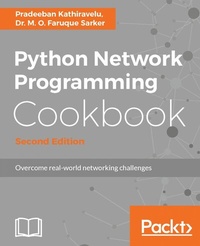
Python Network Programming Cookbook
Practical solutions to overcome real-world networking challenges
2nd Edition
Published on 8. July 2025
450 pages
978-1-78646-847-5 (ISBN)
Description

No detailed description available for "Python Network Programming Cookbook".
More details
Edition
2nd Revised edition
Language
English
Place of publication
Birmingham
United Kingdom
Target group
Professional and scholarly
US School Grade: College Graduate Student
Edition type
Revised edition
File size
8,76 MB
ISBN-13
978-1-78646-847-5 (9781786468475)
Copyright in bibliographic data and cover images is held by Nielsen Book Services Limited or by the publishers or by their respective licensors: all rights reserved.
Schweitzer Classification
Other editions
Additional editions
Pradeeban Kathiravelu | M. O. Faruque Sarker
Python Network Programming Cookbook - Second Edition
Practical solutions to overcome real-world networking challenges
Book
08/2017
Packt Publishing
€64.30
Shipment within 3-4 weeks
Person
Kathiravelu Pradeeban :
Pradeeban Kathiravelu is an open source evangelist. He is a Ph.D. researcher at INESC-ID Lisboa/Instituto Superior Tecnico, Universidade de Lisboa, Portugal, and Universite Catholique de Louvain, Belgium. He is a Fellow of Erasmus Mundus Joint Degree in Distributed Computing (EMJD-DC), researching a software-defined approach to quality of service and data quality in multi-tenant clouds. Pradeeban holds a master of science degree, Erasmus Mundus European Master in Distributed Computing (EMDC), from Instituto Superior Tecnico, Portugal and KTH Royal Institute of Technology, Sweden. He also holds a first class bachelor of science in engineering (Hons) degree, majoring in computer science and engineering, from the University of Moratuwa, Sri Lanka. His research interests include Software-Defined Networking (SDN), distributed systems, cloud computing, web services, big data in biomedical informatics, Network Functions Virtualizations (NFV), and data mining. He is very interested in free and open source software development and has been an active participant in the Google Summer of Code (GSoC) program since 2009, as a student and as a mentor. Pradeeban has published several conference papers and co-authored a few book chapters. He has also worked on OpenDaylight Cookbook and Learning OpenDaylight as a technical reviewer. Python Network Programming Cookbook, Second Edition (2017) is his first book as an author, and he is quite excited about it.Sarker Dr. M. O. Faruque :
Dr. M. O. Faruque Sarker is a software architect based in London; he has shaped various Linux and open source software solutions mainly on cloud computing platforms for various institutions. Over the past 10 years, he has led numerous Python software development and cloud infrastructure automation projects. In 2009, he started using Python and shepherded a fleet of miniature E-puck robots at the University of South Wales, Newport, UK. Later, he was invited to work on the Google Summer of Code (2009/2010) programs to contribute to the BlueZ and Tahoe-LAFS open source projects. He is the author of Python Network Programming Cookbook, Packt Publishing and received his PhD in multirobot systems at the University of South Wales.
Pradeeban Kathiravelu is an open source evangelist. He is a Ph.D. researcher at INESC-ID Lisboa/Instituto Superior Tecnico, Universidade de Lisboa, Portugal, and Universite Catholique de Louvain, Belgium. He is a Fellow of Erasmus Mundus Joint Degree in Distributed Computing (EMJD-DC), researching a software-defined approach to quality of service and data quality in multi-tenant clouds. Pradeeban holds a master of science degree, Erasmus Mundus European Master in Distributed Computing (EMDC), from Instituto Superior Tecnico, Portugal and KTH Royal Institute of Technology, Sweden. He also holds a first class bachelor of science in engineering (Hons) degree, majoring in computer science and engineering, from the University of Moratuwa, Sri Lanka. His research interests include Software-Defined Networking (SDN), distributed systems, cloud computing, web services, big data in biomedical informatics, Network Functions Virtualizations (NFV), and data mining. He is very interested in free and open source software development and has been an active participant in the Google Summer of Code (GSoC) program since 2009, as a student and as a mentor. Pradeeban has published several conference papers and co-authored a few book chapters. He has also worked on OpenDaylight Cookbook and Learning OpenDaylight as a technical reviewer. Python Network Programming Cookbook, Second Edition (2017) is his first book as an author, and he is quite excited about it.Sarker Dr. M. O. Faruque :
Dr. M. O. Faruque Sarker is a software architect based in London; he has shaped various Linux and open source software solutions mainly on cloud computing platforms for various institutions. Over the past 10 years, he has led numerous Python software development and cloud infrastructure automation projects. In 2009, he started using Python and shepherded a fleet of miniature E-puck robots at the University of South Wales, Newport, UK. Later, he was invited to work on the Google Summer of Code (2009/2010) programs to contribute to the BlueZ and Tahoe-LAFS open source projects. He is the author of Python Network Programming Cookbook, Packt Publishing and received his PhD in multirobot systems at the University of South Wales.
Content
- Cover
- Copyright
- Credits
- About the Author
- About the Reviewers
- www.PacktPub.com
- Customer Feedback
- Table of Contents
- Preface
- Chapter 1: Sockets, IPv4, and Simple Client/Server Programming
- Introduction
- Printing your machine's name and IPv4 address
- Getting ready
- How to do it...
- How it works...
- Retrieving a remote machine's IP address
- How to do it...
- How it works...
- Converting an IPv4 address to different formats
- How to do it...
- How it works...
- Finding a service name, given the port and protocol
- Getting ready
- How to do it...
- How it works...
- Converting integers to and from host to network byte order
- How to do it...
- How it works...
- Setting and getting the default socket timeout
- How to do it...
- How it works...
- Handling socket errors gracefully
- How to do it...
- How it works...
- Modifying a socket's send/receive buffer sizes
- How to do it...
- How it works...
- Changing a socket to the blocking/non-blocking mode
- How to do it...
- How it works...
- Reusing socket addresses
- How to do it...
- How it works...
- Printing the current time from the internet time server
- Getting ready
- How to do it...
- How it works...
- Writing an SNTP client
- How to do it...
- How it works...
- Writing a simple TCP echo client/server application
- How to do it...
- How it works...
- Writing a simple UDP echo client/server application
- How to do it...
- How it works...
- Chapter 2: Multiplexing Socket I/O for Better Performance
- Introduction
- Using ForkingMixIn in your socket server applications
- How to do it...
- How it works...
- Using ThreadingMixIn in your socket server applications
- Getting ready
- How to do it...
- How it works...
- Writing a chat server using select.select
- How to do it...
- How it works...
- Multiplexing a web server using select.epoll
- How to do it...
- How it works...
- Multiplexing an echo server using Diesel concurrent library
- Getting ready
- How to do it...
- How it works...
- Chapter 3: IPv6, Unix Domain Sockets, and Network Interfaces
- Introduction
- Forwarding a local port to a remote host
- How to do it...
- How it works...
- Pinging hosts on the network with ICMP
- Getting ready
- How to do it...
- How it works...
- Waiting for a remote network service
- How to do it...
- How it works...
- Enumerating interfaces on your machine
- Getting ready
- How to do it...
- How it works...
- Finding the IP address for a specific interface on your machine
- Getting ready
- How to do it...
- How it works...
- Finding whether an interface is up on your machine
- Getting ready
- How to do it...
- How it works...
- Detecting inactive machines on your network
- Getting ready
- How to do it...
- How it works...
- Performing a basic IPC using connected sockets (socketpair)
- Getting ready
- How to do it...
- How it works...
- Performing IPC using Unix domain sockets
- How to do it...
- How it works...
- Finding out if your Python supports IPv6 sockets
- Getting ready
- How to do it...
- How it works...
- Extracting an IPv6 prefix from an IPv6 address
- How to do it...
- How it works...
- Writing an IPv6 echo client/server
- How to do it...
- How it works...
- Chapter 4: Programming with HTTP for the Internet
- Introduction
- Downloading data from an HTTP server
- How to do it...
- How it works...
- Serving HTTP requests from your machine
- How to do it...
- How it works...
- Extracting cookie information after visiting a website
- How to do it...
- How it works...
- Submitting web forms
- Getting ready
- How to do it...
- How it works...
- Sending web requests through a proxy server
- Getting ready
- How to do it...
- How it works...
- Checking whether a web page exists with the HEAD request
- How to do it...
- How it works...
- Spoofing Mozilla Firefox in your client code
- How to do it...
- How it works...
- Saving bandwidth in web requests with the HTTP compression
- How to do it...
- How it works...
- Writing an HTTP fail-over client with resume and partial downloading
- How to do it...
- How it works...
- Writing a simple HTTPS server code with Python and OpenSSL
- Getting ready
- How to do it...
- How it works...
- Building asynchronous network applications with Twisted
- Getting ready
- How to do it...
- How it works...
- Building asynchronous network applications with Tornado
- Getting ready
- How to do it...
- How it works...
- Building concurrent applications with Tornado Future
- Getting ready
- How to do it...
- How it works...
- Chapter 5: Email Protocols, FTP, and CGI Programming
- Introduction
- Listing the files in a remote FTP server
- Getting ready
- How to do it...
- How it works...
- Common error
- Uploading a local file to a remote FTP server
- Getting ready
- How to do it...
- How it works...
- Emailing your current working directory as a compressed ZIP file
- Getting ready
- How to do it...
- How it works...
- See also
- Downloading your Google email with POP3
- Getting ready
- How to do it...
- How it works...
- Checking your remote email with IMAP
- Getting ready
- How to do it...
- How it works...
- Sending an email with an attachment via Gmail SMTP server
- Getting ready
- How to do it...
- How it works...
- Writing a guestbook for your (Python-based) web server with CGI
- Getting ready
- How to do it...
- How it works...
- Finding the mail server from an email address
- Getting ready
- How to do it...
- How it works...
- Writing a simple SMTP server
- Getting ready
- How to do it...
- How it works...
- Writing a secure SMTP client using TLS
- Getting ready
- How to do it...
- How it works...
- Writing an email client with POP3
- Getting ready
- How to do it...
- How it works...
- Chapter 6: Programming Across Machine Boundaries
- Introduction
- Executing a remote shell command using telnet
- Getting ready
- How to do it...
- How it works...
- Copying a file to a remote machine by SFTP
- Getting ready
- How to do it...
- How it works...
- Printing a remote machine's CPU information
- Getting ready
- How to do it...
- How it works...
- Installing a Python package remotely
- Getting ready
- How to do it...
- How it works...
- Running a MySQL command remotely
- Getting ready
- How to do it...
- How it works...
- Transferring files to a remote machine over SSH
- Getting ready
- How to do it...
- How it works...
- Configuring Apache remotely to host a website
- Getting ready
- How to do it...
- How it works...
- Chapter 7: Working with Web Services - XML-RPC, SOAP, and REST
- Introduction
- Querying a local XML-RPC server
- Getting ready
- How to do it...
- How it works...
- Writing a multithreaded, multicall XML-RPC server
- How to do it...
- How it works...
- Running an XML-RPC server with a basic HTTP authentication
- How to do it...
- How it works...
- Collecting some photo information from Flickr using REST
- How to do it...
- How it works...
- Searching for SOAP methods from an Amazon S3 web service
- Getting ready
- How to do it...
- How it works...
- Searching Amazon for books through the product search API
- Getting ready
- How to do it...
- How it works...
- Creating RESTful web applications with Flask
- Getting ready
- How to do it...
- How it works...
- Chapter 8: Network Monitoring and Security
- Introduction
- Sniffing packets on your network
- Getting ready
- How to do it...
- How it works...
- Saving packets in the pcap format using the pcap dumper
- How to do it...
- How it works...
- Adding an extra header in HTTP packets
- How to do it...
- How it works...
- Scanning the ports of a remote host
- How to do it...
- How it works...
- Customizing the IP address of a packet
- How to do it...
- How it works...
- Replaying traffic by reading from a saved pcap file
- How to do it...
- How it works...
- Scanning the broadcast of packets
- How to do it...
- How it works...
- Chapter 9: Network Modeling
- Introduction
- Simulating networks with ns-3
- Getting ready
- How to do it...
- How it works...
- Emulating networks with Mininet
- Getting ready
- How to do it...
- How it works...
- Distributed network emulation with MaxiNet
- Getting ready
- How to do it...
- How it works...
- Emulating wireless networks with Mininet-WiFi
- Getting ready
- How to do it...
- How it works...
- Extending Mininet to emulate containers
- Getting ready
- How to do it...
- How it works...
- Chapter 10: Getting Started with SDN
- Introduction
- SDN emulation with Mininet
- Getting ready
- How to do it...
- How it works...
- Developing Software-Defined Networks with OpenDaylight controller
- Getting ready
- How to do it...
- How it works...
- Developing Software-Defined Networks with ONOS controller
- Getting ready
- How to do it...
- How it works...
- Developing Software-Defined Networks with Floodlight controller
- Getting ready
- How to do it...
- How it works...
- Developing Software-Defined Networks with Ryu controller
- Getting ready
- How to do it...
- How it works...
- Developing Software-Defined Networks with POX controller
- Getting ready
- How to do it...
- How it works...
- Developing Software-Defined Networks visually with MiniEdit
- Getting ready
- How to do it...
- How it works...
- Chapter 11: Authentication, Authorization, and Accounting (AAA)
- Introduction
- Finding DNS names of a network
- Getting ready
- How to do it...
- How it works...
- Finding DNS host information
- Getting ready
- How to do it...
- How it works...
- Finding DNS resource records
- Getting ready
- How to do it...
- How it works...
- Making DNS zone transfer
- Getting ready
- How to do it...
- How it works...
- Querying NTP servers
- Getting ready
- How to do it...
- How it works...
- Connecting to an LDAP server
- Getting ready
- How to do it...
- How it works...
- Making LDAP bind
- Getting ready
- How to do it...
- How it works...
- Reading and writing LDAP
- Getting ready
- How to do it...
- How it works...
- Authenticating REST APIs with Eve
- Getting ready
- How to do it...
- How it works...
- Throttling requests with RequestsThrottler
- Getting ready
- How to do it...
- How it works...
- Chapter 12: Open and Proprietary Networking Solutions
- Introduction
- Configuring Red PNDA
- Getting ready
- How to do it...
- How it works...
- Configuring VMware NSX for vSphere 6.3.2
- Getting ready
- How to do it...
- How it works...
- Configuring Juniper Contrail Server Manager
- Getting ready
- How to do it...
- How it works...
- Configuring OpenContrail controller
- Getting ready
- How to do it...
- How it works...
- Configuring OpenContrail cluster
- How to do it...
- How it works...
- Interacting with devices running Cisco IOS XR
- Getting ready
- How to do it...
- How it works...
- Collaborating with Cisco Spark API
- Getting ready
- How to do it...
- How it works...
- Chapter 13: NFV and Orchestration - A Larger Ecosystem
- Introduction
- Building VNFs with OPNFV
- Getting ready
- How to do it...
- How it works...
- Packet processing with DPDK
- Getting ready
- How to do it...
- How it works...
- Parsing BMP messages with SNAS.io
- Getting ready
- How to do it...
- How it works...
- Controlling drones with a wireless network
- Getting ready
- How to do it...
- How it works...
- Creating PNDA clusters
- Getting ready
- How to do it...
- How it works...
- Chapter 14: Programming the Internet
- Introduction
- Checking a website status
- Getting ready
- How to do it...
- How it works...
- Benchmarking BGP implementations with bgperf
- Getting ready
- How to do it...
- How it works...
- BGP with ExaBGP
- Getting ready
- How to do it...
- Looking glass implementations with Python
- Getting ready
- How to do it...
- How it works...
- Understanding the internet ecosystem with Python
- Getting ready
- How to do it...
- How it works...
- Establishing BGP connections with yabgp
- Getting ready
- How to do it...
- How it works...
- Index
