

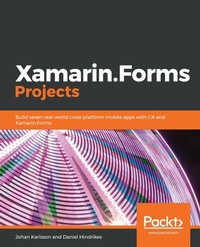
Xamarin.Forms Projects
Build seven real-world cross-platform mobile apps with C# and Xamarin.Forms
Published on 23. September 2024
416 pages
978-1-78953-129-9 (ISBN)
Description

No detailed description available for "Xamarin.Forms Projects".
More details
Edition
Digital original
Language
English
Place of publication
Birmingham
United Kingdom
Target group
Professional and scholarly
US School Grade: College Graduate Student
Edition type
Digital original
File size
17,90 MB
ISBN-13
978-1-78953-129-9 (9781789531299)
Copyright in bibliographic data and cover images is held by Nielsen Book Services Limited or by the publishers or by their respective licensors: all rights reserved.
Schweitzer Classification
Other editions
New editions
Daniel Hindrikes | Johan Karlsson
Xamarin.Forms Projects
Build multiplatform mobile apps and a game from scratch using C# and Visual Studio 2019
E-Book
09/2024
2nd Edition
Packt Publishing
€25.49
Available for download
Additional editions
Johan Karlsson | Daniel Hindrikes
Xamarin.Forms Projects
Build seven real-world cross-platform mobile apps with C# and Xamarin.Forms
Book
12/2018
Packt Publishing
€52.00
Shipment within 3-4 weeks
Persons
Karlsson Johan :
Johan Karlsson has been working with Xamarin since the days of MonoTouch and Mono for Android, and it all started with writing a game. He is a full-stack developer, currently focusing on mobile applications using Xamarin, but has in the past worked a lot with ASP.NET MVC, Visual Basic.NET (not proud), and C# in general. Also, he's created a whole bunch of databases in SQL Server over the years. Johan works at tretton37 in Sweden and has about 20 years' experience in the trade of assembling ones and zeros.Hindrikes Daniel :
Daniel Hindrikes is a developer and architect with a passion for developing mobile apps powered by the cloud. Daniel fell in love with Xamarin in the early days of Xamarin when he realized that he could use C# even for iOS and Android apps, and that he could share code with the Windows apps he was also building. But Daniel started to build mobile apps long before that, working on Android apps with Java and even Java ME apps (a long, long time ago). Daniel enjoys sharing his knowledge and can be found speaking at conferences, blogging, or recording the podcast, The Code Behind. Daniel works at the company tretton37 in Sweden and has experience working with both local and global customers.
Johan Karlsson has been working with Xamarin since the days of MonoTouch and Mono for Android, and it all started with writing a game. He is a full-stack developer, currently focusing on mobile applications using Xamarin, but has in the past worked a lot with ASP.NET MVC, Visual Basic.NET (not proud), and C# in general. Also, he's created a whole bunch of databases in SQL Server over the years. Johan works at tretton37 in Sweden and has about 20 years' experience in the trade of assembling ones and zeros.Hindrikes Daniel :
Daniel Hindrikes is a developer and architect with a passion for developing mobile apps powered by the cloud. Daniel fell in love with Xamarin in the early days of Xamarin when he realized that he could use C# even for iOS and Android apps, and that he could share code with the Windows apps he was also building. But Daniel started to build mobile apps long before that, working on Android apps with Java and even Java ME apps (a long, long time ago). Daniel enjoys sharing his knowledge and can be found speaking at conferences, blogging, or recording the podcast, The Code Behind. Daniel works at the company tretton37 in Sweden and has experience working with both local and global customers.
Content
Table of Contents
Introduction to Xamarin
A To-do app, building your first app with Xamarin.Forms
A matchmaking app with a richer UX using animations and platform specifics
Building a location tracking app using GPS and maps
Building a weather app for mobile, tablets and desktop using Flexlayout and VisualStateManager
Setting up serverless backend for a real time chat app using Azure SignalR service
Building a real time chat app powered by Azure SignalR service
Whack-a-bug
Hot dog or Not - Image classification with machine learning in Azure
Introduction to Xamarin
A To-do app, building your first app with Xamarin.Forms
A matchmaking app with a richer UX using animations and platform specifics
Building a location tracking app using GPS and maps
Building a weather app for mobile, tablets and desktop using Flexlayout and VisualStateManager
Setting up serverless backend for a real time chat app using Azure SignalR service
Building a real time chat app powered by Azure SignalR service
Whack-a-bug
Hot dog or Not - Image classification with machine learning in Azure
