

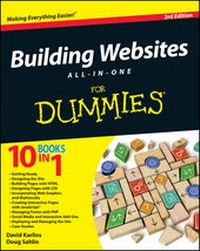
Building Websites All-in-One For Dummies
3rd Edition
Published on 16. July 2012
816 pages
978-1-118-28725-5 (ISBN)
Description

Ten minibooks in one! The perfect reference for beginning webbuilders
This hefty, 800+ page book is your start-to-finish roadmap forbuilding a web site for personal or professional use. Even ifyou're completely new to the process, this book is packed witheverything you need to know to build an attractive, usable, andworking site. In addition to being a thorough reference on thebasics, this updated new edition also covers the very latest trendsand tools, such as HTML5, mobile site planning for smartphones andtablets, connecting with social media, and more.
* Packs ten minibooks into one hefty reference: Preparation, SiteDesign, Site Construction, Web Graphics, Multimedia, InteractiveElements, Form Management, Social Media Integration, SiteManagement, and Case Studies
* Covers the newest trends and tools, including HTML5, the newAdobe Create Suite, and connecting with social media
* Offers in-depth reviews and case studies of existing sitescreated for a variety of purposes and audiences, such as blog sitesand non-profit sites
* Walks you through essential technologies, includingDreamweaver, HTML, CSS, JavaScript, PHP, and more
Plan, build, and maintain a site that does exactly what youneed, with Building Web Sites All-In-One For Dummies, 3rdEdition.
This hefty, 800+ page book is your start-to-finish roadmap forbuilding a web site for personal or professional use. Even ifyou're completely new to the process, this book is packed witheverything you need to know to build an attractive, usable, andworking site. In addition to being a thorough reference on thebasics, this updated new edition also covers the very latest trendsand tools, such as HTML5, mobile site planning for smartphones andtablets, connecting with social media, and more.
* Packs ten minibooks into one hefty reference: Preparation, SiteDesign, Site Construction, Web Graphics, Multimedia, InteractiveElements, Form Management, Social Media Integration, SiteManagement, and Case Studies
* Covers the newest trends and tools, including HTML5, the newAdobe Create Suite, and connecting with social media
* Offers in-depth reviews and case studies of existing sitescreated for a variety of purposes and audiences, such as blog sitesand non-profit sites
* Walks you through essential technologies, includingDreamweaver, HTML, CSS, JavaScript, PHP, and more
Plan, build, and maintain a site that does exactly what youneed, with Building Web Sites All-In-One For Dummies, 3rdEdition.
All prices
More details
Other editions
Additional editions
David Karlins | Doug Sahlin
Building Websites All-in-One For Dummies
Book
08/2012
3rd Edition
Wiley
€37.50
Shipment within 15-20 days
Persons
David Karlins is a web design professional and author who'swritten over 50 books and created video training on top web designtools. Doug Sahlin is the coauthor of Social Media MarketingAll-in-One For Dummies and author of Digital Landscape &Nature Photography For Dummies.
Content
Introduction 1
Book I: Getting Ready 7
Chapter 1: The First Step in Your Web-Building Journey 9
Chapter 2: Assessing Your Resources 21
Chapter 3: Working for The Man 37
Chapter 4: Securing a Domain Name and Web-Hosting Service 51
Book II: Designing the Site 61
Chapter 1: Wireframing and Storyboarding Content 63
Chapter 2: Preparing Content 83
Chapter 3: Defining a Color Scheme 95
Chapter 4: Organizing a Site in Dreamweaver CS6 103
Chapter 5: Building Mobile-Friendly Sites 121
Book III: Building Pages with HTML 127
Chapter 1: HTML: What It Is, Why You Need It, and How to Get It129
Chapter 2: Building Web Pages with HTML5 155
Chapter 3: Structuring Content with HTML5 173
Chapter 4: Creating HTML5 with Dreamweaver CS6 197
Book IV: Designing Pages with CSS 237
Chapter 1: Styling Text with CSS 239
Chapter 2: Designing Pages 261
Chapter 3: Effects and Transforms with CSS3279
Chapter 4: CSS in Dreamweaver 301
Book V: Incorporating Web Graphics and Multimedia 319
Chapter 1: Web Media 101 321
Chapter 2: Introducing Fireworks and Photoshop 335
Chapter 3: Creating Buttons and Banners 353
Chapter 4: Creating Audio and Video Content 393
Chapter 5: Creating Content with Flash 417
Book VI: Creating Interactive Pages with JavaScript 447
Chapter 1: JavaScript for Animation and Interactivity 449
Chapter 2: DIY JavaScript 465
Chapter 3: Generating JavaScript 487
Chapter 4: JavaScript with Dreamweaver 515
Book VII: Managing Forms with PHP 539
Chapter 1: Collecting Information with Forms 541
Chapter 2: DIY PHP Solutions 563
Chapter 3: Gathering and Embedding Live Data 583
Chapter 4: Working with Forms and Data in Dreamweaver605
Book VIII: Social Media and Interactive Add-ons 625
Chapter 1: Adding a WordPress Blog 627
Chapter 2: Integrating Social Media with Your Blog 651
Chapter 3: Adding E-Commerce to Your Site 665
Book IX: Deploying and Managing the Site 689
Chapter 1: Optimizing and Testing the Site 691
Chapter 2: Uploading the Site 705
Chapter 3: Maintaining and Marketing the Site 719
Chapter 4: Redesigning or Expanding the Site 733
Book X: Case Studies 749
Chapter 1: Photographer's Portfolio 751
Chapter 2: E-Commerce Site 757
Chapter 3: Blog Site 763
Chapter 4: Online Newsletter773
Index 779
Book I: Getting Ready 7
Chapter 1: The First Step in Your Web-Building Journey 9
Chapter 2: Assessing Your Resources 21
Chapter 3: Working for The Man 37
Chapter 4: Securing a Domain Name and Web-Hosting Service 51
Book II: Designing the Site 61
Chapter 1: Wireframing and Storyboarding Content 63
Chapter 2: Preparing Content 83
Chapter 3: Defining a Color Scheme 95
Chapter 4: Organizing a Site in Dreamweaver CS6 103
Chapter 5: Building Mobile-Friendly Sites 121
Book III: Building Pages with HTML 127
Chapter 1: HTML: What It Is, Why You Need It, and How to Get It129
Chapter 2: Building Web Pages with HTML5 155
Chapter 3: Structuring Content with HTML5 173
Chapter 4: Creating HTML5 with Dreamweaver CS6 197
Book IV: Designing Pages with CSS 237
Chapter 1: Styling Text with CSS 239
Chapter 2: Designing Pages 261
Chapter 3: Effects and Transforms with CSS3279
Chapter 4: CSS in Dreamweaver 301
Book V: Incorporating Web Graphics and Multimedia 319
Chapter 1: Web Media 101 321
Chapter 2: Introducing Fireworks and Photoshop 335
Chapter 3: Creating Buttons and Banners 353
Chapter 4: Creating Audio and Video Content 393
Chapter 5: Creating Content with Flash 417
Book VI: Creating Interactive Pages with JavaScript 447
Chapter 1: JavaScript for Animation and Interactivity 449
Chapter 2: DIY JavaScript 465
Chapter 3: Generating JavaScript 487
Chapter 4: JavaScript with Dreamweaver 515
Book VII: Managing Forms with PHP 539
Chapter 1: Collecting Information with Forms 541
Chapter 2: DIY PHP Solutions 563
Chapter 3: Gathering and Embedding Live Data 583
Chapter 4: Working with Forms and Data in Dreamweaver605
Book VIII: Social Media and Interactive Add-ons 625
Chapter 1: Adding a WordPress Blog 627
Chapter 2: Integrating Social Media with Your Blog 651
Chapter 3: Adding E-Commerce to Your Site 665
Book IX: Deploying and Managing the Site 689
Chapter 1: Optimizing and Testing the Site 691
Chapter 2: Uploading the Site 705
Chapter 3: Maintaining and Marketing the Site 719
Chapter 4: Redesigning or Expanding the Site 733
Book X: Case Studies 749
Chapter 1: Photographer's Portfolio 751
Chapter 2: E-Commerce Site 757
Chapter 3: Blog Site 763
Chapter 4: Online Newsletter773
Index 779
