

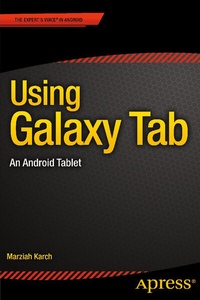
Using Galaxy Tab
Description

Learn to use your Galaxy Tab with ease, no jargon. Clear, concise, short and to the point... Using Galaxy Tab is the essential guide to getting around Samsung's flagship and best selling Android-based tablet and e-book reader. This book explores setting up your new Tab and registering; navigating around the interface and what all the buttons, lists and icons are for; configuring your WiFi; setting up, sending and receiving emails using Yahoo, Gmail, Hotmail and your Exchange account; and browsing the web.
This book also looks at the relationship of your device and cloud storage; buying and downloading games and apps from Google Play as well as other Android app stores; transferring your own documents to your Tab. Furthermore, this book shows you how to watch videos, YouTube on your TV, and movies on your TV from Tab.
Techniques are illustrated step-by-step, together with concise, easy to follow text from an established Google Android devices reviewer and expert. Whether you have just bought your first Tab or a keen user, this book will provide you with a firm grasp of the underpinning foundations and equip you with the skills needed to use your Tab.
More details
Other editions
Additional editions
Person
Content
1. Getting Started
2. Navigating the Galaxy Tab
3. Freebies and Bonus Content
4. Three Ways to Install Apps
5. Business and Pleasure
6. The Galaxy and the Rest of the Universe
