

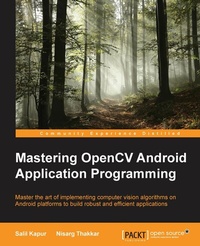
Mastering OpenCV Android Application Programming
Master the art of implementing computer vision algorithms on Android platforms to build robust and efficient applications
Published on 13. January 2025
216 pages
978-1-78398-821-1 (ISBN)
Description

Key Features
Book DescriptionIf you are a Java and Android developer looking to enhance your skills by learning the latest features of OpenCV Android application programming, then this book is for you.What you will learn
Understand image processing using OpenCV
Detect specific objects in an image or video using various stateoftheart featurematching algorithms such as SIFT, SURF, and ORB
Perform image transformations such as changing color, space, resizing, applying filters like Gaussian blur, and likes
Use mobile phone cameras to interact with the real world
Explore face detection, object detection, and image stitching in OpenCV Android programming
Build smarter applications by using machine learning algorithms
Learn to debug applications and create optimal custom algorithms by understanding how data is stored internally
Who this book is forIf you are a Java and Android developer looking to enhance your skills by learning the latest features of OpenCV Android application programming, then this book is for you.
Book DescriptionIf you are a Java and Android developer looking to enhance your skills by learning the latest features of OpenCV Android application programming, then this book is for you.What you will learn
Understand image processing using OpenCV
Detect specific objects in an image or video using various stateoftheart featurematching algorithms such as SIFT, SURF, and ORB
Perform image transformations such as changing color, space, resizing, applying filters like Gaussian blur, and likes
Use mobile phone cameras to interact with the real world
Explore face detection, object detection, and image stitching in OpenCV Android programming
Build smarter applications by using machine learning algorithms
Learn to debug applications and create optimal custom algorithms by understanding how data is stored internally
Who this book is forIf you are a Java and Android developer looking to enhance your skills by learning the latest features of OpenCV Android application programming, then this book is for you.
All prices
More details
Edition
Digital original
Language
English
Place of publication
Birmingham
United Kingdom
Target group
Professional and scholarly
US School Grade: College Graduate Student
Edition type
Digital original
File size
3,52 MB
ISBN-13
978-1-78398-821-1 (9781783988211)
Copyright in bibliographic data and cover images is held by Nielsen Book Services Limited or by the publishers or by their respective licensors: all rights reserved.
Schweitzer Classification
Other editions
Additional editions
Salil Kapur | Nisarg Thakkar
Mastering OpenCV Android Application Programming
Master the art of implementing computer vision algorithms on Android platforms to build robust and efficient applications
Book
07/2015
Packt Publishing
€62.40
Shipment within 3-4 weeks
Persons
Salil Kapur is a Masters in Computer Science student at New York University. He earned his bachelors degree in Computer Science from Birla Institute of Technology and Science, Pilani. Salil has a passion for programming and is always excited to try out new technologies. He likes to work on problem statements from varies fields like computer vision, systems and machine learning. Salil is an open source enthusiast, with contributions in libraries like SimpleCV, BinPy and Krita. When not working, he spends most of his time on Quora and Hacker News. He enjoys playing basketball and Ultimate Frisbee. He can be reached out at salilkapur93@gmail.com Nisarg Thakkar is a software developer and a tech enthusiast in general. He primarily programs in C++ and Java. He has extensive experience in Android app development and computer vision application development using OpenCV. He has also contributed to an OpenCV project and works on its development during his free time. His interests lie in stereo vision, virtual reality, and exploiting the Android platform for noncommercial projects that benefit the people who cannot afford the conventional solutions. He was also the subcoordinator of the Mobile App Club at his university. He was also the cofounder of two start-ups at his college, which he started with his group of friends. One of these start-ups has developed Android apps for hotels, while the other is currently working on building a better contact manager app for the Android platform. Nisarg Thakkar is currently studying at BITS Pilani, K. K. Birla Goa campus, where he will be graduating with a degree in engineering (hons.) in computer science in May 2016. He can be reached at nisargtha@gmail.com.
Content
Table of Contents
Applying Effects to Images
Detecting Features
Detecting Objects
Drilling Deeper into Object Detection -- Using Cascade Classifiers
Tracking Objects in Videos
Working with Image Alignment and Stitching
Modeling the Structure of Objects using Camera Motion
Troubleshooting and Best Practices
Bringing It All Together -- Building an Indoor Navigation Project using OpenCV
Applying Effects to Images
Detecting Features
Detecting Objects
Drilling Deeper into Object Detection -- Using Cascade Classifiers
Tracking Objects in Videos
Working with Image Alignment and Stitching
Modeling the Structure of Objects using Camera Motion
Troubleshooting and Best Practices
Bringing It All Together -- Building an Indoor Navigation Project using OpenCV

