

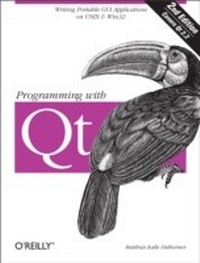
Programming with Qt
Writing Portable GUI applications on Unix and Win32
1st Edition
Published on 22. January 2002
522 pages
978-1-4493-9093-8 (ISBN)
Description

The popular open source KDE desktop environment for Unix was built with Qt, a C++ class library for writing GUI applications that run on Unix, Linux, Windows 95/98, Windows 2000, and Windows NT platforms. Qt emulates the look and feel of Motif, but is much easier to use. Best of all, after you have written an application with Qt, all you have to do is recompile it to have a version that works on Windows. Qt also emulates the look and feel of Windows, so your users get native-looking interfaces.Platform independence is not the only benefit. Qt is flexible and highly optimized. You'll find that you need to write very little, if any, platform-dependent code because Qt already has what you need. And Qt is free for open source and Linux development.Although programming with Qt is straightforward and feels natural once you get the hang of it, the learning curve can be steep. Qt comes with excellent reference documentation, but beginners often find the included tutorial is not enough to really get started with Qt. That's whereProgramming with Qt steps in. You'll learn how to program in Qt as the book guides you through the steps of writing a simple paint application. Exercises with fully worked out answers help you deepen your understanding of the topics. The book presents all of the GUI elements in Qt, along with advice about when and how to use them, so you can make full use of the toolkit. For seasoned Qt programmers, there's also lots of information on advanced 2D transformations, drag-and-drop, writing custom image file filters, networking with the new Qt Network Extension, XML processing, Unicode handling, and more.Programming with Qt helps you get the most out of this powerful, easy-to-use, cross-platform toolkit. It's been completely updated for Qt Version 3.0 and includes entirely new information on rich text, Unicode/double byte characters, internationalization, and network programming.
More details
Other editions
Additional editions
Book
02/2002
2nd Edition
O'Reilly
€42.00
Shipment within 10-20 days
Content
- Intro
- Table of Contents
- Preface
- Chapter 1: Introduction
- Chapter 2: First Steps in Qt Programming
- Chapter 3: Learning More About Qt
- Chapter 4: A Guided Tour Through the Simple Widgets
- Chapter 5: A Guided Tour Through the Qt Dialog Boxes
- Chapter 6: Using Layout Managers
- Chapter 7: Some Thoughts on GUI Design
- Chapter 8: Container Classes
- Chapter 9: Graphics
- Chapter 10: Text Processing
- Chapter 11: Working with Files and Directories
- Chapter 12: Interapplication Communication
- Chapter 13: Interfacing with the Operating System
- Chapter 14: Writing Your Own Widgets
- Chapter 15: Focus Handling
- Chapter 16: Advanced Event Handling
- Chapter 17: Advanced Signals and Slots
- Chapter 18: Providing Help
- Chapter 19: Accessing Databases
- Chapter 20: Multithreading
- Chapter 21: Debugging
- Chapter 22: Portability
- Chapter 23: Qt Network Programming
- Chapter 24: Interfacing Qt with Other Languages and Libraries
- Chapter 25: Using the Visual C++ IDE for Qt Programs
- Chapter 26: Visual Design with Qt Designer
- Appendix
- Bibliography
- Index
- About the Author
- Colophon
