

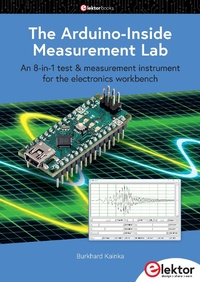
The Arduino-Inside Measurement Lab
An 8-in-1 test & measurement instrument for the electronics workbench
1st Edition
Published on 4. March 2024
128 pages
978-3-89576-604-6 (ISBN)
Description

A well-equipped electronics lab is crammed with power supplies, measuring devices, test equipment and signal generators. Wouldn't it be better to have one compact device for almost all tasks?
Based on the Arduino, a PC interface is to be developed that's as versatile as possible for measurement and control. It simply hangs on a USB cable and - depending on the software - forms the measuring head of a digital voltmeter or PC oscilloscope, a signal generator, an adjustable voltage source, a frequency counter, an ohmmeter, a capacitance meter, a characteristic curve recorder, and much more.
The circuits and methods collected here are not only relevant for exactly these tasks in the "MSR" electronics lab, but many details can also be used within completely different contexts.
Based on the Arduino, a PC interface is to be developed that's as versatile as possible for measurement and control. It simply hangs on a USB cable and - depending on the software - forms the measuring head of a digital voltmeter or PC oscilloscope, a signal generator, an adjustable voltage source, a frequency counter, an ohmmeter, a capacitance meter, a characteristic curve recorder, and much more.
The circuits and methods collected here are not only relevant for exactly these tasks in the "MSR" electronics lab, but many details can also be used within completely different contexts.
More details
Other editions
Additional editions
Burkhard Kainka
The Arduino-Inside Measurement Lab
An 8-in-1 test & measurement instrument for the electronics workbench
Book
03/2024
1st Edition
Elektor
€34.95
Article exhausted; check different version
Person
Burkhard Kainka (1953) - ham radio operator with the callsign DK7JD, worked for many years as a physics teacher. Since 1996 he is an independent developer and author in the fields of electronics and microcontrollers. Burkhard runs the websites www.elektronik-labor. de and b-kainka.de, with his contributions to the Hobby Corner and a general fondness for the basics of electronics.
Content
- The Arduino-Inside Measurement Lab
- All rights reserved
- Contents
- Foreword
- 1 ? Preparations
- 1.1 Choice of the Controller
- 1.2 The Arduino Nano
- 1.3 Supply Voltage
- 2 ? Preliminary Tests
- 2.1 Port Outputs
- 2.2 Analog inputs and outputs
- 2.3 The Serial Plotter
- 2.4 PWM Signal Generator
- 2.5 A Sawtooth Generator
- 2.6 Direct Digital Synthesis
- 3 ? GCC Programming
- 3.1 Fast port outputs
- 3.2 PWM Output
- 3.3 Timer Interrupt
- 3.4 Fast Sine Wave Generator
- 3.5 AD Buffering
- 4 ? The 'MSR' Laboratory
- 4.1 Two-channel DDS Generator
- 4.2 Binary Serial Transmission
- 4.3 Frequency Setting
- 4.4 Deflection Times and Dual-channel Operation
- 4.5 Triggering
- 4.6 DC Voltage Output
- 5 ? Additional Inputs and Outputs
- 5.1 DDS Phase Adjustment
- 5.2 Signal Generator up to 8 MHz
- 5.3 Frequency Measurement
- 5.4 Additional Analog Inputs
- 5.5 Capacitance Measurement from 1 pF
- 5.6 Resistance Measurement up to 1 MO
- 5.7 Resistance Measurement from 1 O
- 6 ? Measurements and Experiments
- 6.1 Subsampling
- 6.2 Examination at Higher Frequencies
- 6.3 Measurements on a Synchronous Signal
- 6.4 Frequency Response of a Low-pass Filter
- 6.5 An LC Low Pass
- 6.6 LC Resonance
- 6.7 Transistor Test Circuit
- 7 ? Firmware Extensions
- 7.1 Alternative DDS Functions
- 7.2 Reduced Amplitude
- 7.3 Triangle and Sawtooth
- 7.4 X-Y Representation
- 7.5 Frequency Sweep
- 7.6 Ramp Function
- 7.7 Measurement of Characteristic Curves
- 8 ? Application Examples
- 8.1 The Emitter Follower
- 8.2 Emitter Follower as Impedance Converter
- 8.3 Sallen-Key Filter
- 8.4 Beat-Frequency Generator
- 8.5 Operational Amplifi er
- 8.6 Voltage Doubling
- 8.7 All-pass Filter
- 8.8 Bandpass Filter
- Appendix
- A.1 Bill of Materials
- A.2 Breadboard Drawings
- A.3 Support Software
