

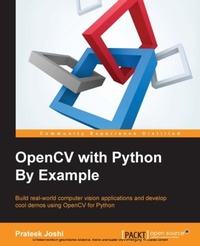
OpenCV with Python By Example
Build real-world computer vision applications and develop cool demos using OpenCV for Python
Published on 7. October 2025
296 pages
978-1-78528-987-3 (ISBN)
Description

Key Features
Learn how to apply complex visual effects to images using geometric transformations and image filters
Extract features from an image and use them to develop advanced applications
Build algorithms to understand the image content and recognize objects in an image
Book DescriptionComputer vision is found everywhere in modern technology. OpenCV for Python enables us to run computer vision algorithms in real time. With the advent of powerful machines, we are getting more processing power to work with. Using this technology, we can seamlessly integrate our computer vision applications into the cloud. Web developers can develop complex applications without having to reinvent the wheel. This book will walk you through all the building blocks needed to build amazing computer vision applications with ease. We start off with applying geometric transformations to images. We then discuss affine and projective transformations and see how we can use them to apply cool geometric effects to photos. We will then cover techniques used for object recognition, 3D reconstruction, stereo imaging, and other computer vision applications. This book will also provide clear examples written in Python to build OpenCV applications. The book starts off with simple beginner's level tasks such as basic processing and handling images, image mapping, and detecting images. It also covers popular OpenCV libraries with the help of examples. The book is a practical tutorial that covers various examples at different levels, teaching you about the different functions of OpenCV and their actual implementation.What you will learn
Apply geometric transformations to images, perform image filtering, and convert an image into a cartoon-like image
Detect and track various body parts such as the face, nose, eyes, ears, and mouth
Stitch multiple images of a scene together to create a panoramic image
Make an object disappear from an image
Identify different shapes, segment an image, and track an object in a live video
Recognize objects in an image and understand the content
Reconstruct a 3D map from images
Build an augmented reality application
Who this book is forThis book is intended for Python developers who are new to OpenCV and want to develop computer vision applications with OpenCV-Python. This book is also useful for generic software developers who want to deploy computer vision applications on the cloud. It would be helpful to have some familiarity with basic mathematical concepts such as vectors, matrices, and so on.
Learn how to apply complex visual effects to images using geometric transformations and image filters
Extract features from an image and use them to develop advanced applications
Build algorithms to understand the image content and recognize objects in an image
Book DescriptionComputer vision is found everywhere in modern technology. OpenCV for Python enables us to run computer vision algorithms in real time. With the advent of powerful machines, we are getting more processing power to work with. Using this technology, we can seamlessly integrate our computer vision applications into the cloud. Web developers can develop complex applications without having to reinvent the wheel. This book will walk you through all the building blocks needed to build amazing computer vision applications with ease. We start off with applying geometric transformations to images. We then discuss affine and projective transformations and see how we can use them to apply cool geometric effects to photos. We will then cover techniques used for object recognition, 3D reconstruction, stereo imaging, and other computer vision applications. This book will also provide clear examples written in Python to build OpenCV applications. The book starts off with simple beginner's level tasks such as basic processing and handling images, image mapping, and detecting images. It also covers popular OpenCV libraries with the help of examples. The book is a practical tutorial that covers various examples at different levels, teaching you about the different functions of OpenCV and their actual implementation.What you will learn
Apply geometric transformations to images, perform image filtering, and convert an image into a cartoon-like image
Detect and track various body parts such as the face, nose, eyes, ears, and mouth
Stitch multiple images of a scene together to create a panoramic image
Make an object disappear from an image
Identify different shapes, segment an image, and track an object in a live video
Recognize objects in an image and understand the content
Reconstruct a 3D map from images
Build an augmented reality application
Who this book is forThis book is intended for Python developers who are new to OpenCV and want to develop computer vision applications with OpenCV-Python. This book is also useful for generic software developers who want to deploy computer vision applications on the cloud. It would be helpful to have some familiarity with basic mathematical concepts such as vectors, matrices, and so on.
All prices
More details
Edition
Digital original
Language
English
Place of publication
Birmingham
United Kingdom
Target group
US School Grade: College Graduate Student
Edition type
Digital original
File size
9,64 MB
ISBN-13
978-1-78528-987-3 (9781785289873)
Copyright in bibliographic data and cover images is held by Nielsen Book Services Limited or by the publishers or by their respective licensors: all rights reserved.
Schweitzer Classification
Other editions
Additional editions
Prateek Joshi
OpenCV with Python By Example
Book
09/2015
Packt Publishing
€62.90
Shipment within 3-4 weeks
Person
Joshi Prateek :
Prateek Joshi is the founder of Plutoshift and a published author of 9 books on Artificial Intelligence. He has been featured on Forbes 30 Under 30, NBC, Bloomberg, CNBC, TechCrunch, and The Business Journals. He has been an invited speaker at conferences such as TEDx, Global Big Data Conference, Machine Learning Developers Conference, and Silicon Valley Deep Learning. Apart from Artificial Intelligence, some of the topics that excite him are number theory, cryptography, and quantum computing. His greater goal is to make Artificial Intelligence accessible to everyone so that it can impact billions of people around the world.
Prateek Joshi is the founder of Plutoshift and a published author of 9 books on Artificial Intelligence. He has been featured on Forbes 30 Under 30, NBC, Bloomberg, CNBC, TechCrunch, and The Business Journals. He has been an invited speaker at conferences such as TEDx, Global Big Data Conference, Machine Learning Developers Conference, and Silicon Valley Deep Learning. Apart from Artificial Intelligence, some of the topics that excite him are number theory, cryptography, and quantum computing. His greater goal is to make Artificial Intelligence accessible to everyone so that it can impact billions of people around the world.
Content
Table of Contents
Applying geometric transformations to images
Detecting edges and applying image filters
Cartoonizing an image
Detecting and tracking different body parts
Extracting features from an image
Creating a panoramic image
Seam carving
Detecting Shapes And Segmenting An Image
Tracking an object in a live video
Object recognition
Stereo imaging and 3D reconstruction
Augmented Reality
Applying geometric transformations to images
Detecting edges and applying image filters
Cartoonizing an image
Detecting and tracking different body parts
Extracting features from an image
Creating a panoramic image
Seam carving
Detecting Shapes And Segmenting An Image
Tracking an object in a live video
Object recognition
Stereo imaging and 3D reconstruction
Augmented Reality

