

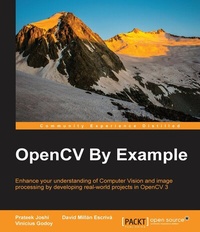
OpenCV By Example
Enhance your understanding of Computer Vision and image processing by developing real-world projects in OpenCV 3
Published on 8. July 2025
296 pages
978-1-78528-707-7 (ISBN)
Description

Enhance your understanding of Computer Vision and image processing by developing real-world projects in OpenCV 3
Key Features
[*]Get to grips with the basics of Computer Vision and image processing
[*]This is a step-by-step guide to developing several real-world Computer Vision projects using OpenCV 3
[*]This book takes a special focus on working with Tesseract OCR, a free, open-source library to recognize text in images
Book DescriptionOpen CV is a cross-platform, free-for-use library that is primarily used for real-time Computer Vision and image processing. It is considered to be one of the best open source libraries that helps developers focus on constructing complete projects on image processing, motion detection, and image segmentation. Whether you are completely new to the concept of Computer Vision or have a basic understanding of it, this book will be your guide to understanding the basic OpenCV concepts and algorithms through amazing real-world examples and projects. Starting from the installation of OpenCV on your system and understanding the basics of image processing, we swiftly move on to creating optical flow video analysis or text recognition in complex scenes, and will take you through the commonly used Computer Vision techniques to build your own Open CV projects from scratch. By the end of this book, you will be familiar with the basics of Open CV such as matrix operations, filters, and histograms, as well as more advanced concepts such as segmentation, machine learning, complex video analysis, and text recognition.What you will learn
[*] Install OpenCV 3 on your operating system
[*] Create the required CMake scripts to compile the C++ application and manage its dependencies
[*] Get to grips with the Computer Vision workflows and understand the basic image matrix format and filters
[*] Understand the segmentation and feature extraction techniques
[*] Remove backgrounds from a static scene to identify moving objects for video surveillance
[*] Track different objects in a live video using various techniques
[*] Use the new OpenCV functions for text detection and recognition with Tesseract
Who this book is forIf you are a software developer with a basic understanding of Computer Vision and image processing and want to develop interesting Computer Vision applications with Open CV, this is the book for you. Knowledge of C++ is required.
Key Features
[*]Get to grips with the basics of Computer Vision and image processing
[*]This is a step-by-step guide to developing several real-world Computer Vision projects using OpenCV 3
[*]This book takes a special focus on working with Tesseract OCR, a free, open-source library to recognize text in images
Book DescriptionOpen CV is a cross-platform, free-for-use library that is primarily used for real-time Computer Vision and image processing. It is considered to be one of the best open source libraries that helps developers focus on constructing complete projects on image processing, motion detection, and image segmentation. Whether you are completely new to the concept of Computer Vision or have a basic understanding of it, this book will be your guide to understanding the basic OpenCV concepts and algorithms through amazing real-world examples and projects. Starting from the installation of OpenCV on your system and understanding the basics of image processing, we swiftly move on to creating optical flow video analysis or text recognition in complex scenes, and will take you through the commonly used Computer Vision techniques to build your own Open CV projects from scratch. By the end of this book, you will be familiar with the basics of Open CV such as matrix operations, filters, and histograms, as well as more advanced concepts such as segmentation, machine learning, complex video analysis, and text recognition.What you will learn
[*] Install OpenCV 3 on your operating system
[*] Create the required CMake scripts to compile the C++ application and manage its dependencies
[*] Get to grips with the Computer Vision workflows and understand the basic image matrix format and filters
[*] Understand the segmentation and feature extraction techniques
[*] Remove backgrounds from a static scene to identify moving objects for video surveillance
[*] Track different objects in a live video using various techniques
[*] Use the new OpenCV functions for text detection and recognition with Tesseract
Who this book is forIf you are a software developer with a basic understanding of Computer Vision and image processing and want to develop interesting Computer Vision applications with Open CV, this is the book for you. Knowledge of C++ is required.
All prices
More details
Edition
Digital original
Language
English
Place of publication
Birmingham
United Kingdom
Target group
US School Grade: College Graduate Student
Edition type
Digital original
File size
17,12 MB
ISBN-13
978-1-78528-707-7 (9781785287077)
Copyright in bibliographic data and cover images is held by Nielsen Book Services Limited or by the publishers or by their respective licensors: all rights reserved.
Schweitzer Classification
Other editions
Additional editions
Prateek Joshi | David Millán Escrivá
OpenCV By Example
Enhance your understanding of Computer Vision and image processing by developing real-world projects in OpenCV 3
Book
01/2016
Packt Publishing
€62.90
Shipment within 3-4 weeks
Persons
Joshi Prateek :
Prateek Joshi is the founder of Plutoshift and a published author of 9 books on Artificial Intelligence. He has been featured on Forbes 30 Under 30, NBC, Bloomberg, CNBC, TechCrunch, and The Business Journals. He has been an invited speaker at conferences such as TEDx, Global Big Data Conference, Machine Learning Developers Conference, and Silicon Valley Deep Learning. Apart from Artificial Intelligence, some of the topics that excite him are number theory, cryptography, and quantum computing. His greater goal is to make Artificial Intelligence accessible to everyone so that it can impact billions of people around the world.Millan Escriva David :
David Millan Escriva was 8 years old when he wrote his first program on an 8086 PC in Basic, which enabled the 2D plotting of basic equations. In 2005, he finished his studies in IT with honors, through the Universitat Politecnica de Valencia, in human-computer interaction supported by computer vision with OpenCV (v0.96). He has worked with Blender, an open source, 3D software project, and on its first commercial movie, Plumiferos, as a computer graphics software developer. David has more than 10 years' experience in IT, with experience in computer vision, computer graphics, pattern recognition, and machine learning, working on different projects, and at different start-ups, and companies. He currently works as a researcher in computer vision.G. Mendonca Vinicius :
Vinicius G. Mendonca is a professor at PUCPR and a mentor at Apple Developer Academy. He has a master's degree in Computer Vision and Image Processing (PUCPR) and a specialization degree in Game Development (Universidade Positivo). He is also one of the authors of the book Learn OpenCV 4 by Building Projects, also by Packt Publishing. He has been in this field since 1996. His former experience includes designing and programming a multithreaded framework for PBX tests at Siemens, coordination of Aurelio Dictionary software (including its apps for Android, IOS, and Windows phones), and coordination of an augmented reality educational activity for Positivo's Mesa Alfabeto, presented at CEBIT. Currently, he works with server-side Node.js at a company called Tenet Tech.
Prateek Joshi is the founder of Plutoshift and a published author of 9 books on Artificial Intelligence. He has been featured on Forbes 30 Under 30, NBC, Bloomberg, CNBC, TechCrunch, and The Business Journals. He has been an invited speaker at conferences such as TEDx, Global Big Data Conference, Machine Learning Developers Conference, and Silicon Valley Deep Learning. Apart from Artificial Intelligence, some of the topics that excite him are number theory, cryptography, and quantum computing. His greater goal is to make Artificial Intelligence accessible to everyone so that it can impact billions of people around the world.Millan Escriva David :
David Millan Escriva was 8 years old when he wrote his first program on an 8086 PC in Basic, which enabled the 2D plotting of basic equations. In 2005, he finished his studies in IT with honors, through the Universitat Politecnica de Valencia, in human-computer interaction supported by computer vision with OpenCV (v0.96). He has worked with Blender, an open source, 3D software project, and on its first commercial movie, Plumiferos, as a computer graphics software developer. David has more than 10 years' experience in IT, with experience in computer vision, computer graphics, pattern recognition, and machine learning, working on different projects, and at different start-ups, and companies. He currently works as a researcher in computer vision.G. Mendonca Vinicius :
Vinicius G. Mendonca is a professor at PUCPR and a mentor at Apple Developer Academy. He has a master's degree in Computer Vision and Image Processing (PUCPR) and a specialization degree in Game Development (Universidade Positivo). He is also one of the authors of the book Learn OpenCV 4 by Building Projects, also by Packt Publishing. He has been in this field since 1996. His former experience includes designing and programming a multithreaded framework for PBX tests at Siemens, coordination of Aurelio Dictionary software (including its apps for Android, IOS, and Windows phones), and coordination of an augmented reality educational activity for Positivo's Mesa Alfabeto, presented at CEBIT. Currently, he works with server-side Node.js at a company called Tenet Tech.
Content
Table of Contents
Getting Started with OpenCV
Introduction to OpenCV basics
Learning Graphical User interface and basic filtering
Delving into Histogram and filters
Automating Optical Inspection, Object segmentation and detection
Learning Object Classification
Detecting Face Parts and Overlaying Masks
Video surveillance and Background removal
Learning Object Tracking
Developing Segmentation algorithms for Text Recognition
Text recognition with Tesseract
Getting Started with OpenCV
Introduction to OpenCV basics
Learning Graphical User interface and basic filtering
Delving into Histogram and filters
Automating Optical Inspection, Object segmentation and detection
Learning Object Classification
Detecting Face Parts and Overlaying Masks
Video surveillance and Background removal
Learning Object Tracking
Developing Segmentation algorithms for Text Recognition
Text recognition with Tesseract

