

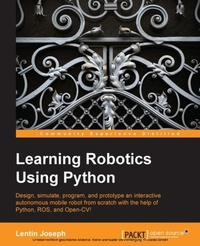
Learning Robotics using Python
Bring robotics projects to life with Python! Discover how to harness everything from Blender to ROS and OpenCV with one of our most popular robotics books.
Published on 13. January 2025
330 pages
978-1-78328-754-3 (ISBN)
Description

Key Features
Book DescriptionIf you are an engineer, a researcher, or a hobbyist, and you are interested in robotics and want to build your own robot, this book is for you. Readers are assumed to be new to robotics but should have experience with Python.What you will learn
Understand the core concepts and terminologies of robotics
Create 2D and 3D drawings of robots using freeware such as LibreCAD and Blender
Simulate your robot using ROS and Gazebo
Build robot hardware from the requirements
Explore a diverse range of actuators and its interfacing
Interface various robotic sensors to robots
Set up and program OpenCV, OpenNI, and PCL to process 2D/3D visual data
Learn speech processing and synthesis using Python
Apply artificial intelligence to robots using Python
Build a robot control GUI using Qt and Python
Calibration and testing of robot
Who this book is forIf you are an engineer, a researcher, or a hobbyist, and you are interested in robotics and want to build your own robot, this book is for you. Readers are assumed to be new to robotics but should have experience with Python.
Book DescriptionIf you are an engineer, a researcher, or a hobbyist, and you are interested in robotics and want to build your own robot, this book is for you. Readers are assumed to be new to robotics but should have experience with Python.What you will learn
Understand the core concepts and terminologies of robotics
Create 2D and 3D drawings of robots using freeware such as LibreCAD and Blender
Simulate your robot using ROS and Gazebo
Build robot hardware from the requirements
Explore a diverse range of actuators and its interfacing
Interface various robotic sensors to robots
Set up and program OpenCV, OpenNI, and PCL to process 2D/3D visual data
Learn speech processing and synthesis using Python
Apply artificial intelligence to robots using Python
Build a robot control GUI using Qt and Python
Calibration and testing of robot
Who this book is forIf you are an engineer, a researcher, or a hobbyist, and you are interested in robotics and want to build your own robot, this book is for you. Readers are assumed to be new to robotics but should have experience with Python.
All prices
More details
Edition
Digital original
Language
English
Place of publication
Birmingham
United Kingdom
Target group
Professional and scholarly
US School Grade: College Graduate Student
Edition type
Digital original
File size
7,67 MB
ISBN-13
978-1-78328-754-3 (9781783287543)
Copyright in bibliographic data and cover images is held by Nielsen Book Services Limited or by the publishers or by their respective licensors: all rights reserved.
Schweitzer Classification
Other editions
New editions
Lentin Joseph
Learning Robotics using Python
Design, simulate, program, and prototype an autonomous mobile robot using ROS, OpenCV, PCL, and Python
E-Book
09/2024
2nd Edition
Packt Publishing Limited
€24.99
Available for download
Additional editions
Lentin Joseph
Learning Robotics using Python
Bring robotics projects to life with Python! Discover how to harness everything from Blender to ROS and OpenCV with one of our most popular robotics books.
Book
05/2015
Packt Publishing
€56.60
Shipment within 3-4 weeks
Person
Lentin Joseph is an accomplished Indian roboticist, author, entrepreneur, and educator with over a decade of expertise in robotics software development, machine vision, and artificial intelligence. He is the founder and CTO of RUNTIME Robotics Pvt Ltd, an Indian company focused on R&D in robotics software development and artificial intelligence. He also runs robocademy, an online platform for robotics education. With strong proficiency in ROS, OpenCV, and PCL, Lentin has authored 10 widely acclaimed books on robotics, including Learning Robotics Using Python and Mastering ROS for Robotics Programming. He holds a bachelor's degree in Electronics and Communication Engineering from FISAT and a master's in Robotics and Automation from Amrita University. During his studies, he developed a gesture- and speech-interactive social robot that gained media attention. Lentin has also conducted research at Carnegie Mellon University's Robotics Institute, delivered a TEDx talk, and actively contributes to robotics education through workshops, blogs, and training programs.
Content
Table of Contents
Introduction to Robotics
Designing and modeling of an autonomous mobile robot
Working with Robotic Simulation tools
Designing Hardware for the robot
Working with Robotic actuators
Working with Robotic Sensors
Programming 2D/3D vision sensors using Python
Working with Speech Processing using Python
Working with Robot Intelligence using Python
Robot Operating system and Python interface
Creating a GUI using python
Finishing Robot and testing
Introduction to Robotics
Designing and modeling of an autonomous mobile robot
Working with Robotic Simulation tools
Designing Hardware for the robot
Working with Robotic actuators
Working with Robotic Sensors
Programming 2D/3D vision sensors using Python
Working with Speech Processing using Python
Working with Robot Intelligence using Python
Robot Operating system and Python interface
Creating a GUI using python
Finishing Robot and testing

