

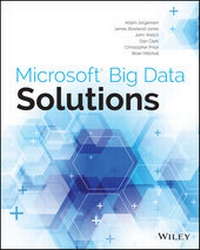
Microsoft Big Data Solutions
Published on 19. February 2014
408 pages
978-1-118-74209-9 (ISBN)
Description

Tap the power of Big Data with Microsoft technologies
Big Data is here, and Microsoft's new Big Data platform is avaluable tool to help your company get the very most out of it.This timely book shows you how to use HDInsight along withHortonWorks Data Platform for Windows to store, manage, analyze,and share Big Data throughout the enterprise. Focusing primarily onMicrosoft and HortonWorks technologies but also covering opensource tools, Microsoft Big Data Solutions explains bestpractices, covers on-premises and cloud-based solutions, andfeatures valuable case studies.
Best of all, it helps you integrate these new solutions withtechnologies you already know, such as SQL Server and Hadoop.
* Walks you through how to integrate Big Data solutions in yourcompany using Microsoft's HDInsight Server, HortonWorks DataPlatform for Windows, and open source tools
* Explores both on-premises and cloud-based solutions
* Shows how to store, manage, analyze, and share Big Data throughthe enterprise
* Covers topics such as Microsoft's approach to Big Data,installing and configuring HortonWorks Data Platform for Windows,integrating Big Data with SQL Server, visualizing data withMicrosoft and HortonWorks BI tools, and more
* Helps you build and execute a Big Data plan
* Includes contributions from the Microsoft and HortonWorks BigData product teams
If you need a detailed roadmap for designing and implementing afully deployed Big Data solution, you'll want Microsoft Big DataSolutions.
More details
Other editions
Additional editions
Adam Jorgensen | James Rowland-Jones | John Welch
Microsoft Big Data Solutions
Book
04/2014
Wiley
€51.90
Article exhausted; check different version
Persons
Adam Jorgensen is the President of Pragmatic Works andthe Executive Vice President of PASS. He has extensive experiencewith data warehousing, analytics, and NoSQL architectures.
James Rowland-Jones is a principal consultant for The BigBang Data Company. He specializes in big data warehouse solutionsthat leverage SQL Server Parallel Data Warehouse and Hadoopecosystems.
John Welch is Vice President of Software Development atPragmatic Works, where he leads the development of a suite of BIand data products for SQL Server and related technologies.
Dan Clark is a senior BI consultant for Pragmatic Works.Dan has published several books and numerous articles on .NETprogramming and BI development.
Christopher Price is a senior consultant with Microsoft.His focus is on ETL, data integration, data quality, MDM, SSAS,SharePoint, and all things big data.
Brian Mitchell is the lead architect of the Microsoft BigData Center of Expertise. He focuses exclusively on DW/BIsolutions.
Content
- Cover
- Title Page
- Copyright
- Contents
- Introduction
- Part I What Is Big Data?
- Chapter 1 Industry Needs and Solutions
- What's So Big About Big Data?
- A Brief History of Hadoop
- Nutch
- What Is Hadoop?
- Derivative Works and Distributions
- Hadoop Distributions
- Core Hadoop Ecosystem
- Important Apache Projects for Hadoop
- The Future for Hadoop
- Summary
- Chapter 2 Microsoft's Approach to Big Data
- A Story of "Better Together"
- Competition in the Ecosystem
- SQL on Hadoop Today
- Hortonworks and Stinger
- Cloudera and Impala
- Microsoft's Contribution to SQL in Hadoop
- Deploying Hadoop
- Deployment Factors
- Deployment Topologies
- Deployment Scorecard
- Summary
- Part II Setting Up for Big Data with Microsoft
- Chapter 3 Configuring Your First Big Data Environment
- Getting Started
- Getting the Install
- Running the Installation
- On-Premise Installation: Single-Node Installation
- HDInsight Service: Installing in the Cloud
- Windows Azure Storage Explorer Options
- Validating Your New Cluster
- Logging into HDInsight Service
- Verify HDP Functionality in the Logs
- Common Post-Setup Tasks
- Loading Your First Files
- Verifying Hive and Pig
- Summary
- Part III Storing and Managing Big Data
- Chapter 4 HDFS, Hive, HBase, and HCatalog
- Exploring the Hadoop Distributed File System
- Explaining the HDFS Architecture
- Interacting with HDFS
- Exploring Hive: The Hadoop Data Warehouse Platform
- Designing, Building, and Loading Tables
- Querying Data
- Configuring the Hive ODBC Driver
- Exploring HCatalog: HDFS Table and Metadata Management
- Exploring HBase: An HDFS Column-Oriented Database
- Columnar Databases
- Defining and Populating an HBase Table
- Using Query Operations
- Summary
- Chapter 5 Storing and Managing Data in HDFS
- Understanding the Fundamentals of HDFS
- HDFS Architecture
- NameNodes and DataNodes
- Data Replication
- Using Common Commands to Interact with HDFS
- Interfaces for Working with HDFS
- File Manipulation Commands
- Administrative Functions in HDFS
- Moving and Organizing Data in HDFS
- Moving Data in HDFS
- Implementing Data Structures for Easier Management
- Rebalancing Data
- Summary
- Chapter 6 Adding Structure with Hive
- Understanding Hive's Purpose and Role
- Providing Structure for Unstructured Data
- Enabling Data Access and Transformation
- Differentiating Hive from Traditional RDBMS Systems
- Working with Hive
- Creating and Querying Basic Tables
- Creating Databases
- Creating Tables
- Adding and Deleting Data
- Querying a Table
- Using Advanced Data Structures with Hive
- Setting Up Partitioned Tables
- Loading Partitioned Tables
- Using Views
- Creating Indexes for Tables
- Summary
- Chapter 7 Expanding Your Capability with HBase and HCatalog
- Using HBase
- Creating HBase Tables
- Loading Data into an HBase Table
- Performing a Fast Lookup
- Loading and Querying HBase
- Managing Data with HCatalog
- Working with HCatalog and Hive
- Defining Data Structures
- Creating Indexes
- Creating Partitions
- Integrating HCatalog with Pig and Hive
- Using HBase or Hive as a Data Warehouse
- Summary
- Part IV Working with Your Big Data
- Chapter 8 Effective Big Data ETL with SSIS, Pig, and Sqoop
- Combining Big Data and SQL Server Tools for Better Solutions
- Why Move the Data?
- Transferring Data Between Hadoop and SQL Server
- Working with SSIS and Hive
- Connecting to Hive
- Configuring Your Packages
- Loading Data into Hadoop
- Getting the Best Performance from SSIS
- Transferring Data with Sqoop
- Copying Data from SQL Server
- Copying Data to SQL Server
- Using Pig for Data Movement
- Transforming Data with Pig
- Using Pig and SSIS Together
- Choosing the Right Tool
- Use Cases for SSIS
- Use Cases for Pig
- Use Cases for Sqoop
- Summary
- Chapter 9 Data Research and Advanced Data Cleansing with Pig and Hive
- Getting to Know Pig
- When to Use Pig
- Taking Advantage of Built-in Functions
- Executing User-defined Functions
- Using UDFs
- Building Your Own UDFs for Pig
- Using Hive
- Data Analysis with Hive
- Types of Hive Functions
- Extending Hive with Map-reduce Scripts
- Creating a Custom Map-reduce Script
- Creating Your Own UDFs for Hive
- Summary
- Part V Big Data and SQL Server Together
- Chapter 10 Data Warehouses and Hadoop Integration
- State of the Union
- Challenges Faced by Traditional Data Warehouse Architectures
- Technical Constraints
- Business Challenges
- Hadoop's Impact on the Data Warehouse Market
- Keep Everything
- Code First (Schema Later)
- Model the Value
- Throw Compute at the Problem
- Introducing Parallel Data Warehouse (PDW)
- What Is PDW?
- Why Is PDW Important?
- How PDW Works
- Project Polybase
- Polybase Architecture
- Business Use Cases for Polybase Today
- Speculating on the Future for Polybase
- Summary
- Chapter 11 Visualizing Big Data with Microsoft BI
- An Ecosystem of Tools
- Excel
- PowerPivot
- Power View
- Power Map
- Reporting Services
- Self-service Big Data with PowerPivot
- Setting Up the ODBC Driver
- Loading Data
- Updating the Model
- Adding Measures
- Creating Pivot Tables
- Rapid Big Data Exploration with Power View
- Spatial Exploration with Power Map
- Summary
- Chapter 12 Big Data Analytics
- Data Science, Data Mining, and Predictive Analytics
- Data Mining
- Predictive Analytics
- Introduction to Mahout
- Building a Recommendation Engine
- Getting Started
- Running a User-to-user Recommendation Job
- Running an Item-to-item Recommendation Job
- Summary
- Chapter 13 Big Data and the Cloud
- Defining the Cloud
- Exploring Big Data Cloud Providers
- Amazon
- Microsoft
- Setting Up a Big Data Sandbox in the Cloud
- Getting Started with Amazon EMR
- Getting Started with HDInsight
- Storing Your Data in the Cloud
- Storing Data
- Uploading Your Data
- Exploring Big Data Storage Tools
- Integrating Cloud Data
- Other Cloud Data Sources
- Summary
- Chapter 14 Big Data in the Real World
- Common Industry Analytics
- Telco
- Energy
- Retail
- Data Services
- IT/Hosting Optimization
- Marketing Social Sentiment
- Operational Analytics
- Failing Fast
- A New Ecosystem of Technologies
- User Audiences
- Summary
- Part VI Moving Your Big Data Forward
- Chapter 15 Building and Executing Your Big Data Plan
- Gaining Sponsor and Stakeholder Buy-In
- Problem Definition
- Scope Management
- Stakeholder Expectations
- Defining the Criteria for Success
- Identifying Technical Challenges
- Environmental Challenges
- Challenges in Skillset
- Identifying Operational Challenges
- Planning for Setup/Configuration
- Planning for Ongoing Maintenance
- Going Forward
- The Hand-Off to Operations
- After Deployment
- Summary
- Chapter 16 Operational Big Data Management
- Hybrid Big Data Environments: Cloud and On-Premise Solutions Working Together
- Ongoing Data Integration with Cloud and On-Premise Solutions
- Integration Thoughts for Big Data
- Backups and High Availability in Your Big Data Environment
- High Availability
- Disaster Recovery
- Big Data Solution Governance
- Creating Operational Analytics
- System Center Operations Manager for HDP
- Installing the Ambari SCOM Management Pack
- Monitoring with the Ambari SCOM Management Pack
- Summary
- Index
