

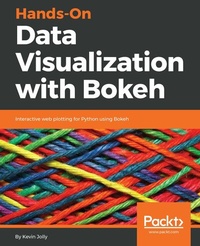
Hands-On Data Visualization with Bokeh
Interactive web plotting for Python using Bokeh
Published on 23. September 2024
174 pages
978-1-78913-131-4 (ISBN)
Description

Learn how to create interactive and visually aesthetic plots using the Bokeh package in Python
Key Features
A step by step approach to creating interactive plots with Bokeh
Go from installation all the way to deploying your very own Bokeh application
Work with a real time datasets to practice and create your very own plots and applications
Book DescriptionAdding a layer of interactivity to your plots and converting these plots into applications hold immense value in the field of data science. The standard approach to adding interactivity would be to use paid software such as Tableau, but the Bokeh package in Python offers users a way to create both interactive and visually aesthetic plots for free. This book gets you up to speed with Bokeh - a popular Python library for interactive data visualization. The book starts out by helping you understand how Bokeh works internally and how you can set up and install the package in your local machine. You then use a real world data set which uses stock data from Kaggle to create interactive and visually stunning plots. You will also learn how to leverage Bokeh using some advanced concepts such as plotting with spatial and geo data. Finally you will use all the concepts that you have learned in the previous chapters to create your very own Bokeh application from scratch. By the end of the book you will be able to create your very own Bokeh application. You will have gone through a step by step process that starts with understanding what Bokeh actually is and ends with building your very own Bokeh application filled with interactive and visually aesthetic plots.What you will learn
Installing Bokeh and understanding its key concepts
Creating plots using glyphs, the fundamental building blocks of Bokeh
Creating plots using different data structures like NumPy and Pandas
Using layouts and widgets to visually enhance your plots and add a layer of interactivity
Building and hosting applications on the Bokeh server
Creating advanced plots using spatial data
Who this book is forThis book is well suited for data scientists and data analysts who want to perform interactive data visualization on their web browsers using Bokeh. Some exposure to Python programming will be helpful, but prior experience with Bokeh is not required.
Key Features
A step by step approach to creating interactive plots with Bokeh
Go from installation all the way to deploying your very own Bokeh application
Work with a real time datasets to practice and create your very own plots and applications
Book DescriptionAdding a layer of interactivity to your plots and converting these plots into applications hold immense value in the field of data science. The standard approach to adding interactivity would be to use paid software such as Tableau, but the Bokeh package in Python offers users a way to create both interactive and visually aesthetic plots for free. This book gets you up to speed with Bokeh - a popular Python library for interactive data visualization. The book starts out by helping you understand how Bokeh works internally and how you can set up and install the package in your local machine. You then use a real world data set which uses stock data from Kaggle to create interactive and visually stunning plots. You will also learn how to leverage Bokeh using some advanced concepts such as plotting with spatial and geo data. Finally you will use all the concepts that you have learned in the previous chapters to create your very own Bokeh application from scratch. By the end of the book you will be able to create your very own Bokeh application. You will have gone through a step by step process that starts with understanding what Bokeh actually is and ends with building your very own Bokeh application filled with interactive and visually aesthetic plots.What you will learn
Installing Bokeh and understanding its key concepts
Creating plots using glyphs, the fundamental building blocks of Bokeh
Creating plots using different data structures like NumPy and Pandas
Using layouts and widgets to visually enhance your plots and add a layer of interactivity
Building and hosting applications on the Bokeh server
Creating advanced plots using spatial data
Who this book is forThis book is well suited for data scientists and data analysts who want to perform interactive data visualization on their web browsers using Bokeh. Some exposure to Python programming will be helpful, but prior experience with Bokeh is not required.
More details
Edition
Digital original
Language
English
Place of publication
Birmingham
United Kingdom
Target group
Professional and scholarly
US School Grade: College Graduate Student
Edition type
Digital original
File size
5,31 MB
ISBN-13
978-1-78913-131-4 (9781789131314)
Copyright in bibliographic data and cover images is held by Nielsen Book Services Limited or by the publishers or by their respective licensors: all rights reserved.
Schweitzer Classification
Other editions
Additional editions
Kevin Jolly
Hands-on Data Visualization with Bokeh
Book
06/2018
Packt Publishing
€39.10
Shipment within 3-4 weeks
Person
Jolly Kevin :
Kevin Jolly is a formally educated data scientist with a master's degree in data science from the prestigious King's College London. Kevin works as a statistical analyst with a digital healthcare start-up, Connido Limited, in London, where he is primarily involved in leading the data science projects that the company undertakes. He has built machine learning pipelines for small and big data, with a focus on scaling such pipelines into production for the products that the company has built. Kevin is also the author of a book titled Hands-On Data Visualization with Bokeh, published by Packt. He is the editor-in-chief of Linear, a weekly online publication on data science software and products.
Kevin Jolly is a formally educated data scientist with a master's degree in data science from the prestigious King's College London. Kevin works as a statistical analyst with a digital healthcare start-up, Connido Limited, in London, where he is primarily involved in leading the data science projects that the company undertakes. He has built machine learning pipelines for small and big data, with a focus on scaling such pipelines into production for the products that the company has built. Kevin is also the author of a book titled Hands-On Data Visualization with Bokeh, published by Packt. He is the editor-in-chief of Linear, a weekly online publication on data science software and products.
Content
Table of Contents
Bokeh installation and key concepts
Plotting using glyphs
Plotting with different data structures
Using layouts for effective presentation
Using annotations, widgets and visual attributes for visual enhancement
Building and hosting applications using the Bokeh Server
Advanced Plotting with Networks, Geo data, WebGL and Exporting plots
The Bokeh Workflow: A case study
Bokeh installation and key concepts
Plotting using glyphs
Plotting with different data structures
Using layouts for effective presentation
Using annotations, widgets and visual attributes for visual enhancement
Building and hosting applications using the Bokeh Server
Advanced Plotting with Networks, Geo data, WebGL and Exporting plots
The Bokeh Workflow: A case study
