

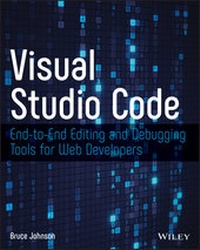
Visual Studio Code
End-to-End Editing and Debugging Tools for Web Developers
1st Edition
Published on 9. August 2019
192 pages
978-1-119-58830-6 (ISBN)
Description

Expert guidance on using Visual Studio Code for editing and debugging your web development projects
Visual Studio Code, a free, open source, cross-compatible source code editor, is one of the most popular choices for web developers. It is fast, lightweight, customizable, and contains built-in support for JavaScript, Typescript, and Node.js extensions for other languages, including C++, Python, and PHP. Features such as debugging capability, embedded Git control, syntax highlighting, code snippets, and IntelliSense intelligent code completion support--several of which set it apart from the competition--help make Visual Studio Code an impressive, out-of-the-box solution.
Visual Studio Code: End-to-End Editing and Debugging Tools for Web Developers helps readers to become familiar with and productive in Visual Studio Code. This up-to-date guide covers all of the essential components of the software, including the editing features of the workspace, advanced functionality such as code refactoring and key binding, and integration with Grunt, Gulp, NPM, and other external tools. New users, experienced developers, and those considering moving from another developer tool will benefit from this book's detailed, yet easy-to-follow information on Visual Studio Code. This book:
* Teaches readers how to use Visual Studio Code to do full-stack development
* Explains the steps to install Visual Studio Code on Windows, Mac and Linux platforms
* Provides a foundation for non-users considering moving to Visual Studio Code
* Helps current users expand their knowledge of the tool and its available extensions
* Describes how to open a .NET Core project and get end-to-end execution and debugging functionality
Visual Studio Code: End-to-End Editing and Debugging Tools for Web Developers is an invaluable guide for both professional and hobbyist web developers seeking immediately-useful information on Visual Studio Code.
Visual Studio Code, a free, open source, cross-compatible source code editor, is one of the most popular choices for web developers. It is fast, lightweight, customizable, and contains built-in support for JavaScript, Typescript, and Node.js extensions for other languages, including C++, Python, and PHP. Features such as debugging capability, embedded Git control, syntax highlighting, code snippets, and IntelliSense intelligent code completion support--several of which set it apart from the competition--help make Visual Studio Code an impressive, out-of-the-box solution.
Visual Studio Code: End-to-End Editing and Debugging Tools for Web Developers helps readers to become familiar with and productive in Visual Studio Code. This up-to-date guide covers all of the essential components of the software, including the editing features of the workspace, advanced functionality such as code refactoring and key binding, and integration with Grunt, Gulp, NPM, and other external tools. New users, experienced developers, and those considering moving from another developer tool will benefit from this book's detailed, yet easy-to-follow information on Visual Studio Code. This book:
* Teaches readers how to use Visual Studio Code to do full-stack development
* Explains the steps to install Visual Studio Code on Windows, Mac and Linux platforms
* Provides a foundation for non-users considering moving to Visual Studio Code
* Helps current users expand their knowledge of the tool and its available extensions
* Describes how to open a .NET Core project and get end-to-end execution and debugging functionality
Visual Studio Code: End-to-End Editing and Debugging Tools for Web Developers is an invaluable guide for both professional and hobbyist web developers seeking immediately-useful information on Visual Studio Code.
More details
Other editions
Additional editions
Bruce Johnson
Visual Studio Code: End-To-End Editing and Debugging Tools for Web Developers
End-to-End Editing and Debugging Tools for Web Developers
Book
09/2019
1st Edition
Wiley-Blackwell
€43.50
Shipment within 15-20 days
Content
- Cover
- Visual Studio Code
- Title page
- Copyright
- About the Author
- About the Technical Editor
- Acknowledgments
- Contents
- Introduction
- What Does This Book Cover?
- Who Should Read This Book
- How to Contact the Author
- Chapter 1 Introducing Visual Studio Code
- Getting Started
- Installing Visual Studio Code
- Windows
- Linux
- macOS
- How Cross-Platform Works
- Summary
- Chapter 2 Exploring the User Interface
- Editors
- Activity Bar
- Editing Settings Manually
- Status Bar
- Other Windows
- Command Palette
- Terminal Window
- Output Window
- Debug Console
- Problems Window
- Summary
- Chapter 3 Files and Folders and Projects (Oh My)
- Explorer
- Project View
- Decorations
- Workspaces
- Saving the Workspace
- Adding Folders
- Settings
- Search
- Advanced Searches
- Regular Expression Matching
- Specifying Files
- Replacing Text
- Settings
- Summary
- Chapter 4 Editing Code in Your Language of Choice
- Editor Area
- Editor Groups and Layouts
- Open Editors
- Outline View
- Editing Functionality
- Keyboard Shortcuts
- Choosing Your Language
- Formatting
- Code Writing Assistance
- IntelliSense
- Method Info
- Completions
- Settings
- Find and Replace
- Minimap
- Code Snippets
- Multiple Cursors
- Auto Save
- Hot Exit
- Editor Settings
- Summary
- Chapter 5 Integrating with Source Control
- Source Control Management
- Using Git
- Cloning a Repository
- Staging and Committing
- Branches
- Working with the Tracking Branch
- Merge Conflicts
- Miscellaneous Support
- Git Output
- Default Git Editor
- Git Diff Tool
- Other SCMs
- Installing the Extension
- Configuring the Extension
- Summary
- Chapter 6 Debugging Code
- Debugging Node.js
- Launching the Session
- Launch Configurations
- Launch vs. Attach Execution
- Adding a Configuration
- Simultaneous Configurations
- Debug Actions
- Breakpoints
- Stepping through Code
- Data Inspection
- Advanced Launch Configuration
- Variable Substitution
- Launching a Browser on Debug
- Summary
- Chapter 7 External Tools and Task Automation
- Tasks Defined
- Creating Custom Tasks
- Compound Tasks
- Problem Matchers
- Multiline Matchers
- Background Patterns
- Advanced Task Configuration
- Platform-Specific Properties
- Variable Substitution
- Summary
- Chapter 8 Unit Testing
- Testing a Unit
- Python Unit Testing
- Unittest Framework
- PyTest Framework
- JavaScript Unit Testing
- Jest Extension
- Refactoring
- Code Actions
- Summary
- Chapter 9 Working with Extensions
- Extension Marketplace
- Searching for Extensions
- Installing Extensions
- Extension Configuration
- Updating Extensions
- Workspace Extensions
- Command-Line Interface
- Useful Extensions
- Linters
- Keyboard Mappings
- Snippets and Coding Assistance
- Miscellaneous Tools
- Summary
- Chapter 10 Creating Your Own Extensions
- Getting Started
- An Extension Project
- Activation Event
- Contribution Points
- Visual Studio Code API
- Extension Project Structure
- Activation Events
- onCommand
- onDebug
- onFileSystem
- onLanguage
- onUri
- onView
- onWebviewPanel
- workspaceContains
- Start Up
- Contribution Points
- breakpoints
- colors
- configuration
- configurationDefaults
- commands
- debuggers
- grammars
- jsonValidation
- keybindings
- when Clause
- languages
- menus
- problemMatchers
- snippets
- taskDefinitions
- themes
- viewsContainers
- views
- Visual Studio Code API
- Common Patterns
- Promises
- Cancellation Tokens
- Events
- Commands
- Debug
- Env
- Extensions
- Languages
- Scm
- Tasks
- Window
- Workspace
- Summary
- Index
- EULA
