

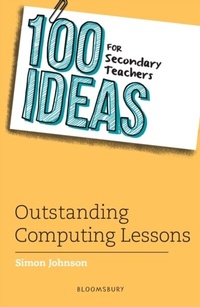
100 Ideas for Secondary Teachers: Outstanding Computing Lessons
1st Edition
Published on 1. April 2021
128 pages
978-1-4729-8441-8 (ISBN)
Description

No matter what you teach, there is a 100 Ideas title for you!
The 100 Ideas series offers teachers practical, easy-to-implement strategies and activities for the classroom. Each author is an expert in their field and is passionate about sharing best practice with their peers.
Each title includes at least ten additional extra-creative Bonus Ideas that won't fail to inspire and engage all learners.
_______________
An essential collection of 100 practical, tried-and-tested ideas for teaching computing in secondary schools. This is the perfect resource for computing teachers at all levels, whether specialist or non-specialist, newly qualified or experienced.
From rubber duck debugging to teaching algorithm design through magic tricks and even setting up an escape room to raise awareness about cyber security, this is the ultimate toolkit for any teacher looking to diversify their lesson plans or revamp their teaching of computing. The activities are research-informed and ready to use in Key Stages 3 and 4 classrooms of all abilities, requiring minimum preparation and resources. 100 Ideas for Secondary Teachers: Outstanding Computing Lessons will ignite students' passion for coding, programming and computational thinking.
Additional online resources for the book can be found at www.bloomsbury.com/100-ideas-secondary-computing
The 100 Ideas series offers teachers practical, easy-to-implement strategies and activities for the classroom. Each author is an expert in their field and is passionate about sharing best practice with their peers.
Each title includes at least ten additional extra-creative Bonus Ideas that won't fail to inspire and engage all learners.
_______________
An essential collection of 100 practical, tried-and-tested ideas for teaching computing in secondary schools. This is the perfect resource for computing teachers at all levels, whether specialist or non-specialist, newly qualified or experienced.
From rubber duck debugging to teaching algorithm design through magic tricks and even setting up an escape room to raise awareness about cyber security, this is the ultimate toolkit for any teacher looking to diversify their lesson plans or revamp their teaching of computing. The activities are research-informed and ready to use in Key Stages 3 and 4 classrooms of all abilities, requiring minimum preparation and resources. 100 Ideas for Secondary Teachers: Outstanding Computing Lessons will ignite students' passion for coding, programming and computational thinking.
Additional online resources for the book can be found at www.bloomsbury.com/100-ideas-secondary-computing
Reviews / Votes
An outstanding book that can simply be picked up off the shelf as a means to inspire any teacher when delivering computing. Simon has shared these super quick ideas that will have impact in every classroom, from rubber duck debugging to pedagogical approaches in the subject. This is an excellent read! * Head of Computing and Digital Learning at RGS The Grange, CAS Master Teacher and Computing Champion, @MattWarne * Simon offers fantastic teaching tips, ideas to take the learning further, as well as support in developing a sound pedagogical understanding of some complex areas. * UKEdChat *More details
Series
Edition
1. Auflage
Language
English
Place of publication
London
United Kingdom
Publishing group
Bloomsbury Publishing PLC (Digital)
Target group
Professional and scholarly
ISBN-13
978-1-4729-8441-8 (9781472984418)
Copyright in bibliographic data and cover images is held by Nielsen Book Services Limited or by the publishers or by their respective licensors: all rights reserved.
Schweitzer Classification
Other editions
Additional editions
Book
04/2021
Bloomsbury Education
€19.00
Shipment within 10-20 days
Person
Simon Johnson is an experienced teacher of ICT and computing. Simon is a former network manager, and currently a member of the CAS (Computing at School) working group and management board. He is a Level 2 CAS Master Teacher, Microsoft Innovative Expert Educator, Raspberry Pi Certified Educator and Microsoft Teacher Trainer. Find resources and tutorials on Simon's website, www.teachwithict.com, and follow him on Twitter @clcsimon.
Content
- Cover
- Half Title
- Series
- Title
- Copyright
- Contents
- Acknowledgements
- Introduction
- How to use this book
- Part 1: Programming strategies
- 1 Paired programming
- 2 Rubber duck debugging
- 3 Code golf
- 4 Game design
- 5 PRIMM
- 6 Parsons problems
- 7 Use-modify-create
- 8 Hour of Code
- 9 Code bug
- 10 Code combat
- 11 Teaching with robots
- Part 2: Computing strategies
- 12 Take your screwdrivers to work
- 13 DART your students
- 14 Contextualise learning
- 15 Go unplugged
- 16 Socratic debate
- 17 Peer instruction
- 18 Game-based learning
- 19 Using QR codes
- 20 Escape rooms
- 21 Blogs and wikis
- 22 Flipped learning
- 23 Guided discovery
- Part 3: ICT and digital literacy
- 24 Fake news
- 25 Copy cat
- 26 Mario KartTM spreadsheets
- 27 Fakebook
- 28 Database detectives
- 29 Did you meme it?
- 30 Videography
- 31 Infographics
- 32 Dragons' Den
- 33 Wayback Machine
- Part 4: Computing activities
- 34 What a waste!
- 35 Role reversal
- 36 Storage Top Trumps®
- 37 Little Man Computer
- 38 Features of a CPU (a lesson using DART)
- 39 Internet of things
- 40 The great input/output QR hunt
- 41 Moral Machine
- Part 5: Computational thinking
- 42 Making the tea algorithm
- 43 Teaching with magic
- 44 Crazy characters
- 45 Puzzle me
- 46 Human robot
- 47 A-maze-ing algorithms
- 48 20 questions
- 49 Breaking the code
- 50 Origami algorithms
- 51 Guess the object
- Part 6: Unplugged activities
- 52 Image compression
- 53 Bubble sort dance algorithm
- 54 World Wide Web unplugged
- 55 Intelligent piece of paper (AI)
- 56 Envelope variables
- 57 Card sort
- 58 Binary representation of images (unplugged)
- 59 How computers work
- 60 Memory
- 61 Network topologies
- Part 7: Data representation
- 62 Binary addition
- 63 Binary numbers
- 64 Binary representation of images
- 65 Binary representation of sound
- 66 Binary bingo
- 67 It's all about hex
- 68 ASCII 'secret' agent
- Part 8: Exam preparation
- 69 Padlet
- 70 Round-robin revision
- 71 Revision podcasts
- 72 PEE (point, evidence, explain)
- 73 PechaKucha
- 74 Sketch-noting
- 75 Command word bingo
- 76 BUG hunt
- 77 Tweet IT
- 78 Revision speed dating
- 79 Match IT
- Part 9: Programming activities
- 80 Magic 8-ball®
- 81 Shakespearean insult generator
- 82 Chatting robot
- 83 Just dance
- 84 Adventures in text
- 85 Mad Libs®
- 86 Sorting Hat
- 87 Turtle power (a lesson using PRIMM)
- 88 Guess my number
- 89 Mind-reading algorithm
- 90 Cat and mouse
- 91 Reaction timer
- Part 10: Computing and STEAM
- 92 Art attack
- 93 Lights, camera, action
- 94 Making music
- 95 Coding probability
- 96 Physical computing
- 97 Turtle snowflakes
- 98 Coding the weather
- 99 Rubbish robots
- 100 Colour splash
