

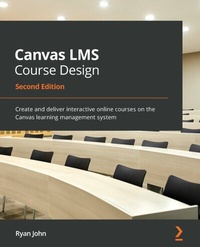
Canvas LMS Course Design
Create and deliver interactive online courses on the Canvas learning management system
2nd Edition
Published on 3. June 2024
292 pages
978-1-80056-382-7 (ISBN)
Description

A simple, easy-to-follow guide to learning the advanced features and integrated services of Canvas for creating a transformative and personalized educational experienceKey Features - Simplify online and hybrid learning with Canvas with the help of this updated second edition
- Discover best practices to engage with students as they complete assignments and receive feedback through the Gradebook
- Follow clear directions to use Canvas tools and features for your educational requirements
Book DescriptionCanvas is an online learning management system (LMS) and one of the most powerful teaching tools that educational institutions worldwide have adopted thanks to its streamlined functionality, intuitive user interface, and robust features. This revised second edition of Canvas LMS Course Design will show you how to design, create, and teach engaging classes in online, hybrid, or fusion settings using the Canvas LMS. The book will guide you through the steps of setting up your Canvas account, creating activities and assignments, designing and customizing the course layout, and teaching your course. Whether you're using an institutional or Free-for-Teacher account, you'll be able to use Canvas for grading, feedback, and communication with and between students. As you progress, you'll learn how to integrate external apps and services with Canvas. Finally, the book features an exclusive section detailing how you can use Canvas' built-in resources as well as other resources to tackle challenges while working with the LMS. Throughout, this book will give you the technical knowledge you need to create unique learning experiences for students. By the end of this Canvas LMS Course Design, you'll be able to successfully teach online with the help of logical descriptions and step-by-step screenshots that clearly explain how to build a phenomenal course. What you will learn - Understand online learning as a powerful and unique tool for student growth
- Create, access, and personalize your user account and profile settings in Canvas
- Generate, upload, and import course content for students to engage with as participants in your courses
- Design and sequence the content of your course to present information and activities with clarity and simplicity
- Discover expert techniques for designing a curriculum and creating activities
- Explore Canvas features that meet your educational needs, such as online assessments and content delivery
Who this book is forThis book is for educators who want to use Canvas to deliver instructions in online, hybrid, or fusion teaching models. Whether you're new to online learning or a seasoned expert, you will be able to learn both the primary functions and the advanced features of Canvas with this book. As a minimum, beginner-level experience with online learning is required given the widespread implementation of distance learning due to the pandemic.
- Discover best practices to engage with students as they complete assignments and receive feedback through the Gradebook
- Follow clear directions to use Canvas tools and features for your educational requirements
Book DescriptionCanvas is an online learning management system (LMS) and one of the most powerful teaching tools that educational institutions worldwide have adopted thanks to its streamlined functionality, intuitive user interface, and robust features. This revised second edition of Canvas LMS Course Design will show you how to design, create, and teach engaging classes in online, hybrid, or fusion settings using the Canvas LMS. The book will guide you through the steps of setting up your Canvas account, creating activities and assignments, designing and customizing the course layout, and teaching your course. Whether you're using an institutional or Free-for-Teacher account, you'll be able to use Canvas for grading, feedback, and communication with and between students. As you progress, you'll learn how to integrate external apps and services with Canvas. Finally, the book features an exclusive section detailing how you can use Canvas' built-in resources as well as other resources to tackle challenges while working with the LMS. Throughout, this book will give you the technical knowledge you need to create unique learning experiences for students. By the end of this Canvas LMS Course Design, you'll be able to successfully teach online with the help of logical descriptions and step-by-step screenshots that clearly explain how to build a phenomenal course. What you will learn - Understand online learning as a powerful and unique tool for student growth
- Create, access, and personalize your user account and profile settings in Canvas
- Generate, upload, and import course content for students to engage with as participants in your courses
- Design and sequence the content of your course to present information and activities with clarity and simplicity
- Discover expert techniques for designing a curriculum and creating activities
- Explore Canvas features that meet your educational needs, such as online assessments and content delivery
Who this book is forThis book is for educators who want to use Canvas to deliver instructions in online, hybrid, or fusion teaching models. Whether you're new to online learning or a seasoned expert, you will be able to learn both the primary functions and the advanced features of Canvas with this book. As a minimum, beginner-level experience with online learning is required given the widespread implementation of distance learning due to the pandemic.
All prices
More details
Other editions
Additional editions
Ryan John
Canvas LMS Course Design
Create and deliver interactive online courses on the Canvas learning management system
Book
05/2021
2nd Edition
Packt Publishing
€46.90
Shipment within 3-4 weeks
Previous edition
Ryan John
Canvas LMS Course Design
Design, build, and teach your very own online course using the powerful tools of the Canvas Learning Management System
E-Book
06/2024
1st Edition
Packt Publishing Limited
from
€37.19
Available for download
Person
John Ryan :
Ryan John teaches at Léman Manhattan Preparatory School in New York City. He holds degrees from Westminster Choir College of Rider University, where he has served as an adjunct professor, technical assistant, and course designer for online learning. Ryan spent 3 years as a technical assistant for the pilot program of Canvas LMS at Rider University and has delivered over a dozen online courses for students in middle school through adult continuing education. Ryan has presented his scholarly work in the US and abroad, and his publications include Canvas LMS Course Design (2014), Planning Instruction in Music (2015), Becoming Musical (2017), and Planning Instruction in Music Online (2020).
Ryan John teaches at Léman Manhattan Preparatory School in New York City. He holds degrees from Westminster Choir College of Rider University, where he has served as an adjunct professor, technical assistant, and course designer for online learning. Ryan spent 3 years as a technical assistant for the pilot program of Canvas LMS at Rider University and has delivered over a dozen online courses for students in middle school through adult continuing education. Ryan has presented his scholarly work in the US and abroad, and his publications include Canvas LMS Course Design (2014), Planning Instruction in Music (2015), Becoming Musical (2017), and Planning Instruction in Music Online (2020).
Content
Table of Contents - Getting Started with Canvas
- Building Your Canvas Course
- Getting Ready to Launch Your Course
- Teaching Your Canvas Course
- Exploring Special Features
- Utilizing and Integrating Apps
- Where to Go for Help
- Now You're Ready!
- Appendix: References and Resources
- Building Your Canvas Course
- Getting Ready to Launch Your Course
- Teaching Your Canvas Course
- Exploring Special Features
- Utilizing and Integrating Apps
- Where to Go for Help
- Now You're Ready!
- Appendix: References and Resources
