

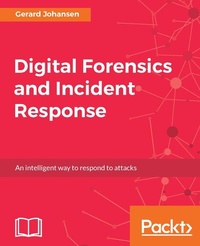
Digital Forensics and Incident Response
A practical guide to deploying digital forensic techniques in response to cyber security incidents
1st Edition
Published on 3. June 2024
324 pages
978-1-78728-539-2 (ISBN)
Description

A practical guide to deploying digital forensic techniques in response to cyber security incidentsKey FeaturesBook DescriptionDigital Forensics and Incident Response will guide you through the entire spectrum of tasks associated with incident response, starting with preparatory activities associated with creating an incident response plan and creating a digital forensics capability within your own organization. You will then begin a detailed examination of digital forensic techniques including acquiring evidence, examining volatile memory, hard drive assessment, and network-based evidence. You will also explore the role that threat intelligence plays in the incident response process. Finally, a detailed section on preparing reports will help you prepare a written report for use either internally or in a courtroom. By the end of the book, you will have mastered forensic techniques and incident response and you will have a solid foundation on which to increase your ability to investigate such incidents in your organization. What you will learn - Create and deploy incident response capabilities within your organization
- Build a solid foundation for acquiring and handling suitable evidence for later analysis
- Analyze collected evidence and determine the root cause of a security incident
- Learn to integrate digital forensic techniques and procedures into the overall incident response process
- Integrate threat intelligence in digital evidence analysis
- Prepare written documentation for use internally or with external parties such as regulators or law enforcement agencies
Who this book is forThis book is targeted at Information Security professionals, forensics practitioners, and students with knowledge and experience in the use of software applications and basic command-line experience. It will also help professionals who are new to the incident response/digital forensics role within their organization.
- Build a solid foundation for acquiring and handling suitable evidence for later analysis
- Analyze collected evidence and determine the root cause of a security incident
- Learn to integrate digital forensic techniques and procedures into the overall incident response process
- Integrate threat intelligence in digital evidence analysis
- Prepare written documentation for use internally or with external parties such as regulators or law enforcement agencies
Who this book is forThis book is targeted at Information Security professionals, forensics practitioners, and students with knowledge and experience in the use of software applications and basic command-line experience. It will also help professionals who are new to the incident response/digital forensics role within their organization.
All prices
More details
Other editions
New editions
Gerard Johansen
Digital Forensics and Incident Response
Incident response techniques and procedures to respond to modern cyber threats
E-Book
09/2024
2nd Edition
Packt Publishing
€25.99
Available for download
Additional editions
Gerard Johansen
Digital Forensics and Incident Response
A practical guide to deploying digital forensic techniques in response to cyber security incidents
Book
07/2017
1st Edition
Packt Publishing
€56.10
Shipment within 3-4 weeks
Person
Johansen Gerard :
Gerard Johansen is an incident response professional with over 15 years' experience in areas like penetration testing, vulnerability management, threat assessment modeling, and incident response. Beginning his information security career as a cyber crime investigator, he has built on that experience while working as a consultant and security analyst for clients and organizations ranging from healthcare to finance. Gerard is a graduate of Norwich University's Master of Science in Information Assurance program and a certified information systems security professional. He is currently employed as a senior incident response consultant with a large technology company, focusing on incident detection, response, and threat intelligence integration.
Gerard Johansen is an incident response professional with over 15 years' experience in areas like penetration testing, vulnerability management, threat assessment modeling, and incident response. Beginning his information security career as a cyber crime investigator, he has built on that experience while working as a consultant and security analyst for clients and organizations ranging from healthcare to finance. Gerard is a graduate of Norwich University's Master of Science in Information Assurance program and a certified information systems security professional. He is currently employed as a senior incident response consultant with a large technology company, focusing on incident detection, response, and threat intelligence integration.
Content
Table of Contents - Incident Response
- Forensic Fundamentals
- Network Evidence Collection
- Host-Based Evidence
- Understanding Forensic Imaging
- Network Evidence Analysis
- Analyzing System Memory
- Analyzing System Storage
- Forensic Reporting
- Malware Analysis
- Threat Intelligence
- Forensic Fundamentals
- Network Evidence Collection
- Host-Based Evidence
- Understanding Forensic Imaging
- Network Evidence Analysis
- Analyzing System Memory
- Analyzing System Storage
- Forensic Reporting
- Malware Analysis
- Threat Intelligence

