

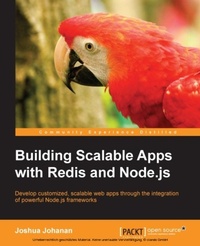
Building Scalable Apps with Redis and Node.js
Develop customized, scalable web apps through the integration of powerful Node.js frameworks
Published on 7. October 2025
316 pages
978-1-78398-449-7 (ISBN)
Description

Key Features
Book DescriptionIf the phrase scalability sounds alien to you, then this is an ideal book for you. You will not need much Node.js experience as each framework is demonstrated in a way that requires no previous knowledge of the framework. You will be building scalable Node.js applications in no time! Knowledge of JavaScript is required.What you will learn
Build and implement your custom middleware for Express
Integrate Socket.IO with Express and use the same authentication
Create a secure local store for passwords
Use message queues to break down your application into manageable pieces
Leverage the power of Redis to create a shared state across many different servers
Implement Backbone, Socket.IO, and React together for a fast, dynamic, and realtime frontend
Automate your build process with the use of the Grunt.js task runner
Build deployment scripts to get servers running your application in the cloud
Who this book is for
Book DescriptionIf the phrase scalability sounds alien to you, then this is an ideal book for you. You will not need much Node.js experience as each framework is demonstrated in a way that requires no previous knowledge of the framework. You will be building scalable Node.js applications in no time! Knowledge of JavaScript is required.What you will learn
Build and implement your custom middleware for Express
Integrate Socket.IO with Express and use the same authentication
Create a secure local store for passwords
Use message queues to break down your application into manageable pieces
Leverage the power of Redis to create a shared state across many different servers
Implement Backbone, Socket.IO, and React together for a fast, dynamic, and realtime frontend
Automate your build process with the use of the Grunt.js task runner
Build deployment scripts to get servers running your application in the cloud
Who this book is for
All prices
More details
Edition
Digital original
Language
English
Place of publication
Birmingham
United Kingdom
Target group
Professional and scholarly
US School Grade: College Graduate Student
Edition type
Digital original
File size
3,29 MB
ISBN-13
978-1-78398-449-7 (9781783984497)
Copyright in bibliographic data and cover images is held by Nielsen Book Services Limited or by the publishers or by their respective licensors: all rights reserved.
Schweitzer Classification
Other editions
Additional editions
Joshua Johanan
Building Scalable Apps with Redis and Node.Js
Book
09/2014
Packt Publishing
€56.20
Shipment within 3-4 weeks
Person
Johanan Joshua :
Joshua Johanan is the author of two books, Building Scalable Apps with Redis and Node.js and Web Developers Reference Guide. Both books deal with some of the details that will be used in this course. He is currently a web developer with over 7 years of experience writing sites and applications in many different languages. These languages include PHP, Python, JavaScript, and C#. Using many languages also means using many frameworks, including Zend Framework, Django, and .Net MVC. You can read his blog at http://ejosh.co/de/ where he posts semi-regularly.
Joshua Johanan is the author of two books, Building Scalable Apps with Redis and Node.js and Web Developers Reference Guide. Both books deal with some of the details that will be used in this course. He is currently a web developer with over 7 years of experience writing sites and applications in many different languages. These languages include PHP, Python, JavaScript, and C#. Using many languages also means using many frameworks, including Zend Framework, Django, and .Net MVC. You can read his blog at http://ejosh.co/de/ where he posts semi-regularly.
Content
Table of Contents
Backend Development with Express
Extending your application with Socket.io
Authenticating Users
RabbitMQ for Message Queuing
Using Redis to store application data
Using Redis to store application data
Using Backbone for the DOM and events
Javascript Best Practices for application development
Deployment and Scalability
Debugging and troubleshooting
Backend Development with Express
Extending your application with Socket.io
Authenticating Users
RabbitMQ for Message Queuing
Using Redis to store application data
Using Redis to store application data
Using Backbone for the DOM and events
Javascript Best Practices for application development
Deployment and Scalability
Debugging and troubleshooting

