

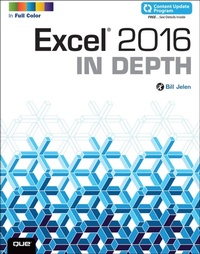
Excel 2016 In Depth
1st Edition
Published on 27. October 2015
656 pages
978-0-13-438688-1 (ISBN)
Description

Excel 2016 In Depth
Full Color: Figures and code appear as they do in Excel 2016
Beyond the Basics...Beneath the Surface...In Depth
Do more in less time!
Experienced with Excel? Don't let Excel 2016 make you feel like a beginner again! This new full-color edition of the bestselling book has been completely overhauled. Gone is unnecessary and rarely used content; emphasis is on the most-used and new aspects of Excel 2016. The result is a focused book where every topic is relevant and worth learning. Excel 2016 In Depth is the fastest, smartest way to master Excel 2016's full power and updated interface. You'll discover how to leverage Excel's new tools for charting, business analysis, data visualization, forecasting, and more.
* Quickly clean your data with Excel 2016's powerful Get & Transform tools
* Discover Excel 2016's newest charts: waterfall, histogram, Pareto, sunburst, TreeMap, and Box and Whisker
* Use Forecast Sheets to forecast the future, including seasonal adjustments
* Pivot data on maps with 3D Maps, and animate your maps over time
* Create formulas, charts, subtotals, and pivot tables faster than ever
* Create amazing PowerPivot data mashups that integrate information from anywhere
* Automate repetitive functions using Excel macros
* Solve real-world business intelligence analysis problems
* Use PowerPivot Data Model to create pivot tables from multiple data sets without VLOOKUP
* Share workbooks on the Web and social networks
* Leverage Excel to create highly interactive web pages and online surveys
* Quickly apply attractive, consistent formats
This book is part of Que's Content Update Program. As Microsoft updates features of Excel, sections of this book will be updated or new sections will be added to match the updates to the software. See inside for details.
Full Color: Figures and code appear as they do in Excel 2016
Beyond the Basics...Beneath the Surface...In Depth
Do more in less time!
Experienced with Excel? Don't let Excel 2016 make you feel like a beginner again! This new full-color edition of the bestselling book has been completely overhauled. Gone is unnecessary and rarely used content; emphasis is on the most-used and new aspects of Excel 2016. The result is a focused book where every topic is relevant and worth learning. Excel 2016 In Depth is the fastest, smartest way to master Excel 2016's full power and updated interface. You'll discover how to leverage Excel's new tools for charting, business analysis, data visualization, forecasting, and more.
* Quickly clean your data with Excel 2016's powerful Get & Transform tools
* Discover Excel 2016's newest charts: waterfall, histogram, Pareto, sunburst, TreeMap, and Box and Whisker
* Use Forecast Sheets to forecast the future, including seasonal adjustments
* Pivot data on maps with 3D Maps, and animate your maps over time
* Create formulas, charts, subtotals, and pivot tables faster than ever
* Create amazing PowerPivot data mashups that integrate information from anywhere
* Automate repetitive functions using Excel macros
* Solve real-world business intelligence analysis problems
* Use PowerPivot Data Model to create pivot tables from multiple data sets without VLOOKUP
* Share workbooks on the Web and social networks
* Leverage Excel to create highly interactive web pages and online surveys
* Quickly apply attractive, consistent formats
This book is part of Que's Content Update Program. As Microsoft updates features of Excel, sections of this book will be updated or new sections will be added to match the updates to the software. See inside for details.
More details
Series
Language
English
Place of publication
Boston
United States
Publishing group
Pearson Education (US)
Target group
Professional and scholarly
ISBN-13
978-0-13-438688-1 (9780134386881)
Copyright in bibliographic data and cover images is held by Nielsen Book Services Limited or by the publishers or by their respective licensors: all rights reserved.
Schweitzer Classification
Other editions
Additional editions
Person
Bill Jelen, Excel MVP and the host of MrExcel.com, has been using spreadsheets since 1985, and he launched the MrExcel.com website in 1998. He loves performing his half-day Power Excel seminar around the world. He has produced more than 1,900 episodes of his daily video podcast, Learn Excel from MrExcel. He is the author of 45 books about Microsoft Excel and writes the monthly Excel column for Strategic Finance magazine. Before founding MrExcel.com, Bill Jelen spent 12 years in the trenches-working as a financial analyst for finance, marketing, accounting, and operations departments of a $500 million public company. He lives in Merritt Island, Florida, with his wife, Mary Ellen.
Content
Chapter 1 What's New in Excel 2016 (and 2013)
Chapter 2 Using the Excel Interface
Chapter 3 Customizing Excel
Chapter 4 Keyboard Shortcuts
Chapter 5 Understanding Formulas
Chapter 6 Controlling Formulas
Chapter 7 Understanding Functions
Chapter 8 Using Everyday Functions: Math, Date and Time, and Text Functions
Chapter 9 Using Powerful Functions: Logical, Lookup, Web, and Database Functions
Chapter 10 Other Functions
Chapter 11 Connecting Worksheets and Workbooks
Chapter 12 Array Formulas and Names in Excel
Chapter 13 Transforming Data
Chapter 14 Summarizing Data Using Subtotals or Filter
Chapter 15 Using Pivot Tables to Analyze Data
Chapter 16 Using Slicers and Filtering a Pivot Table
Chapter 17 Mashing Up Data with PowerPivot
Chapter 18 Using What-If, Scenario Manager, Goal Seek, and Solver
Chapter 19 Automating Repetitive Functions Using VBA Macros
Chapter 20 More Tips and Tricks for Excel 2016
Part IV Excel Visuals
Chapter 21 Formatting Worksheets
Chapter 22 Using Data Visualizations and Conditional Formatting
Chapter 23 Graphing Data Using Excel Charts
Chapter 24 Using 3D Maps
Chapter 25 Using Sparklines
Chapter 26 Decorating Spreadsheets
Chapter 27 Printing
Chapter 28 Excel Online
Chapter 2 Using the Excel Interface
Chapter 3 Customizing Excel
Chapter 4 Keyboard Shortcuts
Chapter 5 Understanding Formulas
Chapter 6 Controlling Formulas
Chapter 7 Understanding Functions
Chapter 8 Using Everyday Functions: Math, Date and Time, and Text Functions
Chapter 9 Using Powerful Functions: Logical, Lookup, Web, and Database Functions
Chapter 10 Other Functions
Chapter 11 Connecting Worksheets and Workbooks
Chapter 12 Array Formulas and Names in Excel
Chapter 13 Transforming Data
Chapter 14 Summarizing Data Using Subtotals or Filter
Chapter 15 Using Pivot Tables to Analyze Data
Chapter 16 Using Slicers and Filtering a Pivot Table
Chapter 17 Mashing Up Data with PowerPivot
Chapter 18 Using What-If, Scenario Manager, Goal Seek, and Solver
Chapter 19 Automating Repetitive Functions Using VBA Macros
Chapter 20 More Tips and Tricks for Excel 2016
Part IV Excel Visuals
Chapter 21 Formatting Worksheets
Chapter 22 Using Data Visualizations and Conditional Formatting
Chapter 23 Graphing Data Using Excel Charts
Chapter 24 Using 3D Maps
Chapter 25 Using Sparklines
Chapter 26 Decorating Spreadsheets
Chapter 27 Printing
Chapter 28 Excel Online
