

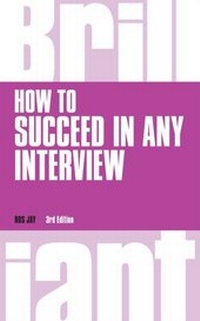
How to Succeed in any Interview PDF eBook
1st Edition
Published on 6. January 2015
216 pages
978-1-292-08446-6 (ISBN)
Description

You've got the interview - now how will you get the job?
How to Succeed in any Interview will show you how to present yourself as the best candidate for the job, using proven tips, advice and techniques from the experts to guide you through exactly what interviewers want to see and what impresses them most.
Present yourself in the best possible light - every time
Understand what impresses interviewers the most
Win the job before, during and after the interview
?Learn how to show yourself in the best possible light and maximise your chances of making a brilliant impression and getting that job.
How to Succeed in any Interview will show you how to present yourself as the best candidate for the job, using proven tips, advice and techniques from the experts to guide you through exactly what interviewers want to see and what impresses them most.
Present yourself in the best possible light - every time
Understand what impresses interviewers the most
Win the job before, during and after the interview
?Learn how to show yourself in the best possible light and maximise your chances of making a brilliant impression and getting that job.
All prices
More details
Series
Edition
1. Auflage
Language
English
Place of publication
Harlow
United Kingdom
ISBN-13
978-1-292-08446-6 (9781292084466)
Copyright in bibliographic data and cover images is held by Nielsen Book Services Limited or by the publishers or by their respective licensors: all rights reserved.
Schweitzer Classification
Other editions
Additional editions
Ros Jay
How to Succeed in any Interview
Book
12/2014
3rd Edition
Pearson Education Limited
€16.50
Shipment within 10-20 days
Person
Ros Jay is a freelance writer and editor. She writes on a range of business topics specialising in marketing and communication-related subjects. She also writes for and edits corporate magazines both in print and on the net. She is a senior associate of the Institute of Direct Marketing.
Content
- Cover
- Title Page
- Copyright
- Contents
- Acknowledgements
- About the author
- Introduction
- Part 1 Before the interview
- Chapter 1 What to expect
- Chapter 2 How to prepare
- Chapter 3 First impressions
- Part 2 During the interview
- Chapter 4 Coping with nerves
- Chapter 5 Projecting the right image
- Chapter 6 The interview
- Chapter 7 The most popular interview questions
- Chapter 8 Tough interview questions
- Chapter 9 Your own questions
- Chapter 10 Competency-based interviews
- Chapter 11 Psychometric tests
- Chapter 12 Assessment centres
- Chapter 13 Second interviews
- Part 3 After the interview
- Chapter 14 What to do while you're waiting to hear
- Chapter 15 What to do if you get the job
- Chapter 16 What if you miss out on the job?
