

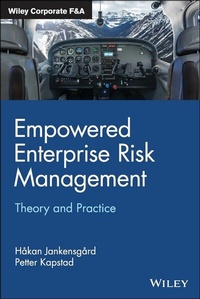
Empowered Enterprise Risk Management
Theory and Practice
1st Edition
Published on 11. December 2020
224 pages
978-1-119-70018-0 (ISBN)
Description

In this book, two experts on the topic raise the question of why many ERM programmes end up as box-checking silos with almost no connection to important decision-making processes, whereas others are empowered and end up having a profound impact on the firm's culture, governance structures, and strategy process. The book establishes a path to empowered ERM by drawing on insights from theory and hard-won lessons from practice. Success factors enabling this transition are thoroughly discussed in a start-to-finish narrative describing the theoretical underpinnings of ERM, its proven best practices, and onto more advanced topic such as risk budgeting and the integration of ERM into strategic decision-making.
More details
Other editions
Additional editions
Book
12/2020
1st Edition
Wiley
€43.50
Shipment within 15-20 days
Persons
Håkan Jankensgård is Associate Professor in Corporate Finance at Lund University where he teaches two courses (Corporate Valuation and Corporate Risk Management) on the master's program in Finance. Prior to entering academia, Håkan was corporate risk manager at Norsk Hydro with responsibility for developing their risk management program and risk model. He has published research on risk management in distinguished journals such as the Journal of Banking & Finance and Financial Management.
Petter Kapstad was responsible for building up Equinor's Enterprise Risk Management, which he headed for 14 years. At that time, Equinor's ERM included insurance, credit, operational risk, strategic risks and market risks. He had 18 years' experience from the trading environment in commercial banks prior to joining Equinor and has been an advisor to several international companies, boards and board members in building their ERM.
Petter Kapstad was responsible for building up Equinor's Enterprise Risk Management, which he headed for 14 years. At that time, Equinor's ERM included insurance, credit, operational risk, strategic risks and market risks. He had 18 years' experience from the trading environment in commercial banks prior to joining Equinor and has been an advisor to several international companies, boards and board members in building their ERM.
Content
Preface ix
Chapter 1: Introduction to Empowered Enterprise Risk Management 1
Chapter 2: Risk Defined 12
Chapter 3: Risk Theory 29
Chapter 4: Risk Culture 46
Chapter 5: Risk Governance 60
Chapter 6: Risk Register 78
Chapter 7: Risk Response 95
Chapter 8: Risk Appetite 116
Chapter 9: Risk Budgeting 132
Chapter 10: Risk Strategy 148
Chapter 11: Risk in Practice: The Case of Equinor 166
Chapter 12: Concluding Remarks 191
Bibliography 199
Acknowledgements 203
Index 205
Chapter 1: Introduction to Empowered Enterprise Risk Management 1
Chapter 2: Risk Defined 12
Chapter 3: Risk Theory 29
Chapter 4: Risk Culture 46
Chapter 5: Risk Governance 60
Chapter 6: Risk Register 78
Chapter 7: Risk Response 95
Chapter 8: Risk Appetite 116
Chapter 9: Risk Budgeting 132
Chapter 10: Risk Strategy 148
Chapter 11: Risk in Practice: The Case of Equinor 166
Chapter 12: Concluding Remarks 191
Bibliography 199
Acknowledgements 203
Index 205
