

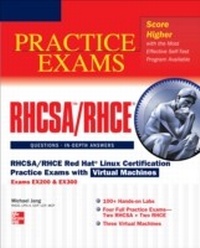
RHCSA/RHCE Red Hat Linux Certification Practice Exams with Virtual Machines (Exams EX200 & EX300)
1st Edition
Published on 9. October 2012
330 pages
978-0-07-180159-1 (ISBN)
Description

Don’t Let the Real Test Be Your First Test!RHCSA/RHCE Red Hat Linux Certification Practice Exams with Virtual Machines (Exams EX200 & EX300) features 100+ hands-on labs, four complete practice exams, and three virtual machines. To help you understand the material, the labs and practice exams are accompanied by in-depth answer explanations. This practical guide covers all official objectives for Exams EX200 and EX300 and is the perfect companion to RHCSA/RHCE Red Hat Linux Certification Study Guide, Sixth Edition.Covers all exam topics, including: Virtual Machines and Automated Installations • Fundamental Command Line Skills • RHCSA-Level Security Options • The Boot Process • Linux Filesystem Administration • Package Management • User Administration • RHCSA-Level System Administration Tasks • Security • System Services and SELinux • RHCE Administrative Tasks • Electronic Mail Servers • The Apache Web Server • The Samba File Server • More File-Sharing Services • Administrative Services: DNS, FTP, and LoggingIncludes three virtual machines preloaded with: Two RHCSA practice examsTwo RHCE practice exams100+ hands-on labsIn order to take advantage of the virtual machines that accompany this book you will need a 64-bit system with hardware virtualization enabled as well as RHEL 6 or its equivalent.
More details
Other editions
Additional editions
Michael Jang
RHCSA/RHCE Red Hat Linux Certification Practice Exams with Virtual Machines (Exams EX200 & EX300)
Book
12/2012
Osborne/McGraw-Hill
€33.66
Article exhausted; check different version
Content
- Cover Page
- RHCSA/RHCE Red Hat® Linux Certification Practice Exams with Virtual Machines (Exams EX200 & EX300)
- Copyright Page
- CD Content
- Dedication
- CONTENTS AT A GLANCE
- CONTENTS
- About the Contributors
- Acknowledgments
- Preface
- Introduction
- 1 Prepare for Red Hat Hands-on Certifications
- The RHCSA and RHCE Exams
- The Exam Experience
- The RHCSA Exam
- The RHCE Exam
- Evolving Requirements
- Basic Hardware Requirements
- Hardware Compatibility
- RAM Requirements
- Hard Drive Options
- Get Red Hat Enterprise Linux
- The Point Releases Don't Matter
- The Choices
- Purchase an RHEL 6 Subscription
- Get an Evaluation Copy
- Putting RHEL 6 to Work
- Third-Party Rebuilds
- Installation Requirements
- Red Hat and Virtual Machines
- Virtual and Physical Systems
- Installation Options
- Boot Media
- Booting the RHEL 6 Installation
- Basic Installation Steps
- Default Security Settings
- Install Virtual Machines from the Mcgraw Hill Professional Media Center
- A Preinstalled Environment for Practice Labs
- System Roles
- Configure a Physical Machine for Virtual Guests
- A Default Configuration FTP Server
- A Default Configuration HTTP Server
- Q&A Self Test
- 2 Virtual Machines and Automated Installations
- Start and Stop Virtual Machines
- Starting and Stopping VMs from the Command Line
- Starting and Stopping VMs from the GUI
- Configure Systems to Start Virtual Machines at Boot
- Access a Virtual Machine's Console
- Access Remote Systems Using SSH
- Install Red Hat Enterprise Linux Systems as Virtual Guests
- Install Red Hat Enterprise Linux Automatically Using Kickstart
- Q&A Self Test
- 3 Fundamental Command-Line Skills
- Access a Shell Prompt and Issue Commands with Correct Syntax ...
- Use Input/Output Redirection
- Create, Delete, Copy, and Move Files and Directories
- Create Hard and Soft Links
- Use grep and Regular Expressions to Analyze Text
- Locate, Read, and Use System Documentation
- Create and Edit Text Files
- Start, Stop, and Check the Status of Network Services
- Configure Networking and Hostname Resolution
- Q&A Self Test
- 4 RHCSA-Level Security Options
- List, Set, and Change Standard ugo/rwx Permissions
- Diagnose and Correct File Permission Problems
- Create and Manage Access Control Lists (ACLs)
- Configure Firewall Settings Using system-config-firewall or iptables ..
- Set Enforcing and Permissive Modes for SELinux
- List and Identify SELinux File and Process Context
- Restore Default File Contexts
- Use Boolean Settings to Modify System SELinux Settings
- Diagnose and Address Routine SELinux Policy Violations
- Q&A Self Test
- 5 The Boot Process
- Boot, Reboot, and Shut Down a System Normally
- Boot Systems into Different Runlevels Manually
- Use Single-User Mode to Gain Access to a System
- Configure Systems to Boot Into a Specific Runlevel Automatically ..
- Configure Network Services to Start Automatically at Boot
- Modify the System Bootloader
- Q&A Self Test
- 6 Linux Filesystem Administration
- Add New Partitions, Logical Volumes, and Swap to a System Non-Destructively
- List, Create, Delete, and Set Partition Type for Primary, Extended, and Logical Partitions
- Create and Remove Physical Volumes, Assign Physical Volumes to Volume Groups, and Create and Delete Logical Volumes
- Extend Existing Unencrypted ext4-formatted Logical Volumes
- Create, Mount, and Use ext2, ext3, and ext4 File Systems
- Mount and Unmount CIFS and NFS Network File Systems
- Configure Systems to Mount File Systems at Boot by Universally Unique ID (UUID) or Label
- Create and Configure LUKS-encrypted Partitions and Logical Volumes to Prompt for Password and Mount a Decrypted File System at Boot
- Mount, Unmount, and Use LUKS-encrypted File Systems
- Configure Systems to Mount ext4, LUKS-encrypted, and Network File Systems Automatically
- Q&A Self Test
- 7 Package Management
- Install and Update Software Packages from Red Hat Network, a Remote Repository, or from the Local File System
- Update the Kernel Package Appropriately to Ensure a Bootable System
- Q&A Self Test
- 8 User Administration
- Log In and Switch Users in Multiuser Runlevels
- Create, Delete, and Modify Local Users Accounts
- Change Passwords and Adjust Password Aging for Local User Accounts
- Create, Delete, and Modify Local Groups and Group Memberships ..
- Create and Configure set-GID Directories for Collaboration
- Configure a System to Use an Existing LDAP Directory Service for User and Group Information
- Q&A Self Test
- 9 RHCSA-Level System Administration Tasks
- Access Remote Systems Using VNC
- Archive, Compress, Unpack, and Uncompress Files Using tar, star, gzip, and bzip2
- Identify CPU/Memory Intensive Processes
- Adjust Process Priority with renice, kill Processes
- Schedule Tasks Using cron
- Locate and Interpret System Log Files
- Q&A Self Test
- 10 A Security Primer
- Use iptables to Implement Packet Filtering and Configure Network Address Translation (NAT)
- Configure Host-Based and User-Based Security for the Service
- Q&A Self Test
- 11 System Services and SELinux
- Install the Packages Needed to Provide the Service
- Configure the Service to Start When the System Is Booted
- Configure SELinux to Support the Service
- Configure Key-Based Authentication
- Configure Additional Options Described in Documentation
- Q&A Self Test
- 12 RHCE Administrative Tasks
- Use Shell Scripting to Automate System Maintenance Tasks
- Use /proc/sys and sysctl to Modify and Set Kernel Run-Time Parameters
- Build a Simple RPM that Packages a Single File
- Configure System as an ¿SCSI Initiator that Persistently Mounts an ¿SCSI Target
- Configure System to Authenticate Using Kerberos
- Route IP traffic and Create Static Routes
- Q&A Self Test
- 13 Electronic Mail Servers
- Install the Packages Needed to Provide the Service
- Configure SELinux to Support the Service
- Configure the Service to Start When the System Is Booted
- Configure the Service for Basic Operation
- Configure Host-Based and User-Based Security for the Service
- Configure a Mail Transfer Agent (MTA) to Accept Inbound E-mail from other Systems
- Configure an MTA to Forward (Relay) E-mail Through a Smart Host
- Q&A Self Test
- 14 The Apache Web Server
- Install the Packages Needed to Provide the Service
- Configure SELinux to Support the Service
- Configure the Service to Start When the System Is Booted
- Configure the Service for Basic Operation
- Configure Host-Based and User-Based Security for the Service
- Configure a Virtual Host
- Configure Private Directories
- Deploy a Basic CGI Application
- Configure Group-Managed Content
- Q&A Self Test
- 15 The Samba File Server
- Install the Packages Needed to Provide the Service
- Configure SELinux to Support the Service
- Configure the Service to Start When the System Is Booted
- Configure the Service for Basic Operation
- Configure Host-Based and User-Based Security for the Service
- Provide Network Shares to Specific Clients
- Provide Network Shares Suitable for Group Collaboration
- Q&A Self Test
- 16 More File-Sharing Services
- Install the Packages Needed to Provide the Service
- Configure SELinux to Support the Service
- Configure the Service to Start When the System Is Booted
- Configure the Service for Basic Operation
- Configure Host-Based and User-Based Security for the Service
- Configure Anonymous-Only Download for an FTP Server
- Provide NFS Network Shares to Specific Clients
- Provide NFS Network Shares Suitable for Group Collaboration
- Q&A Self Test
- 17 Administrative Services: DNS, NTP, and Logging
- Produce and Deliver Reports on System Utilization (Processor, Memory, Disk, and Network)
- Configure a System to Log to a Remote System
- Configure a System to Accept Logging from a Remote System
- Install the Packages Needed to Provide the Service
- Configure SELinux to Support the Service
- Configure the Service to Start When the System Is Booted
- Configure the Service for Basic Operation
- Configure Host-Based and User-Based Security for the Service
- Configure a Caching-Only Name Server
- Configure a Caching-Only Name Server to Forward DNS Queries ...
- Synchronize Time Using Other NTP Peers
- Q&A Self Test
- A Prepare a System for the Sample Exams
- Basic Sample Exam System Requirements
- Additional Sample Exam System Requirements for the RHCE
- B RHCSA: Sample Exam 1
- RHCSA Sample Exam 1 Discussion
- C RHCSA: Sample Exam 2
- RHCSA Sample Exam 2 Discussion
- D RHCE: Sample Exam 1
- RHCE Sample Exam 1 Discussion
- E RHCE: Sample Exam 2
- RHCE Sample Exam 2 Discussion
- F About the Download
- System Requirments
- Technical Support
- Index
- For Download
