

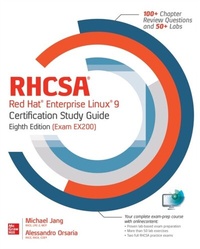
RHCSA Red Hat Enterprise Linux 9 Certification Study Guide, Eighth Edition (Exam EX200)
1st Edition
Published on 20. December 2023
528 pages
978-1-260-46208-1 (ISBN)
Available for download
Description

Take the latest editions of the challenging RHCSA and RHCE certification exams with confidenceThis comprehensive self-study guide clearly explains what you need to know and gets you fully prepared for the RHCSA and RHCE certification exams. Written by a pair of Linux certification experts and experienced authors, this new edition has been thoroughly revised for Red Hat Enterprise Linux 8 and provides complete coverage of all exam objectives.RHCSA/RHCE Red Hat Enterprise Linux 8 Certification Study Guide, Eighth Edition (Exams EX200 & EX294) is an integrated study system based on proven pedagogy. Each chapter includes step-by-step exercises, special Exam Watch and On the Job sidebars, Two-Minute Drills, self-tests, and hands-on lab questions. The companion website contains searchable glossaries, downloadable virtual machine files, four complete lab-based practice exams (two for each exam), and 100+ lab-based exercises with answers and explanations.Features 100+ lab-based exercises with answers and in-depth explanationsOnline content includes four complete lab-based practice exams two for RHSCA and two for RHCEWritten by a pair of Linux certification experts
More details
Other editions
Additional editions
Michael Jang | Alessandro Orsaria
RHCSA Red Hat Enterprise Linux 9 Certification Study Guide, Eighth Edition (Exam EX200)
Book
02/2024
8th Edition
McGraw-Hill Education
€55.53
Available immediately
Content
- Intro
- Cover
- Title Page
- Copyright Page
- Dedication
- About the Authors
- Contents at a Glance
- Contents
- Acknowledgments
- Preface
- Introduction
- RHCSA Exam Readiness Checklist
- 1 Prepare for the Red Hat RHCSA Certification
- The RHCSA Exam
- The Exam Experience
- Evolving Requirements
- Basic Hardware Requirements
- Hardware Compatibility
- Architectures
- RAM Requirements
- Storage Options
- Networking
- Virtual Machine Options
- Get Red Hat Enterprise Linux
- Get a Subscription at No Cost
- Purchase a Subscription
- Third-Party Rebuilds
- Check the Download
- Exercise 1-1: Get Red Hat Enterprise Linux
- An Environment for Practice Labs
- System Roles
- Getting VMware Workstation Player
- Virtual Networks on a Hypervisor
- Configure a Virtual Machine on VMware Workstation Player
- RHEL 9 Installation
- Boot Media
- Basic Installation Steps
- The Installation Perspective on Partitions
- Partition Creation Exercise
- Exercise 1-2: Partitioning During Installation
- Wow, Look at All That Software!
- Baseline Packages
- During the Installation
- Initial Setup
- Certification Summary
- Two-Minute Drill
- Q&A Self Test
- Lab Questions
- Self Test Answers
- Lab Answers
- 2 Fundamental Command-Line Skills
- Shells
- Other Shells
- Virtual Consoles
- GUI Shell Interfaces
- Differences Between Regular and Administrative Users
- Standard Streams and Command Redirection
- Standard Command-Line Tools
- File and Directory Concepts
- File Lists and ls
- File-Creation Commands
- Wildcards
- File Searches
- File Permissions
- File Permissions and Ownership
- Commands to Change Permissions and Ownership
- A Basic Introduction of User and Group Concepts
- Managing Text Files
- Commands to Read Text Streams
- Commands to Process Text Streams
- Edit Text Files at the Console
- Exercise 2-1: Using vi to Create a New User
- If You Don't Like vi
- Edit Text Files in the GUI
- Accessing the Documentation
- When You Need Help
- A Variety of man Pages
- The info Manuals
- Detailed Documentation in /usr/share/doc
- Certification Summary
- Two-Minute Drill
- Q&A Self Test
- Lab Questions
- Self Test Answers
- Lab Answers
- 3 Managing Basic Networking
- A Networking Primer
- IPv4 Networks
- Networks and Routing
- Tools and Commands
- Network Configuration and Troubleshooting
- Network Configuration Services
- Network Configuration Tools
- Exercise 3-1: Configure IPv4 Settings on a Network Interface
- Configure Name Resolution
- Hostname Configuration Files
- An Introduction to IPv6
- Basic IPv6 Addressing
- Troubleshooting Tools
- Configure IPv6 Addresses
- Administration with Secure Shell and Secure Copy
- Command-Line Access
- More SSH Command-Line Tools
- Graphical Secure Shell Access
- Certification Summary
- Two-Minute Drill
- Q&A Self Test
- Lab Questions
- Self Test Answers
- Lab Answers
- 4 Software Management
- The RPM Package Manager
- What Is a Package?
- What Is the RPM Database?
- What Is a Repository?
- Install an RPM Package
- Uninstall an RPM Package
- Install RPMs from Remote Systems
- RPM Installation Security
- Updating the Kernel
- More RPM Commands
- Package Queries
- Package Signatures
- File Verification
- Exercise 4-1: Practice with rpm Commands
- Dependencies and the dnf Command
- An Example of Dependency Hell
- Relief from Dependency Hell
- Red Hat Subscription Management
- Exercise 4-2: Subscribe a System to Red Hat Subscription Management
- Basic dnf Configuration
- Exercise 4-3: Create a dnf Repository from the RHEL 9 DVD
- Third-Party Repositories
- Exercise 4-4: Configure Access to the EPEL Repository
- Basic dnf Commands
- Installation Mode
- Security and dnf
- Updates and Security Fixes
- Package Groups and dnf
- More dnf Commands
- Module Streams (*)
- Certification Summary
- Two-Minute Drill
- Q&A Self Test
- Lab Questions
- Self Test Answers
- Lab Answers
- 5 systemd and the Boot Process
- The Boot Process
- Basic System Configuration
- Startup Menus
- Access to Linux Bootloaders
- Bootloaders and GRUB 2
- GRUB, the GRand Unified Bootloader
- Exercise 5-1: Boot into a Different Target
- Exercise 5-2: Recover the Root Password
- Modify the System Bootloader
- How to Update GRUB 2
- The GRUB 2 Command Line
- Exercise 5-3: Using the GRUB 2 Command Line
- An Option for Booting from GRUB 2: Rescue Mode
- Between GRUB 2 and Login
- Kernels and the Initial RAM Disk
- The First Process, Targets, and Units
- Switch Between Targets
- Reboot and Shut Down a System Normally
- systemd Replaces Upstart and SysVinit
- systemd Units
- Virtual Consoles and Login Screens
- Control by Target
- Functionality by Target
- The Innards of systemd Units
- Service Configuration
- Time Synchronization
- Time Zone Configuration
- Sync the Time with chronyd
- Certification Summary
- Two-Minute Drill
- Q&A Self Test
- Lab Questions
- Self Test Answers
- Lab Answers
- 6 User Administration
- User Account Management
- Different Kinds of Users
- The Shadow Password Suite
- Command-Line Tools
- Exercise 6-1: Add a User with Cockpit Web Console
- Exercise 6-2: Real and Fake Shells
- Modify an Account
- Administrative Control
- The Ability to Log In
- The su Command
- Limit Access to su
- The sg Command
- Superuser Access with the sudo Command
- User and Shell Configuration
- Home Directories and /etc/skel
- Exercise 6-3: Another Way to Secure a System
- Shell Configuration Files in User Home Directories
- Login, Logout, and User Switching
- Special Groups
- Standard and Red Hat Groups
- Shared Directories
- Exercise 6-4: Control Group Ownership with the SGID Bit
- Certification Summary
- Two-Minute Drill
- Q&A Self Test
- Lab Questions
- Self Test Answers
- Lab Answers
- 7 Storage and Filesystem Administration
- Storage Management and Partitions
- Current System State
- The fdisk Utility
- The gdisk Utility
- The parted Utility
- Using parted: Starting, Getting Help, and Quitting
- Graphical Options
- Exercise 7-1: Work with fdisk and parted
- Filesystem Formats
- Standard Filesystems
- Journaling Filesystems
- Filesystem Format Commands
- Swap Volumes
- Filesystem Check Commands
- Exercise 7-2: Format, Check, and Mount Different Filesystems
- Basic Linux Filesystems and Directories
- Separate Linux Filesystems
- Directories That Can Be Mounted Separately
- Logical Volume Manager (LVM)
- Definitions in LVM
- Create a Physical Volume
- Create a Volume Group
- Create a Logical Volume
- Make Use of a Logical Volume
- More LVM Commands
- Remove a Logical Volume
- Resize Logical Volumes
- Filesystem Management
- The /etc/fstab File
- Universally Unique Identifiers in /etc/fstab
- The mount Command
- More Filesystem Mount Options
- Virtual Filesystems
- Add Your Own Filesystems to /etc/fstab
- Removable Media and /etc/fstab
- Network Filesystems
- The Automounter
- Mounting via the Automounter
- Exercise 7-3: Configure the Automounter
- Certification Summary
- Two-Minute Drill
- Q&A Self Test
- Lab Questions
- Self Test Answers
- Lab Answers
- 8 Linux Security
- Basic Firewall Control
- Standard Ports
- The firewalld Service
- Exercise 8-1: Adjust Firewall Settings
- Exercise 8-2: Firewall Configuration with the Cockpit Web Console
- Securing SSH with Key-Based Authentication
- SSH Configuration Commands
- SSH Client Configuration Files
- Basic Encrypted Communication
- Set Up a Private/Public Pair for Key-Based Authentication
- A Security-Enhanced Linux Primer
- Basic Features of SELinux
- SELinux Status
- SELinux Configuration at the Command Line
- Configure Basic SELinux Settings
- Configure Regular Users for SELinux
- Manage SELinux Boolean Settings
- List and Identify SELinux File Contexts
- Restore SELinux File Contexts
- Exercise 8-3: Configure a New Directory with Appropriate SELinux Contexts
- SELinux Port Labeling
- Identify SELinux Process Contexts
- Diagnose and Address SELinux Policy Violations
- The GUI SELinux Administration Tool
- Certification Summary
- Two-Minute Drill
- Q&A Self Test
- Lab Questions
- Self Test Answers
- Lab Answers
- 9 System Administration Tasks
- Resource Management and System Tuning
- System Resource Management Commands
- System Tuning Profiles
- Archives and Compression
- gzip and bzip2
- tar
- star
- Running Tasks on a Schedule: cron and at
- The System crontab and Components
- Hourly cron Jobs
- Regular anacron Jobs
- Setting Up cron for Users
- Exercise 9-1: Create a cron Job
- Running a Job with the at System
- Secure cron and at
- Bash Scripts
- A "Hello, World" Script
- Bash Variables
- Bash Control Structures
- Exercise 9-2: Create a Script
- Local Log Files
- System Log Configuration File
- Log File Management
- A Variety of Log Files
- Service-Specific Logs
- Exercise 9-3: Learn the Log Files
- View systemd Journal Log Entries
- Certification Summary
- Two-Minute Drill
- Q&A Self Test
- Lab Questions
- Self Test Answers
- Lab Answers
- 10 An Introduction to Containers
- Fundamentals of Container Technology
- The Rise of Container Technologies
- Virtualization and Containers
- Understanding Container Architecture
- Docker and Podman
- Getting Started with Containers
- Installing Container Tools
- Running Your First Container
- Rootless and Rootful Containers
- Building and Using Container Images
- Image Registries
- Building Container Images: A Primer
- Exercise 10-1: Building and Running a Container Image
- Exercise 10-2: Uploading an Image to Quay.io
- Managing Containers
- Podman Commands
- Running a Container as a SystemD Service
- Exercise 10-3: Running a Container as a Service
- Persistent Storage
- Exercise 10-4: Attaching Persistent Storage to a Container
- Certification Summary
- Two-Minute Drill
- Q&A Self Test
- Lab Questions
- Self Test Answers
- Lab Answers
- A Prepare a System for the Sample Exams
- Sample Exam System Requirements
- B Solutions to RHCSA Sample Exam 1
- RHCSA Sample Exam 1 Discussion
- C Solutions to RHCSA Sample Exam 2
- RHCSA Sample Exam 2 Discussion
- D About the Online Content
- Single User License Terms and Conditions
- Downloadable Book Resources
- Lab Files
- Appendix A: Prepare a System for the Sample Exams
- Sample Exams
- Technical Support
- Index

