

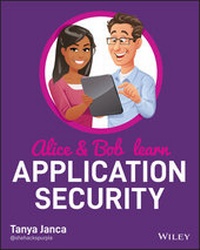
Alice and Bob Learn Application Security
1st Edition
Published on 9. October 2020
288 pages
978-1-119-68739-9 (ISBN)
Description

Learn application security from the very start, with this comprehensive and approachable guide!
Alice and Bob Learn Application Security is an accessible and thorough resource for anyone seeking to incorporate, from the beginning of the System Development Life Cycle, best security practices in software development. This book covers all the basic subjects such as threat modeling and security testing, but also dives deep into more complex and advanced topics for securing modern software systems and architectures. Throughout, the book offers analogies, stories of the characters Alice and Bob, real-life examples, technical explanations and diagrams to ensure maximum clarity of the many abstract and complicated subjects.
Topics include:
* Secure requirements, design, coding, and deployment
* Security Testing (all forms)
* Common Pitfalls
* Application Security Programs
* Securing Modern Applications
* Software Developer Security Hygiene
Alice and Bob Learn Application Security is perfect for aspiring application security engineers and practicing software developers, as well as software project managers, penetration testers, and chief information security officers who seek to build or improve their application security programs.
Alice and Bob Learn Application Security illustrates all the included concepts with easy-to-understand examples and concrete practical applications, furthering the reader's ability to grasp and retain the foundational and advanced topics contained within.
Alice and Bob Learn Application Security is an accessible and thorough resource for anyone seeking to incorporate, from the beginning of the System Development Life Cycle, best security practices in software development. This book covers all the basic subjects such as threat modeling and security testing, but also dives deep into more complex and advanced topics for securing modern software systems and architectures. Throughout, the book offers analogies, stories of the characters Alice and Bob, real-life examples, technical explanations and diagrams to ensure maximum clarity of the many abstract and complicated subjects.
Topics include:
* Secure requirements, design, coding, and deployment
* Security Testing (all forms)
* Common Pitfalls
* Application Security Programs
* Securing Modern Applications
* Software Developer Security Hygiene
Alice and Bob Learn Application Security is perfect for aspiring application security engineers and practicing software developers, as well as software project managers, penetration testers, and chief information security officers who seek to build or improve their application security programs.
Alice and Bob Learn Application Security illustrates all the included concepts with easy-to-understand examples and concrete practical applications, furthering the reader's ability to grasp and retain the foundational and advanced topics contained within.
More details
Other editions
Additional editions
Tanya Janca
Alice and Bob Learn Application Security
Book
10/2020
1st Edition
Wiley
€50.00
Shipment within 15-20 days
Person
Tanya Janca, also known as SheHacksPurple, is the founder of We Hack Purple, an online learning academy dedicated to teaching everyone how to create secure software. With over twenty years of IT and coding experience, she has won numerous awards and worked as a developer, pentester, and AppSec Engineer. She was named Hacker of the Year by the Cybersecurity Woman of the Year 2019 Awards and is the Founder of WoSEC International, #CyberMentoringMonday, and OWASP DevSlop.
Content
- Cover
- Title Page
- Copyright Page
- About the Author
- About the Technical Editors
- Acknowledgments
- Contents at a Glance
- Contents
- Foreword
- Introduction
- Pushing Left
- About This Book
- Out-of-Scope Topics
- The Answer Key
- Part 1 What You Must Know to Write Code Safe Enough to Put on the Internet
- Chapter 1 Security Fundamentals
- The Security Mandate: CIA
- Confidentiality
- Integrity
- Availability
- Assume Breach
- Insider Threats
- Defense in Depth
- Least Privilege
- Supply Chain Security
- Security by Obscurity
- Attack Surface Reduction
- Hard Coding
- Never Trust, Always Verify
- Usable Security
- Factors of Authentication
- Exercises
- Chapter 2 Security Requirements
- Requirements
- Encryption
- Never Trust System Input
- Encoding and Escaping
- Third-Party Components
- Security Headers: Seatbelts for Web Apps
- Security Headers in Action
- X-XSS-Protection
- Content-Security-Policy (CSP)
- X-Frame-Options
- X-Content-Type-Options
- Referrer-Policy
- Strict-Transport-Security (HSTS)
- Feature-Policy
- X-Permitted-Cross-Domain-Policies
- Expect-CT
- Public Key Pinning Extension for HTTP (HPKP)
- Securing Your Cookies
- The Secure Flag
- The HttpOnly Flag
- Persistence
- Domain
- Path
- Same-Site
- Cookie Prefixes
- Data Privacy
- Data Classification
- Passwords, Storage, and Other Important Decisions
- HTTPS Everywhere
- TLS Settings
- Comments
- Backup and Rollback
- Framework Security Features
- Technical Debt = Security Debt
- File Uploads
- Errors and Logging
- Input Validation and Sanitization
- Authorization and Authentication
- Parameterized Queries
- URL Parameters
- Least Privilege
- Requirements Checklist
- Exercises
- Chapter 3 Secure Design
- Design Flaw vs. Security Bug
- Discovering a Flaw Late
- Pushing Left
- Secure Design Concepts
- Protecting Sensitive Data
- Never Trust, Always Verify/Zero Trust/Assume Breach
- Backup and Rollback
- Server-Side Security Validation
- Framework Security Features
- Security Function Isolation
- Application Partitioning
- Secret Management
- Re-authentication for Transactions (Avoiding CSRF)
- Segregation of Production Data
- Protection of Source Code
- Threat Modeling
- Exercises
- Chapter 4 Secure Code
- Selecting Your Framework and Programming Language
- Example #1
- Example #2
- Example #3
- Programming Languages and Frameworks: The Rule
- Untrusted Data
- HTTP Verbs
- Identity
- Session Management
- Bounds Checking
- Authentication (AuthN)
- Authorization (AuthZ)
- Error Handling, Logging, and Monitoring
- Backups and Rollbacks
- Rules for Errors
- Logging
- Monitoring
- Exercises
- Chapter 5 Common Pitfalls
- OWASP
- Defenses and Vulnerabilities Not Previously Covered
- Cross-Site Request Forgery
- Server-Side Request Forgery
- Deserialization
- Race Conditions
- Closing Comments
- Exercises
- Part 2 What You Should Do to Create Very Good Code
- Chapter 6 Testing and Deployment
- Testing Your Code
- Code Review
- Static Application Security Testing (SAST)
- Software Composition Analysis (SCA)
- Unit Tests
- Infrastructure as Code (IaC) and Security as Code (SaC)
- Testing Your Application
- Manual Testing
- Browsers
- Developer Tools
- Web Proxies
- Fuzzing
- Dynamic Application Security Testing (DAST)
- Infrastructure
- VA/Security Assessment/PenTest
- Testing Your Infrastructure
- Testing Your Database
- Testing Your APIs and Web Services
- Testing Your Integrations
- Testing Your Network
- Deployment
- Editing Code Live on a Server
- Publishing from an IDE
- "Homemade" Deployment Systems
- Run Books
- Contiguous Integration/Continuous Delivery/Continuous Deployment
- Exercises
- Chapter 7 An AppSec Program
- Application Security Program Goals
- Creating and Maintaining an Application Inventory
- Capability to Find Vulnerabilities in Written, Running, and Third-Party Code
- Knowledge and Resources to Fix the Vulnerabilities
- Education and Reference Materials
- Providing Developers with Security Tools
- Having One or More Security Activities During Each Phase of Your SDLC
- Implementing Useful and Effective Tooling
- An Incident Response Team That Knows When to Call You
- Continuously Improve Your Program Based on Metrics, Experimentation, and Feedback
- A Special Note on DevOps and Agile
- Application Security Activities
- Application Security Tools
- Your Application Security Program
- Chapter 8 Securing Modern Applications and Systems
- APIs and Microservices
- Online Storage
- Containers and Orchestration
- Serverless
- Infrastructure as Code (IaC)
- Security as Code (SaC)
- Platform as a Service (PaaS)
- Infrastructure as a Service (IaaS)
- Continuous Integration/Delivery/Deployment
- Dev(Sec)Ops
- DevSecOps
- The Cloud
- Cloud Computing
- Cloud Native
- Cloud Native Security
- Cloud Workflows
- Modern Tooling
- IAST Interactive Application Security Testing
- Runtime Application Security Protection
- File Integrity Monitoring
- Application Control Tools (Approved Software Lists)
- Security Tools Created for DevOps Pipelines
- Application Inventory Tools
- Least Privilege and Other Policy Automation
- Modern Tactics
- Summary
- Exercises
- Part 3 Helpful Information on How to Continue to Create Very Good Code
- Chapter 9 Good Habits
- Password Management
- Remove Password Complexity Rules
- Use a Password Manager
- Passphrases
- Don't Reuse Passwords
- Do Not Implement Password Rotation
- Multi-Factor Authentication
- Incident Response
- Fire Drills
- Continuous Scanning
- Technical Debt
- Inventory
- Other Good Habits
- Policies
- Downloads and Devices
- Lock Your Machine
- Privacy
- Summary
- Exercises
- Chapter 10 Continuous Learning
- What to Learn
- Offensive = Defensive
- Don't Forget Soft Skills
- Leadership != Management
- Learning Options
- Accountability
- Create Your Plan
- Take Action
- Exercises
- Learning Plan
- Chapter 11 Closing Thoughts
- Lingering Questions
- When Have You Done Enough?
- How Do You Get Management on Board?
- How Do You Get Developers on Board?
- Where Do You Start?
- Where Do You Get Help?
- Conclusion
- Appendix A Resources
- Introduction
- Chapter 1: Security Fundamentals
- Chapter 2: Security Requirements
- Chapter 3: Secure Design
- Chapter 4: Secure Code
- Chapter 5: Common Pitfalls
- Chapter 6: Testing and Deployment
- Chapter 7: An AppSec Program
- Chapter 8: Securing Modern Applications and Systems
- Chapter 9: Good Habits
- Chapter 10: Continuous Learning
- Appendix B Answer Key
- Chapter 1: Security Fundamentals
- Chapter 2: Security Requirements
- Chapter 3: Secure Design
- Chapter 4: Secure Code
- Chapter 5: Common Pitfalls
- Chapter 6: Testing and Deployment
- Chapter 7: An AppSec Program
- Chapter 8: Securing Modern Applications and Systems
- Chapter 9: Good Habits
- Chapter 10: Continuous Learning
- Index
- EULA
