

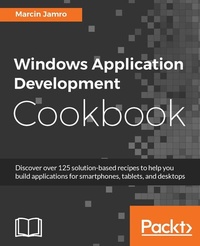
Windows Application Development Cookbook
Discover over 125 solution-based recipes to help you build applications for smartphones, tablets, and desktops
Published on 8. July 2025
512 pages
978-1-78646-259-6 (ISBN)
Description

Discover over 125 solution-based recipes to help you build applications for smartphones, tablets, and desktops
Key Features
Learn to build applications for Windows 10, the latest Windows version
Develop your applications to be compatible with smartphones, tablets, and desktops
This guide is packed with recipes covering major solutions to day-to-day problems faced by Windows programmers
Book DescriptionNeed to ensure you can always create the best Windows apps regardless of platform? What you need are solutions to the biggest issues you can face, so you can always ensure you're making the right choices and creating the best apps you can. The book starts with recipes that will help you set up the integrated development environment before you go ahead and design the user interface. You will learn how to use the MVVM design pattern together with data binding, as well as how to work with data in different file formats. Moving on, you will explore techniques to add animations and graphics to your application, and enable your solution to work with multimedia content. You will also see how to use sensors, such as an accelerometer and a compass, as well as obtain the current GPS location. You will make your application ready to work with Internet-based scenarios, such as composing e-mails or downloading files, before finally testing the project and submitting it to the Windows Store. By the end of the book, you will have a market-ready application compatible across different Windows devices, including smartphones, tablets, and desktops.What you will learn
Start developing universal applications for Windows 10
Design user interface in the XAML language
Use the MVVM design pattern with data binding
Store data in files and in a database
Use multimedia content and animations
Capture data from built-in sensors
Handle various Internet-based scenarios
Test the application and submit it to the Windows Store
Who this book is forThe book is dedicated to programmers with various experience of developing applications for Windows-based smartphones, tablets, and desktops-even beginners can find suitable content.
Key Features
Learn to build applications for Windows 10, the latest Windows version
Develop your applications to be compatible with smartphones, tablets, and desktops
This guide is packed with recipes covering major solutions to day-to-day problems faced by Windows programmers
Book DescriptionNeed to ensure you can always create the best Windows apps regardless of platform? What you need are solutions to the biggest issues you can face, so you can always ensure you're making the right choices and creating the best apps you can. The book starts with recipes that will help you set up the integrated development environment before you go ahead and design the user interface. You will learn how to use the MVVM design pattern together with data binding, as well as how to work with data in different file formats. Moving on, you will explore techniques to add animations and graphics to your application, and enable your solution to work with multimedia content. You will also see how to use sensors, such as an accelerometer and a compass, as well as obtain the current GPS location. You will make your application ready to work with Internet-based scenarios, such as composing e-mails or downloading files, before finally testing the project and submitting it to the Windows Store. By the end of the book, you will have a market-ready application compatible across different Windows devices, including smartphones, tablets, and desktops.What you will learn
Start developing universal applications for Windows 10
Design user interface in the XAML language
Use the MVVM design pattern with data binding
Store data in files and in a database
Use multimedia content and animations
Capture data from built-in sensors
Handle various Internet-based scenarios
Test the application and submit it to the Windows Store
Who this book is forThe book is dedicated to programmers with various experience of developing applications for Windows-based smartphones, tablets, and desktops-even beginners can find suitable content.
All prices
More details
Edition
Digital original
Language
English
Place of publication
Birmingham
United Kingdom
Target group
Professional and scholarly
US School Grade: College Graduate Student
Edition type
Digital original
File size
17,71 MB
ISBN-13
978-1-78646-259-6 (9781786462596)
Copyright in bibliographic data and cover images is held by Nielsen Book Services Limited or by the publishers or by their respective licensors: all rights reserved.
Schweitzer Classification
Other editions
Additional editions
Marcin Jamro
Windows Application Development Cookbook
Book
12/2016
Packt Publishing
€64.80
Shipment within 3-4 weeks
Person
Jamro Marcin :
Marcin Jamro, PhD, DSc (dr hab. inz. Marcin Jamro) is a reliable entrepreneur, a helpful expert, and an experienced developer, with significant international experience. He held the role of CEO at a few technological companies, operated as CTO at companies in various countries, and also worked at Microsoft Corporation in Redmond, USA. Marcin shares his knowledge as an expert in international projects and invests in modern solutions. He is the author of a few books on software engineering, as well as the author of numerous publications. The results of his research were presented and discussed at many scientific conferences. He has MCPD, MCTS, MCP, and CAE certificates. Marcin is a multiple laureate, finalist, and mentor in various competitions. He received the Primus Inter Pares medal and also, a few times, a scholarship for the Minister of Science and Higher Education for scientific achievements. Marcin has significant experience in project development, especially with the C# language and .NET-based technologies. He has performed the role of lead architect on numerous complex software projects, including web and mobile applications, APIs, databases, and integration with external components.
Marcin Jamro, PhD, DSc (dr hab. inz. Marcin Jamro) is a reliable entrepreneur, a helpful expert, and an experienced developer, with significant international experience. He held the role of CEO at a few technological companies, operated as CTO at companies in various countries, and also worked at Microsoft Corporation in Redmond, USA. Marcin shares his knowledge as an expert in international projects and invests in modern solutions. He is the author of a few books on software engineering, as well as the author of numerous publications. The results of his research were presented and discussed at many scientific conferences. He has MCPD, MCTS, MCP, and CAE certificates. Marcin is a multiple laureate, finalist, and mentor in various competitions. He received the Primus Inter Pares medal and also, a few times, a scholarship for the Minister of Science and Higher Education for scientific achievements. Marcin has significant experience in project development, especially with the C# language and .NET-based technologies. He has performed the role of lead architect on numerous complex software projects, including web and mobile applications, APIs, databases, and integration with external components.
Content
Table of Contents
Getting Started
Designing User Interface
MVVM and Data Binding
Data Storage
Animations and Graphics
Multimedia
Built-in Sensors
Internet-based Scenarios
Testing and Submission
Getting Started
Designing User Interface
MVVM and Data Binding
Data Storage
Animations and Graphics
Multimedia
Built-in Sensors
Internet-based Scenarios
Testing and Submission

