

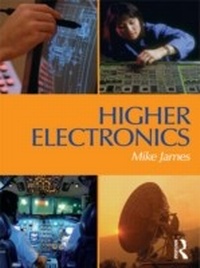
Higher Electronics
1st Edition
Published on 5. November 2013
328 pages
978-1-135-38934-5 (ISBN)
Description

Higher Electronics is a comprehensive text for electronics undergraduates, covering analogue, digital electronics and microelectronics in a single volume - at a level suitable for most first and second year modules. The text is highly student-centred, providing numerous
? worked examples with step-by-step guidance and hints
? highlighted key facts and points of interest
? self-check questions scattered through the text
? problem sections (with answers supplied)
It has been written to suit courses with an intake from a range of educational backgrounds, and a minimum of prior knowledge is assumed.
Higher Electronics has been written to be fully in line with units 8-12 of the new BTEC Higher National specifications from Edexcel. This makes it the text of choice for all students following an electronics / electrical pathway through an HNC or HND. The student-centred text is ideal for the new course, and follows on especially well for students from a GNVQ background. The style and approach of Higher Electronics is consistent with the new text from Newnes, Higher National Engineering, which covers the mandatory units (units 1-7) of the new Higher National scheme.
? worked examples with step-by-step guidance and hints
? highlighted key facts and points of interest
? self-check questions scattered through the text
? problem sections (with answers supplied)
It has been written to suit courses with an intake from a range of educational backgrounds, and a minimum of prior knowledge is assumed.
Higher Electronics has been written to be fully in line with units 8-12 of the new BTEC Higher National specifications from Edexcel. This makes it the text of choice for all students following an electronics / electrical pathway through an HNC or HND. The student-centred text is ideal for the new course, and follows on especially well for students from a GNVQ background. The style and approach of Higher Electronics is consistent with the new text from Newnes, Higher National Engineering, which covers the mandatory units (units 1-7) of the new Higher National scheme.
More details
Language
English
Place of publication
London
United Kingdom
Publishing group
Taylor & Francis Ltd
Target group
College/higher education
File size
35,24 MB
ISBN-13
978-1-135-38934-5 (9781135389345)
Copyright in bibliographic data and cover images is held by Nielsen Book Services Limited or by the publishers or by their respective licensors: all rights reserved.
Schweitzer Classification
Other editions
Additional editions
Person
Mike James
Content
Introduction; Power supplies; Feedback (1); Power amplifiers; Feedback (2); Operational amplifiers (1); Noise; Operational amplifiers (2); Oscillators; Radio frequency and other techniques; Logic circuits; Sequential logic; Microprocessors; Appendices; Index.
