

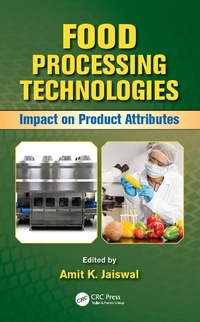
Food Processing Technologies
Impact on Product Attributes
Published on 5. August 2016
759 pages
978-1-4822-5755-7 (ISBN)
Description

The processing of food generally implies the transformation of the perishable raw food to value-added products. It imparts benefits, such as the destruction of surface microflora, and inactivation of deleterious enzymes, such as peroxidase, leading to a greater shelf life of the food. It also enhances color and texture while maintaining quality of products and makes them edible. However, it also has an inevitable impact on nutritional quality attributes, such as increase or decrease in certain vitamins and bioactive metabolites among others. Food Processing Technologies: Impact on Product Attributes covers a range of food processing technologies and their effect on various food product attributes, such as bioactive compounds, safety, and sensory and nutritional aspects of the food upon processing.
There are eight major parts in the book. Part I covers the conventional processing technologies. Parts II, III, IV, and V deal with various novel processing technologies, including impingement processing technologies, electro-magnetic processing technologies, physico-mechanical processing technologies, and electro-technologies. Part VI introduces chemical processing technologies. Part VII comprise irradiation processing technology, and the final part is focused on biological processing technology, detailing the application of enzymes in food processing. Numerous studies were carried out to find the impact of these processing technologies on various aspects of food and associated health promotion properties. Both positive and negative results were obtained based on nature of foods, processing type, and duration of processing, and this book covers these results in depth.
There are eight major parts in the book. Part I covers the conventional processing technologies. Parts II, III, IV, and V deal with various novel processing technologies, including impingement processing technologies, electro-magnetic processing technologies, physico-mechanical processing technologies, and electro-technologies. Part VI introduces chemical processing technologies. Part VII comprise irradiation processing technology, and the final part is focused on biological processing technology, detailing the application of enzymes in food processing. Numerous studies were carried out to find the impact of these processing technologies on various aspects of food and associated health promotion properties. Both positive and negative results were obtained based on nature of foods, processing type, and duration of processing, and this book covers these results in depth.
More details
Language
English
Place of publication
London
United Kingdom
Publishing group
Taylor & Francis Ltd
Target group
College/higher education
Illustrations
60 s/w Abbildungen, 69 s/w Tabellen
69 Tables, black and white; 60 Illustrations, black and white
File size
18,36 MB
ISBN-13
978-1-4822-5755-7 (9781482257557)
Copyright in bibliographic data and cover images is held by Nielsen Book Services Limited or by the publishers or by their respective licensors: all rights reserved.
Schweitzer Classification
Other editions
Additional editions
Book
07/2016
1st Edition
CRC Press
€382.20
Article not available for order
Person
Amit K. Jaiswal, PhD, is an Assistant Lecturer in Food Technology/Engineering at the School of Food Science and Environmental Health, Dublin Institute of Technology, Dublin, Ireland. Dr. Jaiswal graduated from Andhra University and earned his master's degree from Jiwaji University, India, and PhD in Food Technology from Dublin Institute of Technology, Ireland. He has published numerous book chapters, peer-reviewed research papers, and delivered a number of presentations at national and international conferences. His research focuses on novel processing technologies, functional and nutritional ingredient extraction from plant natural resources, and the valorization of food industry waste for the production of high value-added products.
Content
Editor, Contributors, 1. Introduction and Plan of the Book, Section I Conventional Processing Technology, Section II Impingement Processing Technology, Section III Electromagnetic Processing Technology, Section IV Physicomechanical Processing Technology, Section V Pulse Electric Field Processing Technology, Section VI Chemical Processing Technology, Section VII Radiation Processing Technology, Section VIII Biological Processing Technology, Index
