

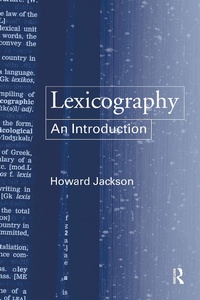
Lexicography
An Introduction
Published on 11. January 2013
200 pages
978-1-134-57446-9 (ISBN)
Description

This book is an accessible introduction to lexicography - the study of dictionaries.
Dictionaries are used at home and at school, cited in law courts, sermons and parliament, and referred to by crossword addicts and Scrabble players alike. Lexicography provides a detailed overview of the history, types and content of these essential references. Howard Jackson analyzes a wide range of dictionaries, from those for native speakers to thematic dictionaries and those on CD-ROM, to reveal the ways in which dictionaries fulfil their dual function of describing the vocabulary of English and providing a useful and accessible reference resource.
Beginning with an introduction to the terms used in lexicology to describe words and vocabulary, and offering summaries and suggestions for further reading, Lexicography: An Introduction is highly student-friendly. It is ideal for anyone with an interest in the development and use of dictionaries.
Dictionaries are used at home and at school, cited in law courts, sermons and parliament, and referred to by crossword addicts and Scrabble players alike. Lexicography provides a detailed overview of the history, types and content of these essential references. Howard Jackson analyzes a wide range of dictionaries, from those for native speakers to thematic dictionaries and those on CD-ROM, to reveal the ways in which dictionaries fulfil their dual function of describing the vocabulary of English and providing a useful and accessible reference resource.
Beginning with an introduction to the terms used in lexicology to describe words and vocabulary, and offering summaries and suggestions for further reading, Lexicography: An Introduction is highly student-friendly. It is ideal for anyone with an interest in the development and use of dictionaries.
More details
Language
English
Place of publication
London
United Kingdom
Publishing group
Taylor & Francis Ltd
Target group
College/higher education
File size
1,37 MB
ISBN-13
978-1-134-57446-9 (9781134574469)
Copyright in bibliographic data and cover images is held by Nielsen Book Services Limited or by the publishers or by their respective licensors: all rights reserved.
Schweitzer Classification
Other editions
Additional editions
Book
04/2002
1st Edition
Routledge
€91.79
Shipment within 15-20 days
Book
03/2002
1st Edition
Routledge
€215.41
Shipment within 15-20 days
Person
Howard Jackson is Professor of English Language and Linguistics at the University of Central England. His publications include Grammar and Vocabulary (Routledge, 2002), Words and their Meaning (Longman, 1988), and Words, Meaning and Vocabulary (Cassell, 2000).
Content
Chapter 1 Words; Chapter 2 Facts about words; Chapter 3 The dictionary; Chapter 4 The beginnings; Chapter 5 The New English Dictionary; Chapter 6 Up to the present; Chapter 7 Users and uses; Chapter 8 Meaning in dictionaries; Chapter 9 Beyond definition; Chapter 10 Etymology; Chapter 11 Dictionaries for learners; Chapter 12 Abandoning the alphabet; Chapter 13 Compiling dictionaries; Chapter 14 Criticising dictionaries;
