

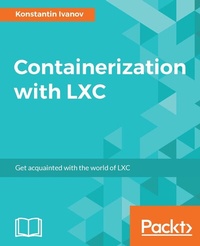
Containerization with LXC
Build, manage, and configure Linux containers
Published on 13. January 2025
352 pages
978-1-78398-568-5 (ISBN)
Description

Get acquainted with the world of LXC
Key Features
[*] Get the most practical and up-to-date resource on LXC and take full advantage of what Linux containers can offer in the day-to-day operations of large-scale applications
[*] Learn how to deploy and administer various workloads such as web applications inside LXC
[*] Save your organization time and money by building robust and secure containers and by speeding the deployment process of your software
Book DescriptionIn recent years, containers have gained wide adoption by businesses running a variety of application loads. This became possible largely due to the advent of kernel namespaces and better resource management with control groups (cgroups). Linux containers (LXC) are a direct implementation of those kernel features that provide operating system level virtualization without the overhead of a hypervisor layer. This book starts by introducing the foundational concepts behind the implementation of LXC, then moves into the practical aspects of installing and configuring LXC containers. Moving on, you will explore container networking, security, and backups. You will also learn how to deploy LXC with technologies like Open Stack and Vagrant. By the end of the book, you will have a solid grasp of how LXC is implemented and how to run production applications in a highly available and scalable way. What you will learn
[*] Deep dive into the foundations of Linux containers with kernel namespaces and cgroups
[*] Install, configure, and administer Linux containers with LXC and libvirt
[*] Begin writing applications using Python libvirt bindings
[*] Take an in-depth look at container networking
[*] Set up monitoring and security with LXC
[*] Build and deploy a highly available application with LXC in the cloud
Who this book is forThis book is for Linux engineers and software developers who are looking to deploy applications in a fast, secure, and scalable way for use in testing and production.
Key Features
[*] Get the most practical and up-to-date resource on LXC and take full advantage of what Linux containers can offer in the day-to-day operations of large-scale applications
[*] Learn how to deploy and administer various workloads such as web applications inside LXC
[*] Save your organization time and money by building robust and secure containers and by speeding the deployment process of your software
Book DescriptionIn recent years, containers have gained wide adoption by businesses running a variety of application loads. This became possible largely due to the advent of kernel namespaces and better resource management with control groups (cgroups). Linux containers (LXC) are a direct implementation of those kernel features that provide operating system level virtualization without the overhead of a hypervisor layer. This book starts by introducing the foundational concepts behind the implementation of LXC, then moves into the practical aspects of installing and configuring LXC containers. Moving on, you will explore container networking, security, and backups. You will also learn how to deploy LXC with technologies like Open Stack and Vagrant. By the end of the book, you will have a solid grasp of how LXC is implemented and how to run production applications in a highly available and scalable way. What you will learn
[*] Deep dive into the foundations of Linux containers with kernel namespaces and cgroups
[*] Install, configure, and administer Linux containers with LXC and libvirt
[*] Begin writing applications using Python libvirt bindings
[*] Take an in-depth look at container networking
[*] Set up monitoring and security with LXC
[*] Build and deploy a highly available application with LXC in the cloud
Who this book is forThis book is for Linux engineers and software developers who are looking to deploy applications in a fast, secure, and scalable way for use in testing and production.
All prices
More details
Edition
Digital original
Language
English
Place of publication
Birmingham
United Kingdom
Target group
Professional and scholarly
US School Grade: College Graduate Student
Edition type
Digital original
File size
3,26 MB
ISBN-13
978-1-78398-568-5 (9781783985685)
Copyright in bibliographic data and cover images is held by Nielsen Book Services Limited or by the publishers or by their respective licensors: all rights reserved.
Schweitzer Classification
Other editions
Additional editions
Konstantin Ivanov
Containerization with LXC
Book
02/2017
Packt Publishing
€63.30
Shipment within 3-4 weeks
Person
Konstantin Ivanov is a Linux Systems Engineer, an open source developer, and a technology blogger who has been designing, configuring, deploying, and administering large-scale, highly available Linux environments for more than 15 years. His interests include large distributed systems and task automation, along with solving technical challenges involving multiple technology stacks. Konstantin received two Master of Science in Computer Science degrees from universities in Bulgaria and the United States, specializing in System and Network security and Software engineering. In his spare time, he loves writing technology blogs and spending time with his two boys.
Content
Table of Contents
Introduction to Linux containers
Installing and running LXC on Linux systems
Command-line operations using native and libvirt tools
LXC code integration with Python
Networking in LXC with the Linux bridge and Open vSwitch
Clustering and horizontal scaling with LXC
Monitoring and backups in a containerized world
Using LXC with OpenStack
Appendix
Introduction to Linux containers
Installing and running LXC on Linux systems
Command-line operations using native and libvirt tools
LXC code integration with Python
Networking in LXC with the Linux bridge and Open vSwitch
Clustering and horizontal scaling with LXC
Monitoring and backups in a containerized world
Using LXC with OpenStack
Appendix

