

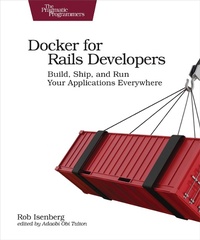
Docker for Rails Developers
Description

Docker does for DevOps what Rails did for web development--it gives you a new set of superpowers. Gone are "works on my machine" woes and lengthy setup tasks, replaced instead by a simple, consistent, Docker-based development environment that will have your team up and running in seconds. Gain hands-on, real-world experience with a tool that's rapidly becoming fundamental to software development. Go from zero all the way to production as Docker transforms the massive leap of deploying your app in the cloud into a baby step.
Docker makes life as a Ruby and Rails developer easier. It helps build, ship, and run your applications, solving major problems you face every day. It allows you to run applications at scale, adding new resources as needed. Docker provides a reliable, consistent environment that's guaranteed to work the same everywhere.
Docker lets you do all things DevOps without needing a PhD in infrastructure and operations. Want to spin up a cluster to run your app? No problem. Scale it up or down at will? You bet. Start by running a Ruby script without having Ruby installed on the local machine. Then Dockerize a Rails application and run it using containers, including creating your own IPS Docker images tailored for running Rails apps. Describe your app declaratively using Docker Compose, specifying the software dependencies along with everything needed to run the application. Then set up continuous integration, as well as your deployment pipeline and infrastructure. Along the way, find out the best practices for using Docker in development and production environments.
This book gives you a solid foundation on using Docker and fitting it into your development workflow and deployment process.
What You Need:
All you need is a Windows, Mac OS X or Linux machine to do development on. This book guides you through the process of installing Docker. Some basic familiarity with Linux/Unix is recommended even if you're using a Windows machine.More details
Other editions
Additional editions
Person
Rob Isenberg is CTO/product manager at evolve!, and has worked on projects for Big Media (Sky, Universal, BBC), banks (Deutsche Bank), charities (Amnesty International, Mencap), and startups (Composed, Mush, PureGroup). A huge Docker enthusiast, he's attended DockerCon EU and is excited to help Ruby and Rails teams streamline their workflows to build the best products they can. Tweets from @robisenberg.
Content
- Intro
- Docker for Rails Developers
- About the Pragmatic Bookshelf
- Table of Contents
- Early Praise for Docker for Rails Developers
- Acknowledgements
- Introduction
- What Is Docker?
- Why Use Docker?
- Who Should Read This Book?
- What's in This Book?
- How to Read This Book
- Which Operating Systems Are Supported?
- Online Resources
- Part 1: Development
- Chapter 1: A Brave New World
- Installing Docker
- Verifying Your Install
- Befor e We Begin
- Running a Ruby Script Without Ruby Installed
- Generating a New Rails App Without Ruby Installed
- Quick Recap
- Chapter 2: Running a Rails App in a Container
- How Do We Run Our Rails App?
- Defining Our Fi rst Custom Image
- Building Our Image
- Running a Rails Server with Our Image
- Reaching the App: Publishing Ports
- Binding the Rails Serve r to IP Addresses
- Quick Recap
- Chapter 3: Fine-Tuning Our Rails Image
- Naming and Versioning O ur Image
- A Default Command
- Ignoring Unnecessary Files
- The Image Build Cache
- Caching Issue 1: Updating Packages
- Cachin g Issue 2: Unnecessary Gem Installs
- The Finishing Touch
- Quick Recap
- Chapter 4: Describing Our App Declaratively with Docker Compose
- Getting Started with Compose
- Launching Our App
- Mounting a Local Volume
- Starting and Stopping Services
- Other Common Tasks
- Quick Recap
- Chapter 5: Beyond the App: Adding Redis
- Starting a Redis Server
- Manually Connecting to the Redis Server
- How Containers Can Talk to Each Other
- Our Rails App Talking to Redis
- Starting the Entire App with Docker Compose
- Quick Recap
- Chapter 6: Adding a Database: Postgres
- Starting a Postgres Server
- Connecting to Postgres from a Separate Contai ner
- Connecting Our Rails App to Postgres
- Using the Database in Practice
- Decoupling Data from the Container
- Quick Recap
- Chapter 7: Playing Nice with JavaScript
- The JavaScript Front-End Options
- Rails JavaScript Front End with Webpacker
- Compiling Assets with Webpacker
- A Hello World React App
- Quick Recap
- Chapter 8: Testing in a Dockerized Environment
- Setting Up RSpec
- Our First Test
- Setting Up Rails System Tests
- Running Tests That Rely on JavaScript
- Debugging
- Quick Recap
- Chapter 9: Advanced Gem Management
- The Downside to Our Existing Approach
- Using a Gem Cache Volume
- Quick Recap
- Chapter 10: Some Minor Irritations
- Rails tmp/pids/server.pid Not Cleaned Up
- Compose Intermittently Aborts with Ctrl-C
- Quick Recap
- Closing Thoughts on Docker in Development
- Part 2: Toward Production
- Chapter 11: The Production Landscape
- The "Ops" in DevOps
- Container Orchestration
- A Tale of Two Orchestrators: Swarm and Kubernetes
- IaaS vs. CaaS
- Provisioning Your Infrastructure
- CaaS Platforms
- Serverless for Containers
- How to Decide What's Right for Me?
- Quick Recap
- Chapter 12: Preparing for Production
- Configuring a Production Environment
- A Production Image: Precompiling Assets
- Sharing Images
- Quick Recap
- Chapter 13: A Production-Like Playground
- Creating Machines
- Introducing Docker Swarm
- Our First (Single Node) Swarm
- Describing Our App to Swarm
- Migrating the Database
- Deploying Our App on a Swarm
- Tasks and Swarm's Scaling Model
- Scaling Up the Service
- Quick Recap
- Chapter 14: Deploying to the Cloud
- Creating a DigitalOcean Cluster
- Deploying to Our DigitalOcean Swarm
- Visualizing Containers
- Scale Up the Web Service
- De ploying to AWS Instead of DigitalOcean
- Quick Recap
- Chapter 15: Closing Thoughts and Next Steps
- What Should I Learn About Next?
- Appendix 1: Platform Differences
- File Ownership and Permissions
- Appendix 2: Finding Images to Use
- Using Docker Hub
- Using the Docker CLI
- You May Be Interested In.
