

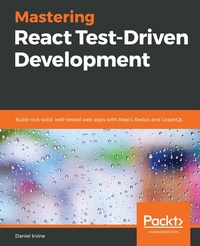
Mastering React Test-Driven Development
Build rock-solid, well-tested web apps with React, Redux and GraphQL
1st Edition
Published on 3. May 2019
496 pages
978-1-78913-878-8 (ISBN)
Description

Implement TDD for your React applications using Jest, React Router, Redux, and GraphQL/Relay. Learn BDD and end-to-end acceptance testing with CucumberJS and Puppeteer.Key Features - Learn the TDD process using the React framework
- Build complex, real-world applications with a pragmatic approach to TDD
- Use Cucumber for acceptance and BDD testing, bringing TDD to the wider team
Book DescriptionMany programmers are aware of TDD but struggle to apply it beyond basic examples. This book teaches how to build complex, real-world applications using Test-Driven Development (TDD). It takes a first principles approach to the TDD process using plain Jest and includes test-driving the integration of libraries including React Router, Redux, and Relay (GraphQL). Readers will practice systematic refactoring while building out their own test framework, gaining a deep understanding of TDD tools and techniques. They will learn how to test-drive features such as client- and server-side form validation, data filtering and searching, navigation and user workflow, undo/redo, animation, LocalStorage access, WebSocket communication, and querying GraphQL endpoints. The book covers refactoring codebases to use the React Router and Redux libraries. via TDD. Redux is explored in depth, with reducers, middleware, sagas, and connected React components. The book also covers acceptance testing using Cucumber and Puppeteer. The book is fully up to date with React 16.9 and has in-depth coverage of hooks and the 'act' test helper.What you will learn - Build test-driven applications using React 16.9+ and Jest
- Build complete web applications using a variety of HTML input elements
- Understand the different types of test double and when to apply them
- Test-drive the Integration of libraries such as React Router, Redux, and Relay (GraphQL)
- Learn when to be pragmatic and how to apply TDD shortcuts
- Test-drive interaction with browser APIs including fetch and WebSocket
- Use Cucumber.js and Puppeteer to build BDD-style acceptance tests for your applications
- Build and test async Redux code using redux-saga and expect-redux
Who this book is forThe target audience for this book is JavaScript developers who are looking to implement test-driven and behavior-driven approaches for their React applications.
- Build complex, real-world applications with a pragmatic approach to TDD
- Use Cucumber for acceptance and BDD testing, bringing TDD to the wider team
Book DescriptionMany programmers are aware of TDD but struggle to apply it beyond basic examples. This book teaches how to build complex, real-world applications using Test-Driven Development (TDD). It takes a first principles approach to the TDD process using plain Jest and includes test-driving the integration of libraries including React Router, Redux, and Relay (GraphQL). Readers will practice systematic refactoring while building out their own test framework, gaining a deep understanding of TDD tools and techniques. They will learn how to test-drive features such as client- and server-side form validation, data filtering and searching, navigation and user workflow, undo/redo, animation, LocalStorage access, WebSocket communication, and querying GraphQL endpoints. The book covers refactoring codebases to use the React Router and Redux libraries. via TDD. Redux is explored in depth, with reducers, middleware, sagas, and connected React components. The book also covers acceptance testing using Cucumber and Puppeteer. The book is fully up to date with React 16.9 and has in-depth coverage of hooks and the 'act' test helper.What you will learn - Build test-driven applications using React 16.9+ and Jest
- Build complete web applications using a variety of HTML input elements
- Understand the different types of test double and when to apply them
- Test-drive the Integration of libraries such as React Router, Redux, and Relay (GraphQL)
- Learn when to be pragmatic and how to apply TDD shortcuts
- Test-drive interaction with browser APIs including fetch and WebSocket
- Use Cucumber.js and Puppeteer to build BDD-style acceptance tests for your applications
- Build and test async Redux code using redux-saga and expect-redux
Who this book is forThe target audience for this book is JavaScript developers who are looking to implement test-driven and behavior-driven approaches for their React applications.
More details
Other editions
New editions
Daniel Irvine
Mastering React Test-Driven Development.
Build simple and maintainable web apps with React, Redux, and GraphQL
E-Book
09/2022
1st Edition
Packt Publishing
from
€29.99
Available for download
Additional editions
Daniel Irvine
Mastering React Test-Driven Development
Build rock-solid, well-tested web apps with React, Redux and GraphQL
Book
05/2019
Packt Publishing
€67.60
Shipment within 3-4 weeks
Content
- Cover
- Title Page
- Copyright and Credits
- Dedication
- About Packt
- Contributors
- Table of Contents
- Preface
- Section 1: First Principles of TDD
- Chapter 1: First Steps with Test-Driven Development
- Technical requirements
- Creating a new React project from scratch
- Installing NPM
- Creating a new Jest project
- Commit early and often
- Bringing in React and Babel
- Displaying data with your first test
- Writing a failing test
- Writing your first expectation
- Rendering React from a test
- Make it pass
- Backtracking on ourselves
- Refactoring your work
- Promoting variables
- Using a beforeEach block
- Extracting methods
- Writing great tests
- Red, green, refactor
- Streamlining your testing process
- Rendering lists and detail views
- Rendering the list of appointments
- Specifying list items
- Selecting data to view
- Initial selection of data
- Adding events to a functional component
- Manually testing our changes
- Adding an entrypoint
- Putting it all together with Webpack
- Before you check in...
- Summary
- Exercises
- Further learning
- Chapter 2: Test-driving Data Input with React
- Extracting a test helper
- Adding a form element
- Extracting a form-finder method
- Accepting text input
- Extracting an expectation group function
- Passing in an existing value
- Extracting out a field-finder function
- Labeling the field
- Checking for null or not
- Saving the customer information
- Submitting a form with data
- Using state instead of props
- Duplicating fields
- Nesting describe blocks
- Generating parameterized tests
- Solving a batch of tests
- Modifying handleChange to work with multiple fields
- Finishing off the form with a submit button
- Selecting from a dropdown
- Providing options to a dropdown
- Utilizing defaultProps to specify real data
- Pre-selecting a value
- Completing the remaining tests for the select box
- Making a choice from radio buttons
- Constructing a calendar view
- Displaying radio buttons for available appointments
- Hiding input controls
- Finishing it off
- Manually testing your solution
- Summary
- Exercises
- Further learning
- Chapter 3: Exploring Test Doubles
- What is a test double?
- Learning to avoid fakes
- Submitting forms using spies
- Untangling Arrange-Act-Assert
- Watching it fail
- Making spies reusable
- Using a Jest matcher to simplify expectations
- Stubbing the fetch API
- Replacing global variables with spies
- Installing the window.fetch polyfill
- Acting on return values with stubs
- Acting on the fetch response
- Displaying errors to the user
- Extracting test helpers
- Using Jest to spy and stub
- Extracting spy helpers
- Using jest.spyOn to spy on module mocks
- Drying up DOM queries
- Extracting container.querySelectorAll
- Drying up DOM events
- Summary
- Exercises
- Further learning
- Chapter 4: Creating a User Interface
- Fetching data on load with useEffect
- Stubbing exported constants
- Using props within useEffect
- Passing customer data through to AppointmentForm
- Passing through props to the child component
- Working with the shallow renderer
- Understanding the importance of spiking
- Building shallow renderer helpers
- Listing element children
- Encapsulating render output to dry up tests
- Building a new root component
- Summary
- Further learning
- Section 2: Building a Single-Page Application
- Chapter 5: Humanizing Forms
- Performing client-side validation
- Submitting the form
- Extracting non-React functionality into a new module
- Handling server errors
- Indicating that the form has been submitted
- Refactoring long methods
- Summary
- Exercises
- Further learning
- Chapter 6: Filtering and Searching Data
- Displaying tabular data fetched from an endpoint
- Paging through a large data set
- Adding a next page button
- Adding a previous page button
- Filtering data
- Refactoring to simplify component design
- Adding table row actions
- Specifying the render prop in App
- Summary
- Exercises
- Chapter 7: Test-driving React Router
- General rules for test-driving React Router
- Using shallow rendering for the simplest results
- Passing React Router props down through your components
- Avoiding withRouter
- Building a root component
- Using the Router Switch component
- Testing the default route
- Invoking render functions and inspecting their properties
- Changing location using history.push
- Using the location query string to store component state
- Replacing onClick handlers with Link components
- Using a parent component to convert a query string to props
- Replacing onChange handlers with history.push
- Summary
- Exercises
- Further learning
- Chapter 8: Test-driving Redux
- Prerequisites
- Test-driving a Redux saga
- Designing the state object
- Scaffolding the saga and reducer
- Scaffolding a reducer
- Setting up an entrypoint
- Making asynchronous requests with sagas
- Completing the reducer
- Pulling out generator functions for reducer actions
- Switching out component state for Redux state
- Building a helper function to render with store
- Submitting a React form by dispatching a Redux action
- Protecting against silent breakages
- Shifting workflow to Redux
- Stubbing out components built with useMemo
- Navigating router history in a Redux saga
- Separating Redux connection from presentation
- Summary
- Exercises
- Further learning
- Chapter 9: Test-driving GraphQL
- Installing Relay
- Testing the Relay environment
- Building the GraphQL reducer
- Building the CustomerHistory component
- Tying it together in App
- Compiling Relay queries
- Summary
- Exercises
- Further learning
- Section 3: Interactivity
- Chapter 10: Building a Logo Interpreter
- Studying the Spec Logo user interface
- Looking through the codebase
- Undoing and redoing user actions in Redux
- Building the reducer
- Setting the initial state
- Handling the undo action
- Handling the redo action
- Attaching the new reducer
- Building buttons
- Saving to LocalStorage via Redux middleware
- Building middleware
- Changing keyboard focus
- Writing the reducer
- Adding the reducer to the store
- Focusing the prompt
- Requesting focus in other components
- Summary
- Further learning
- Chapter 11: Adding Animation
- Isolating components for animation
- Designing the component
- Extracting out StaticLines
- Building an AnimatedLine component
- Animating with requestAnimationFrame
- Drawing lines
- Cleaning up after useEffect
- Rotating the turtle
- Summary
- Exercises
- Chapter 12: Working with WebSockets
- Designing a WebSocket interaction
- The new UI elements
- Splitting apart the saga
- Test-driving a WebSocket connection
- Streaming events with redux-saga
- Updating the app
- Summary
- Exercises
- Further learning
- Section 4: Acceptance Testing with BDD
- Chapter 13: Writing Your First Acceptance Test
- Integrating Cucumber and Puppeteer into your code base
- Writing your first Cucumber test
- Using data tables to perform setup
- Summary
- Chapter 14: Adding Features Guided by Acceptance Tests
- Adding acceptance tests for a dialog box
- Fixing acceptance tests by test-driving production code
- Adding a dialog box
- Updating sagas to reset or replay state
- Adding better wait support
- Alerting when the animation is complete
- Updating step definitions to use waitForSelector
- Exercises
- Summary
- Chapter 15: Understanding TDD in the Wider Testing Landscape
- Test-driven development as a testing technique
- Best practices for your unit tests
- Improving your technique
- Manual testing
- Demonstrating software
- Testing the whole product
- Exploratory testing
- Debugging in the browser
- Automated testing
- Integration tests
- Acceptance tests
- Property-based and generative testing
- Snapshot testing
- Canary testing
- Not testing at all
- When quality doesn't matter
- Spiking and deleting code
- Summary
- Further learning
- Other Books You May Enjoy
- Index
