
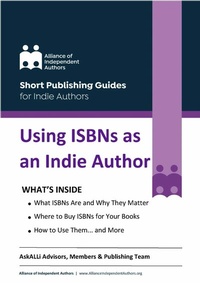
Using ISBNs as an Indie Author
Description
Alles über E-Books | Antworten auf Fragen rund um E-Books, Kopierschutz und Dateiformate finden Sie in unserem Info- & Hilfebereich.
ISBNs are unique product identifier codes that help distributors, wholesalers, retailers, and readers find your book and contrary to poor advice, yes, independent authors do need them. Understanding how ISBNs work, why they matter, and how to source and use them will help you distribute your self-published books efficiently and professionally.
But there is a lot of misinformation out there.
In this short guide from the AskALLi team of the Alliance of Independent Authors, you'll learn all the key facts to make informed decisions about ISBNs and be confident when publishing your own books.

All prices
More details
System requirements
File format: ePUB
Copy protection: Adobe-DRM (Digital Rights Management)
System requirements:
- Computer (Windows; MacOS X; Linux): Install the free reader Adobe Digital Editions prior to download (see eBook Help).
- Tablet/smartphone (Android; iOS): Install the free app Adobe Digital Editions or the app PocketBook before downloading (see eBook Help).
- E-reader: Bookeen, Kobo, Pocketbook, Sony, Tolino and many more (not Kindle).
The file format ePub works well for novels and non-fiction books – i.e., „flowing” text without complex layout. On an e-reader or smartphone, line and page breaks automatically adjust to fit the small displays.
This eBook uses Adobe-DRM, a „hard” copy protection. If the necessary requirements are not met, unfortunately you will not be able to open the eBook. You will therefore need to prepare your reading hardware before downloading.
Please note: We strongly recommend that you authorise using your personal Adobe ID after installation of any reading software.
For more information, see our ebook Help page.
File format: ePUB
Copy protection: without DRM (Digital Rights Management)
System requirements:
- Computer (Windows; MacOS X; Linux): Use a reader that can handle the file format ePUB, such as Adobe Digital Editions or FBReader – both free (see eBook Help).
- Tablet/Smartphone (Android; iOS): Install the free app Adobe Digital Editions or the app PocketBook (see eBook Help).
- E-reader: Bookeen, Kobo, Pocketbook, Sony, Tolino and many more (not Kindle).
The file format ePUB works well for novels and non-fiction books – i.e., 'flowing' text without complex layout. On an e-reader or smartphone, line and page breaks automatically adjust to fit the small displays.
This eBook does not use copy protection or Digital Rights Management
For more information, see our eBook Help page.