

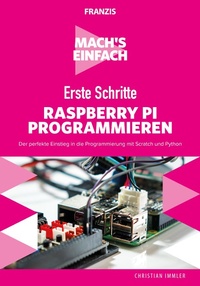
Mach's einfach: Erste Schritte Raspberry Pi programmieren
Der perfekte Einstieg in die Programmierung mit Scratch und Python
Published on 16. September 2019
193 pages
978-3-645-20626-6 (ISBN)
Description

Ratgeber macht den Einstieg in die Raspberry-Pi-Programmierung mit Scratch und Python extrem einfach, egal, ob Sie ein älteres Modell oder den neuen leistungsstarken Raspberry Pi 4 einsetzen. Das Buch verzichtet auf trockene Programmiertheorie und setzt auf anschauliche Beispielprogramme und überschaubare Projektbeispiele, anhand derer Sie die grundlegenden Techniken der Programmierung mit Scratch und Python schnell erlernen.
Los geht es mit einfachen Scratch-Projekten. Sie programmieren Ihr erstes Spiel und bauen Ihr eigenes Labyrinth.
Mit der auf dem Raspberry Pi eingebauten GPIO-Schnittstelle kann man auch direkt angeschlossene Elektronik über eigene Programme ansteuern, was auf einem PC nur mit erheblichem Aufwand möglich ist. Das geht am besten mit Python. Lassen Sie LEDs mit Python blinken, programmieren
Sie einen Spielwürfel mit LEDs oder steuern Sie Punktmatrix-Anzeigen. Raspberry-Pi-Enthusiast Christian Immler nimmt Sie an die Hand und macht Sie fit für die Umsetzung unterschiedlichster Elektronikprojekte mit Scratch und Python auf dem Raspberry Pi.
Los geht es mit einfachen Scratch-Projekten. Sie programmieren Ihr erstes Spiel und bauen Ihr eigenes Labyrinth.
Mit der auf dem Raspberry Pi eingebauten GPIO-Schnittstelle kann man auch direkt angeschlossene Elektronik über eigene Programme ansteuern, was auf einem PC nur mit erheblichem Aufwand möglich ist. Das geht am besten mit Python. Lassen Sie LEDs mit Python blinken, programmieren
Sie einen Spielwürfel mit LEDs oder steuern Sie Punktmatrix-Anzeigen. Raspberry-Pi-Enthusiast Christian Immler nimmt Sie an die Hand und macht Sie fit für die Umsetzung unterschiedlichster Elektronikprojekte mit Scratch und Python auf dem Raspberry Pi.
More details
Other editions
Additional editions
Christian Immler
Mach's einfach: Erste Schritte Raspberry Pi programmieren
Der perfekte Einstieg in die Programmierung mit Scratch und Python
Book
09/2019
1st Edition
FRANZIS GmbH
€19.95
Article exhausted; check different version
Person
Christian Immler, Jahrgang 1964, war bis 1998 als Dozent für Computer Aided Design an der Fachhochschule Nienburg und an der University of Brighton tätig. Einen Namen hat er sich mit diversen Veröffentlichungen zu Spezialthemen wie 3D-Visualisierung, PDA-Betriebssysteme, Linux und Windows gemacht. Seit mehr als 15 Jahren arbeitet er als erfolgreicher Autor mit mehr als 20 veröffentlichten Computerbüchern.
Content
IN DIESEM BUCH GEHT ES UM:
. Den Raspberry Pi vorbereiten
. Betriebssysteminstallation step-by-step
. Einfache Programme mit Scratch
. KI: Labyrinthe bauen und lösen
. Spiele mit Scratch programmieren
. Fußgängerampel mit Scratch steuern
. Alle Scratch-Blöcke im Überblick
. Einstieg in die Python-Programmierung
. MU: der neue Code-Editor
. Python-Flashcards
. Spielwürfel mit PyGame programmieren
. Zahlenraten mit grafischer Oberfläche
. Elektronik über GPIO steuern
. SenseHAT mit Python programmieren
. LED per Pulsweitenmodulation dimmen
. Siebensegmentanzeigen mit Python steuern
. Digitaluhr automatisch starten
. LCD-Module mit Python ansteuern
. So funktioniert das Pi-Camera-Modul
. und mehr
. Den Raspberry Pi vorbereiten
. Betriebssysteminstallation step-by-step
. Einfache Programme mit Scratch
. KI: Labyrinthe bauen und lösen
. Spiele mit Scratch programmieren
. Fußgängerampel mit Scratch steuern
. Alle Scratch-Blöcke im Überblick
. Einstieg in die Python-Programmierung
. MU: der neue Code-Editor
. Python-Flashcards
. Spielwürfel mit PyGame programmieren
. Zahlenraten mit grafischer Oberfläche
. Elektronik über GPIO steuern
. SenseHAT mit Python programmieren
. LED per Pulsweitenmodulation dimmen
. Siebensegmentanzeigen mit Python steuern
. Digitaluhr automatisch starten
. LCD-Module mit Python ansteuern
. So funktioniert das Pi-Camera-Modul
. und mehr
